a. Container Selection Method
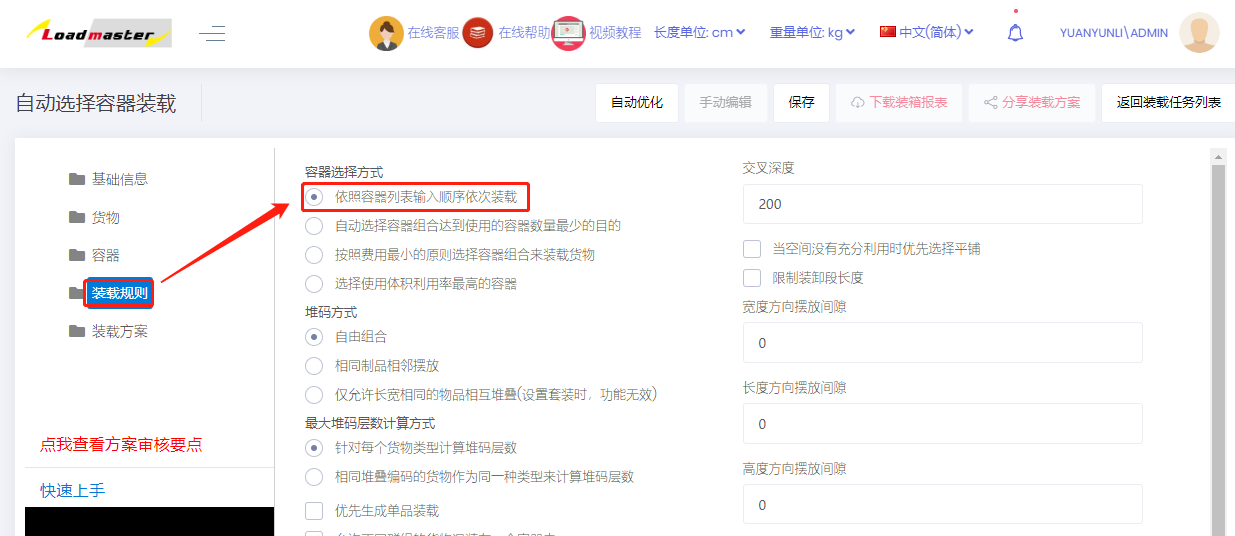
1) "Select containers in the same sequence as the input container list" — the optimization goal is to load by the specified container (vehicle, package) order and quantities.
Example: a batch must first fill two 40GP containers, then load the remainder into a 20GP.
On the Container interface, first add 40GP, then 20GP; set the 40GP quantity to 2.
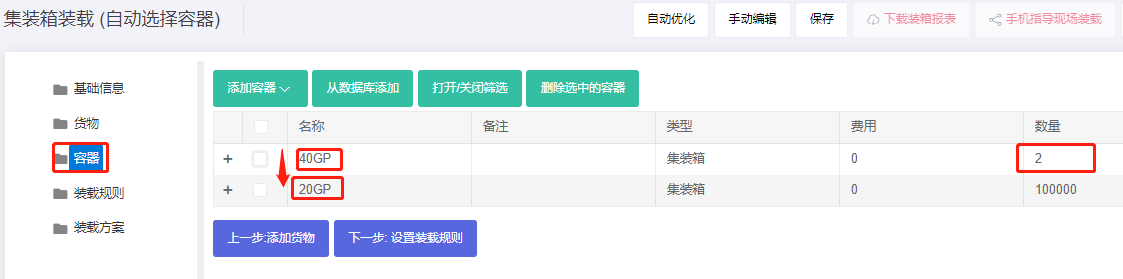
On the Loading rules interface, set Container Selection Method to "Select containers in the same sequence as the input container list". The result will fill two 40GP first and load the rest into the 20GP.
2) "Automatically select containers to minimize the quantity of containers used for loading" — minimize the number of containers used.
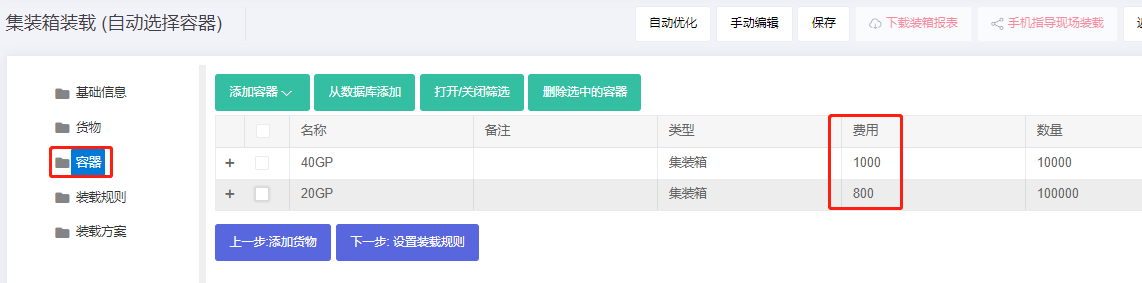
3) "Automatically select containers to minimize the cost of containers used for loading" — minimize total container cost.
To use this rule, you must fill in the container cost on the Container interface.
4) "Select containers with the highest volume usage rate" — pick the container with the highest load ratio.