a. How to simulate carton expansion and placement gaps
In real loading, placement gaps and carton expansion cannot be avoided. To ensure the plan is feasible, certain dimensions must be reserved in advance. There are several scenarios and methods:
1) If cargo dimensions are real-measured or cargo is loaded directly after production, and the container's internal dimensions are the standard ones (20GP: 589×235×239 cm; 40GP: 1200×235×239 cm; 40HQ: 1200×235×269 cm), use one of two methods to simulate manual placement gaps. These are empirical values; the user may calibrate them after on-site loading.
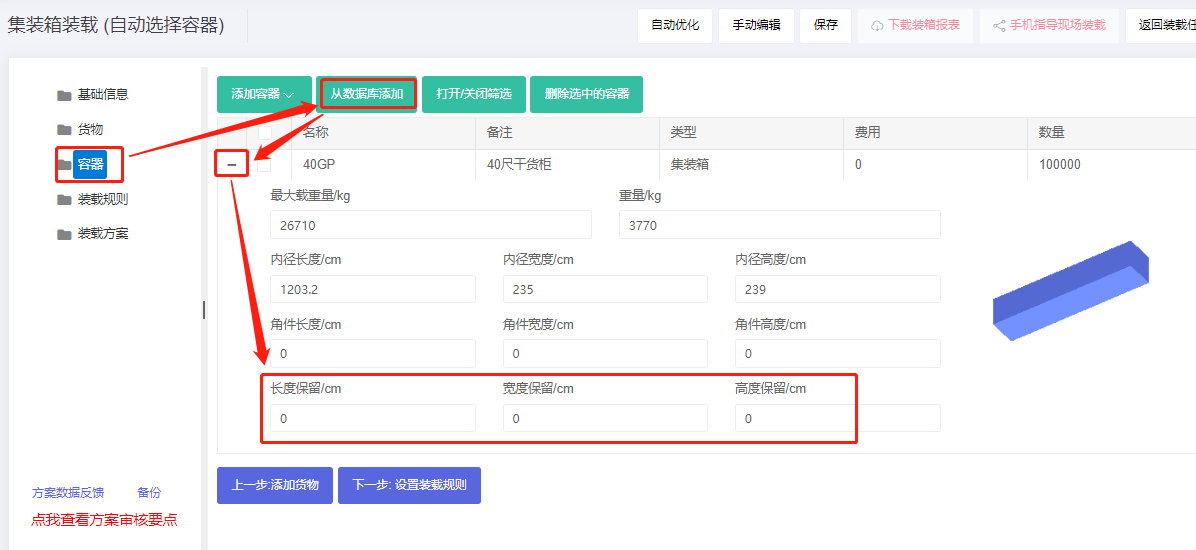
① Set the reserved size on the Container interface. Initial suggestion:
All cartons (or mostly cartons with a few wooden/iron boxes), manually loaded:
- 20GP: reserve 5–8 cm length, 3–5 cm width, 3–5 cm height.
- 40GP: reserve 10–15 cm length, 3–5 cm width, 3–5 cm height.
- 40HQ: reserve 10–15 cm length, 3–5 cm width, 3–5 cm height.
All wooden/pallet/iron boxes (no or very few cartons), forklift-loaded:
- 20GP internal: deduct 5–10 cm length, 3–5 cm width, 10 cm height.
- 40GP/40HQ: deduct 13–15 cm length, 3–5 cm width, 10 cm height.
When the container's height is deducted by 10 cm, set the corner-casting size to 0 (the 10 cm casting is already absorbed).
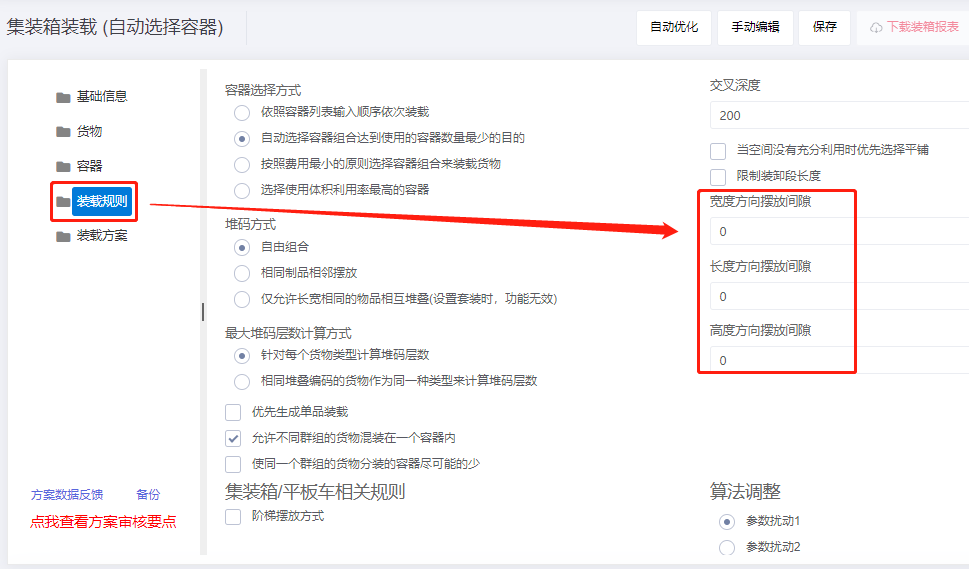
② On the Loading rules interface, set the placement gap between each pair of cargo items. Suggested initial value ~1 cm.
2) If cargo is carton-packed with theoretical sizes, and is stored in a warehouse for a week or more before shipment, consider expansion due to stacking pressure. According to Japanese experiments, carton deformation is about 1%–1.8% of the original size.
3) If cargo dimensions have already been enlarged by 1–2 cm, the reserved size / placement gap need not be set.
4) If the container size has already been reasonably reduced, the reserved size / placement gap need not be set.