e. How to specify intermediate packaging containers when palletizing first
When some cargo must be palletized first and then loaded with other bulk cargo, and some cargo requires a designated package container, how is this defined?
Example:
Loading data:
| Name | Qty | Length (cm) | Width (cm) | Height (cm) |
|---|---|---|---|---|
| A | 26 | 100 | 45 | 50 |
| B | 96 | 60 | 50 | 25 |
| C | 48 | 60 | 50 | 15 |
| D | 160 | 55 | 55 | 22 |
| E | 272 | 60 | 20 | 20 |
| F | 232 | 60 | 40 | 30 |
Loading requirements:
1) All cargo: height vertical to the ground only.
2) Cargo A: directly into container; cargo B, C: palletize first (free choice of pallet).
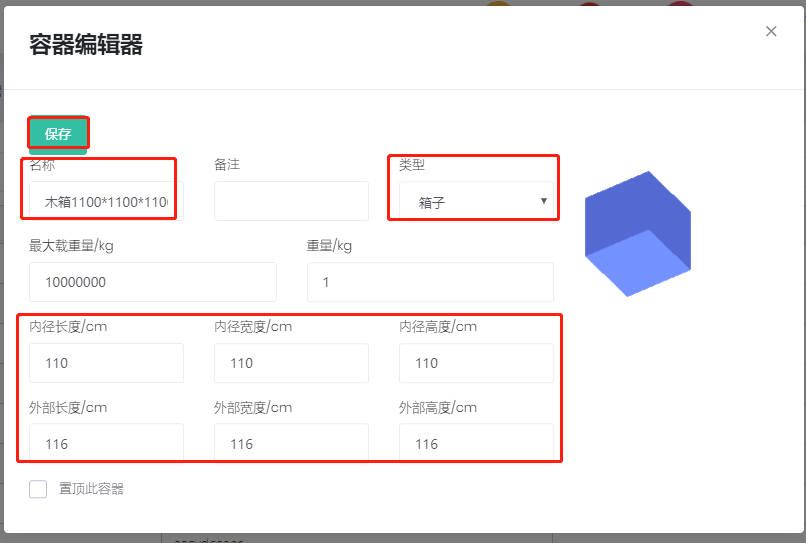
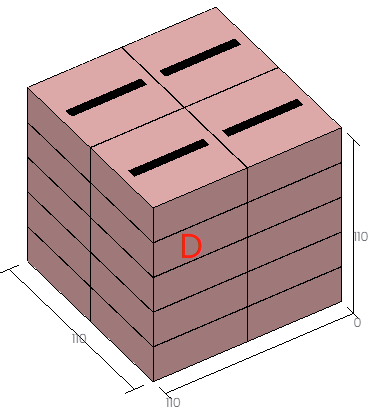
3) Cargo D: pack into a wooden box then load. Wooden box internal dimensions 1100×1100×1100 mm; external dimensions 1160×1160×1160 mm.
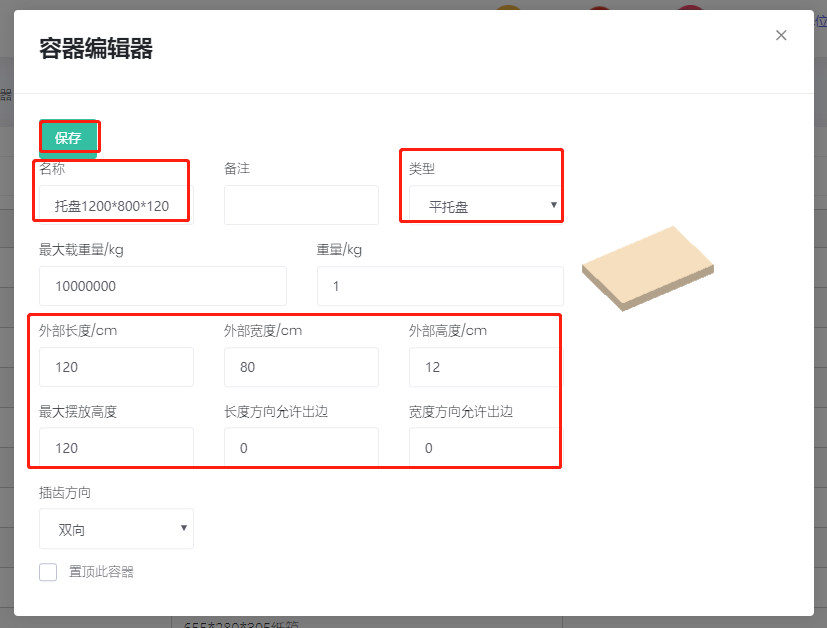
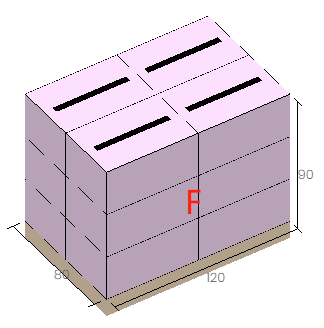
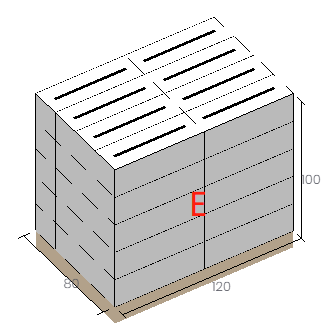
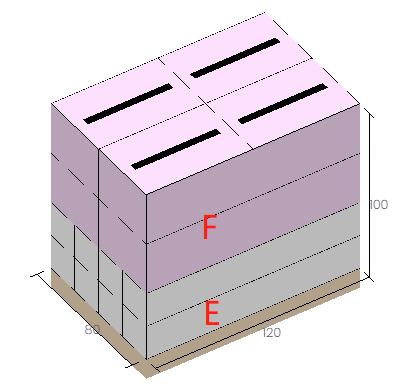
4) Cargo E, F: pack onto a designated pallet then load. Pallet 1200×800×120 mm, height limit 1.2 m (including pallet height).
5) Select which container type is the best and calculatehow many are needed.
Steps:
Step 1: Maintain the designated intermediate packagings in the container database first.
1) After signing in, click Container management on the left.
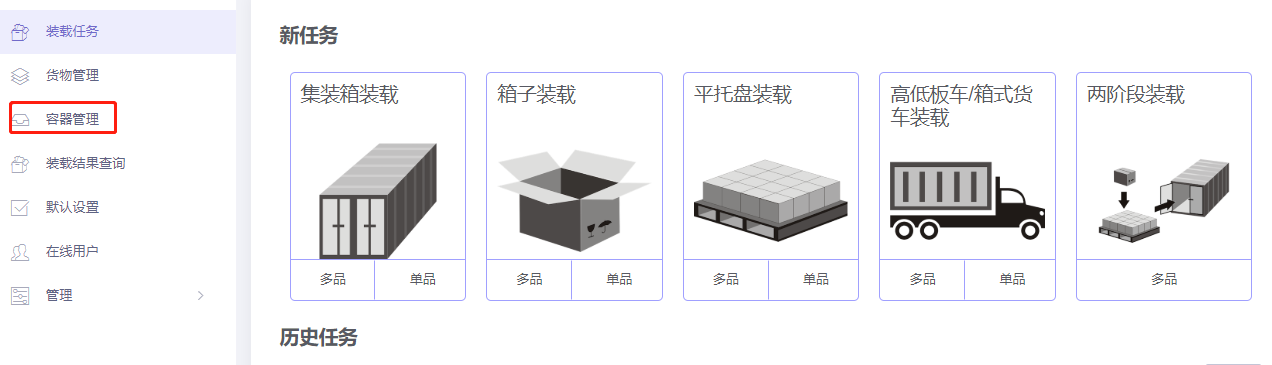
2) Click Add container in the upper-right (this case has few packagings, so add one by one).
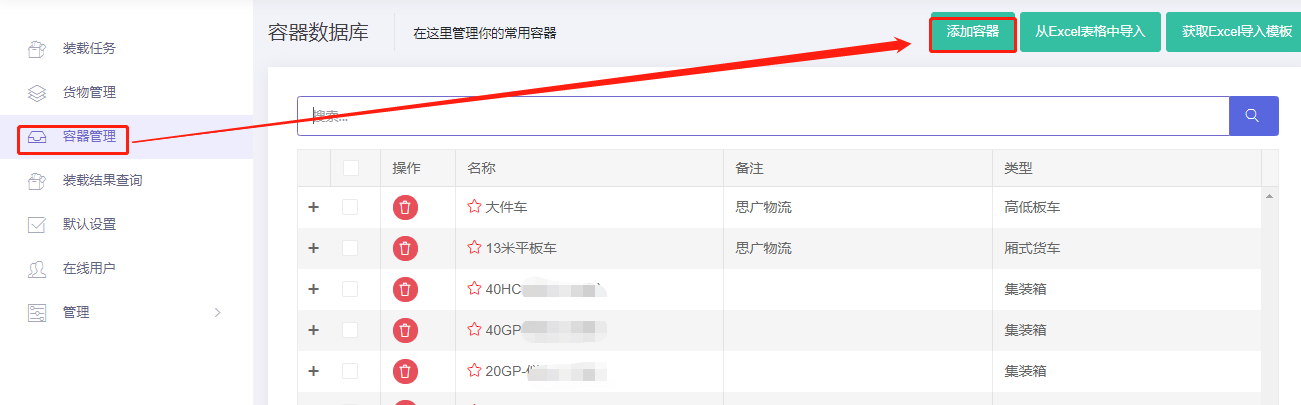
① Add the wooden box: name "Wooden box 1100×1100×1100", type "Box", define internal and external length/width/height, click Save.
② Add the pallet: name "Pallet 1200×800×120", type "Flat pallet", length 120 cm, width 80 cm, height 12 cm, max placement height 120 cm, click Save.
If there are many types, use the Excel template (see Container Management above).
Step 2: Click Loading task on the left and choose 2-Steps loading.
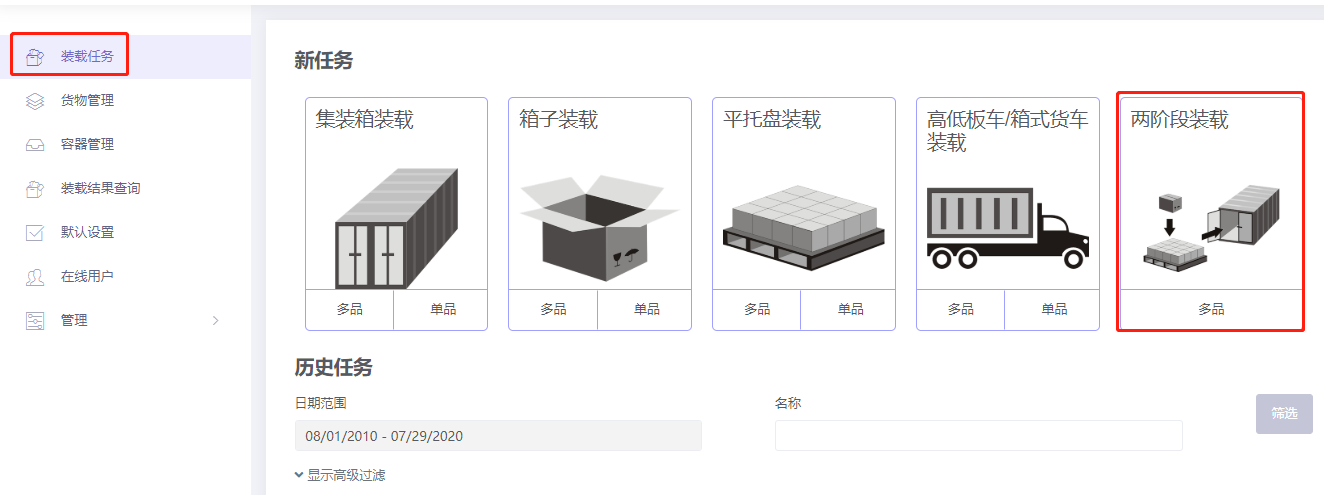
Basic Information is optional.
Step 3: Cargo → Excel batch import. Get template:
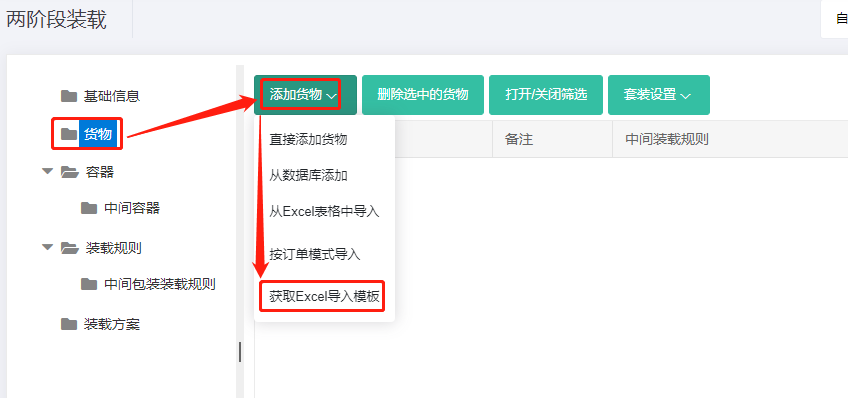
Fill template:
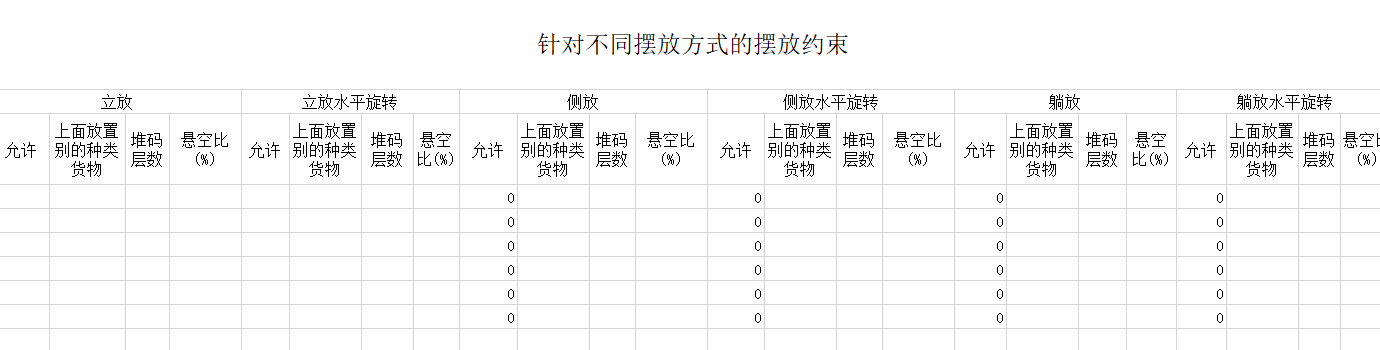
① Name, qty, dimensions. ② Allow only Stand and Stand_Rotate.
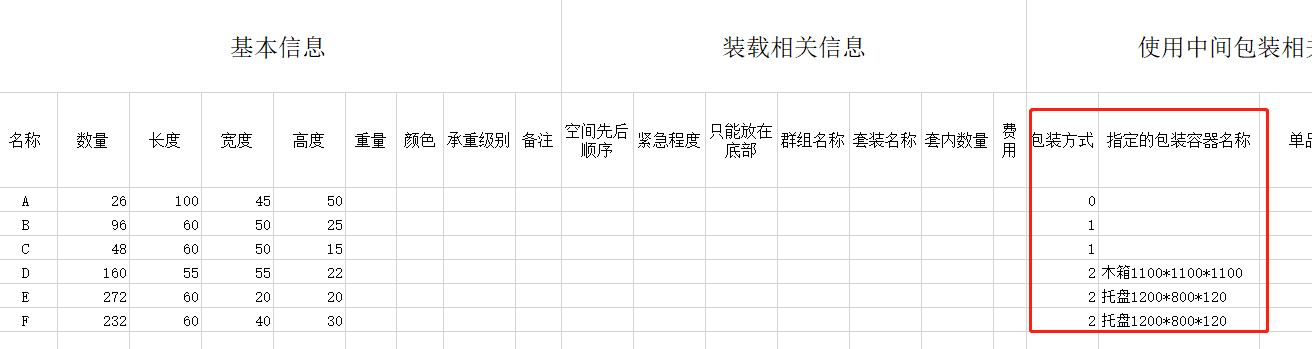
③ Intermediate Packing method: A = 0; B, C = 1; D, E, F = 2 and fill in the "Designated package container name" matching the names in the database.
Save, close, import from Excel.
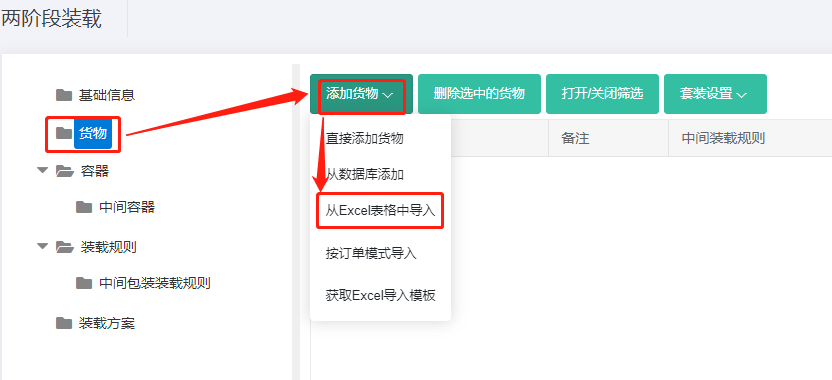
Step 4: Container → Add from database → 20GP, 40GP, 40HC. Corner castings 10×10×10 cm; reserved sizes. See How to simulate carton expansion and manual placement gaps.
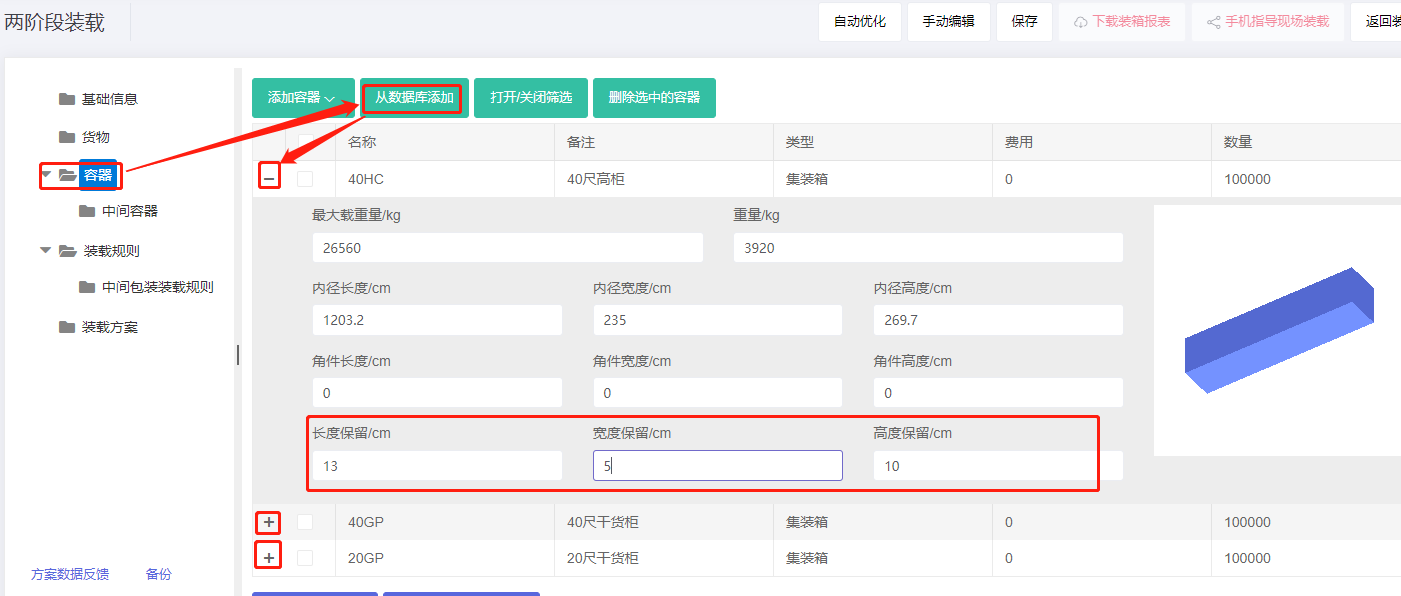
Note: pallet-into-container — set height reserved 10 cm; corner-casting size need not be set.
Step 5: Intermediate container → Add from database → 1200×1000 and 1100×1100 pallets → import.
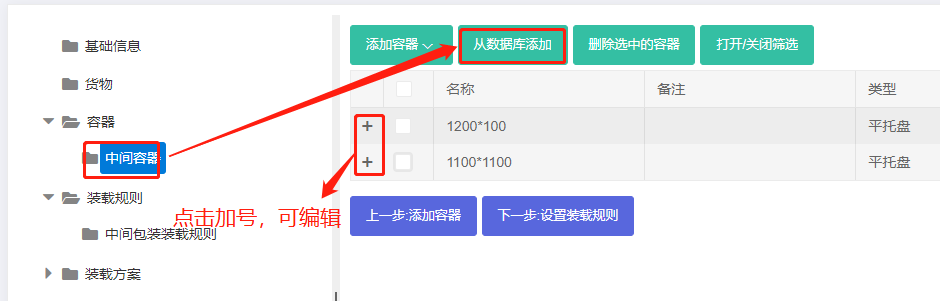
Step 6: Loading rules — keep defaults.
Step 7: Medial Loading Rules — keep defaults.
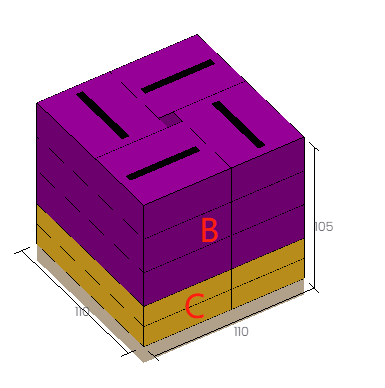
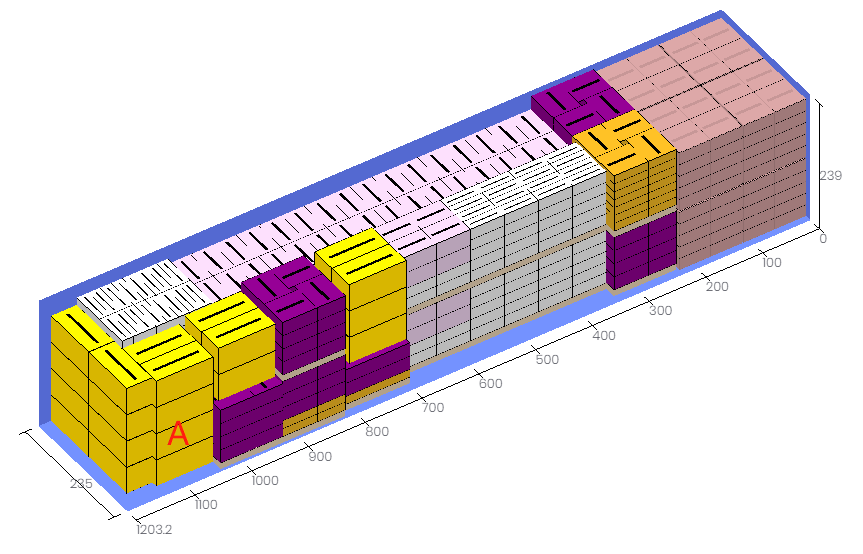
Click Loading Result. A: directly into container; D: into the wooden box; E, F: onto the designated pallet; B, C: onto 1100×1100 pallets — fully meeting the requirements.
After review, share or download the report.