i. How to load cargo in sets by proportion
When one set spans multiple cartons and multiple sets are mixed, cargo must be loaded as complete sets — e.g. one table and four chairs are one set, or one indoor unit and one outdoor unit of an air conditioner ship 1:1. How is this defined?
Example:
Loading data:
| Name | Cartons | Length (cm) | Width (cm) | Height (cm) |
|---|---|---|---|---|
| A | 32 | 205 | 80 | 60 |
| B | 128 | 95 | 43 | 43 |
| C | 43 | 80 | 40 | 40 |
| D | 43 | 80 | 78 | 100 |
| E | 44 | 80 | 80 | 50 |
Loading requirements:
1) Height vertical to the ground only.
2) A+B and C+D are sets. 1 box A + 4 boxes B = 1 set; C and D ship 1:1.
3) Select the best container and calculate how many are needed.
Choose Loading Container / Multi-Cargoes.
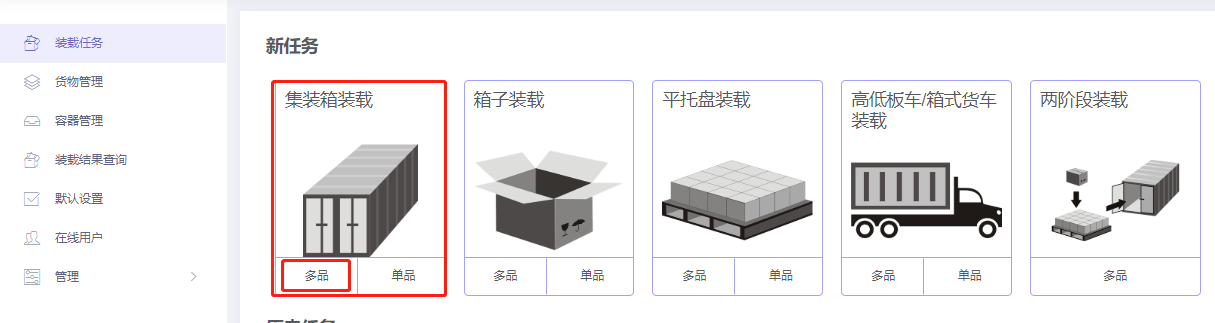
Step 1: Cargo → Excel batch import.
1) Get template.

2) Fill template:
① Name, qty, dimensions.
② Allow only Stand and Stand_Rotate.
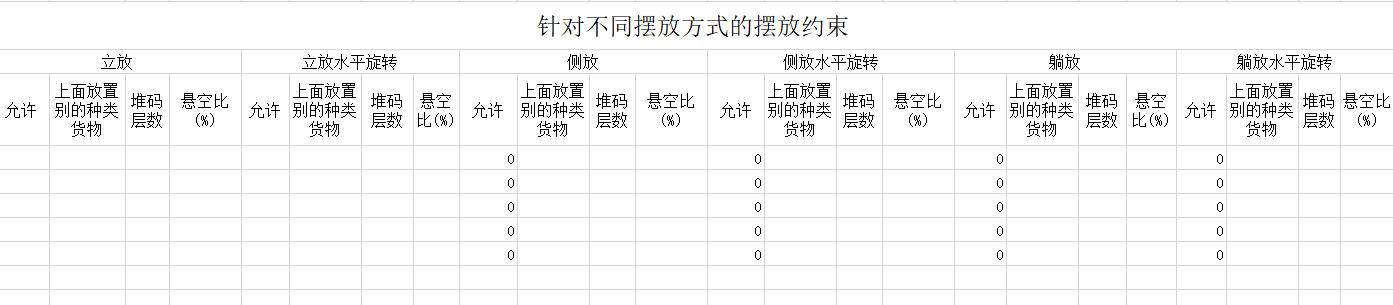
③ Define sets: enter Cargo Set Name and Quantity in Cargo Set for each item. Items of the same set must share the same name (letters, digits or characters). Quantity-in-set is the count or ratio of each cargo in one set.
This case: A and B → "Set 1", quantity 1:4; C and D → "Set 2", 1:1. Quantities in the cargo list must also be proportional.
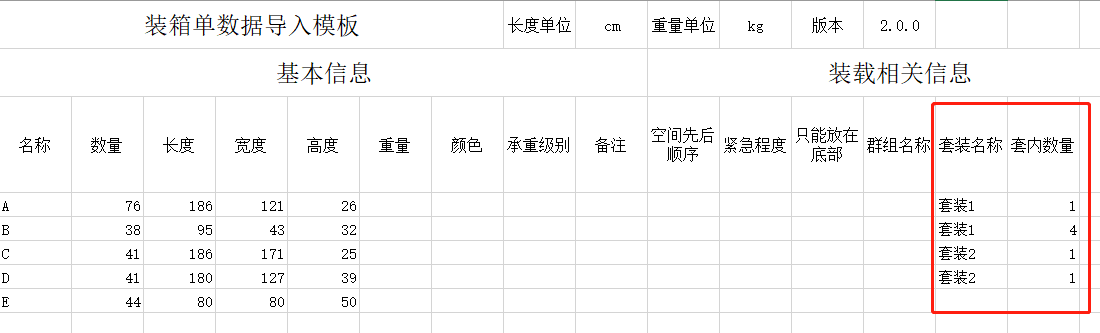
3) Import from Excel.

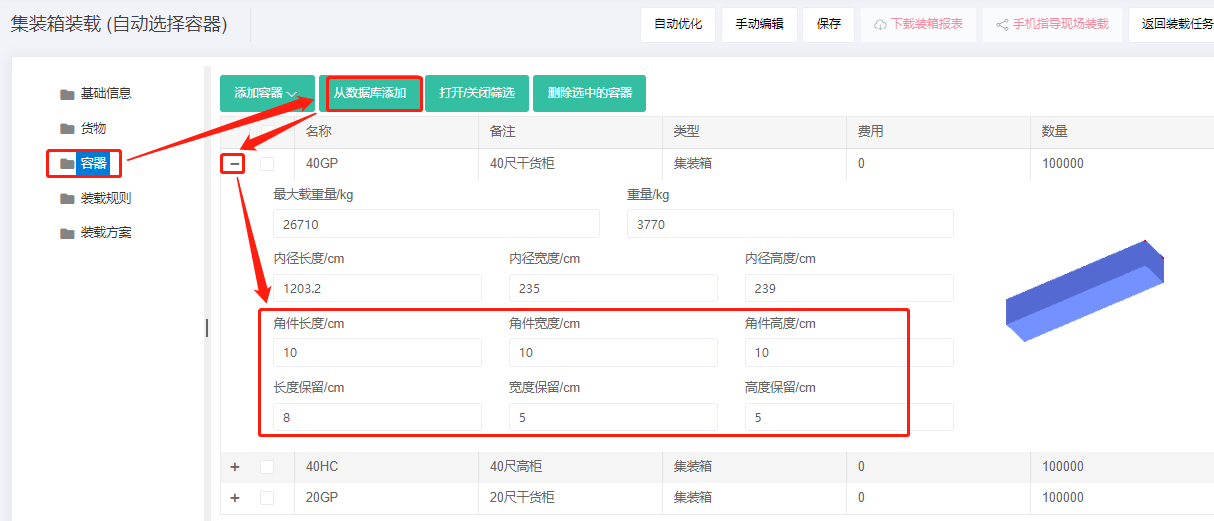
Step 2: Container → Add from database → 20GP, 40GP, 40HC. Corner castings 10×10×10 cm and reserved sizes.
Step 3: Loading rules — keep defaults.
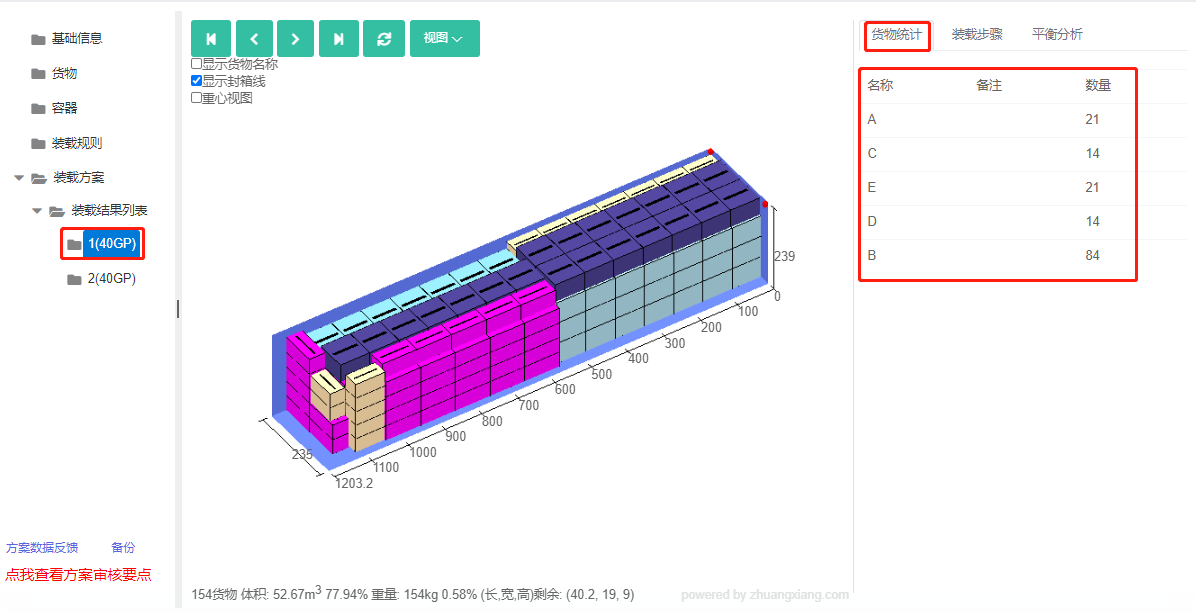
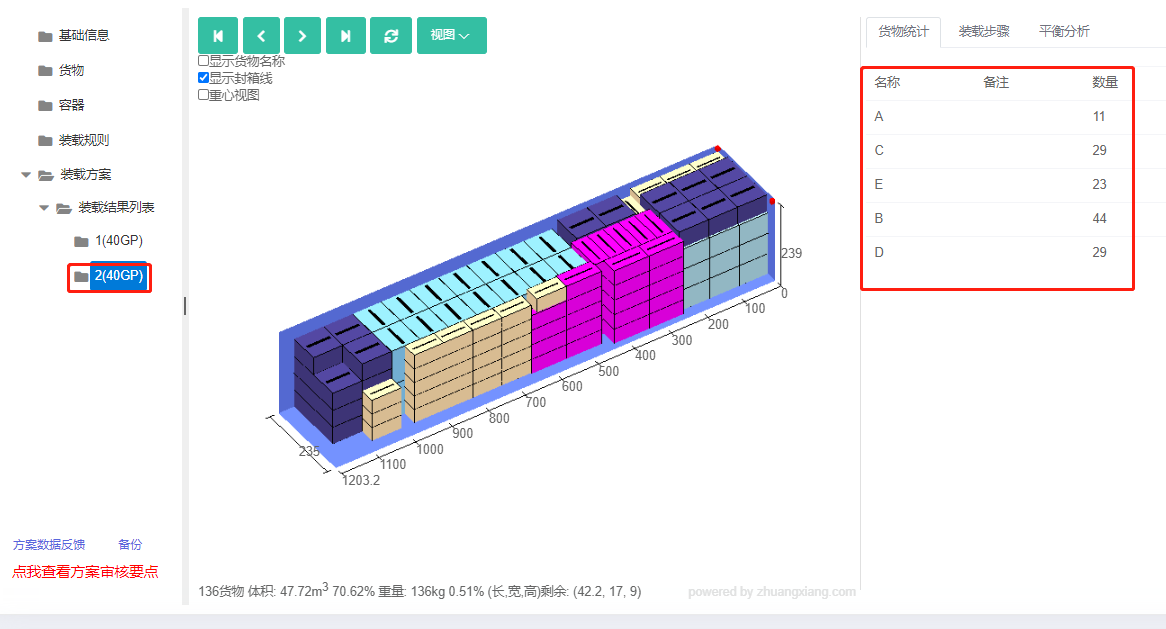
Click Loading Result. The batch fits in two 40GP. From the statistics:
Container 1: 29 A and 116 B (1:4).
Container 2: 43 C and 43 D (1:1); 3 A and 12 B (1:3).
After review, share or download the report.