t. How to require the container with the highest load ratio
Sometimes the requirement is not "fewest containers" but "highest volume utilization". How is this defined?
Example:
Loading data:
| Name | Qty | Length (cm) | Width (cm) | Height (cm) |
|---|---|---|---|---|
| A | 61 | 26 | 32 | 24 |
| B | 28 | 31 | 26 | 57 |
| C | 24 | 27 | 25 | 22 |
| D | 40 | 34 | 25 | 36 |
| E | 35 | 41 | 36 | 21 |
Loading requirements:
- Height vertical to the ground only.
- Pack into boxes; two box types: 180×80×100 cm and 228×134×100 cm.
- Choose the box with the higher load ratio.
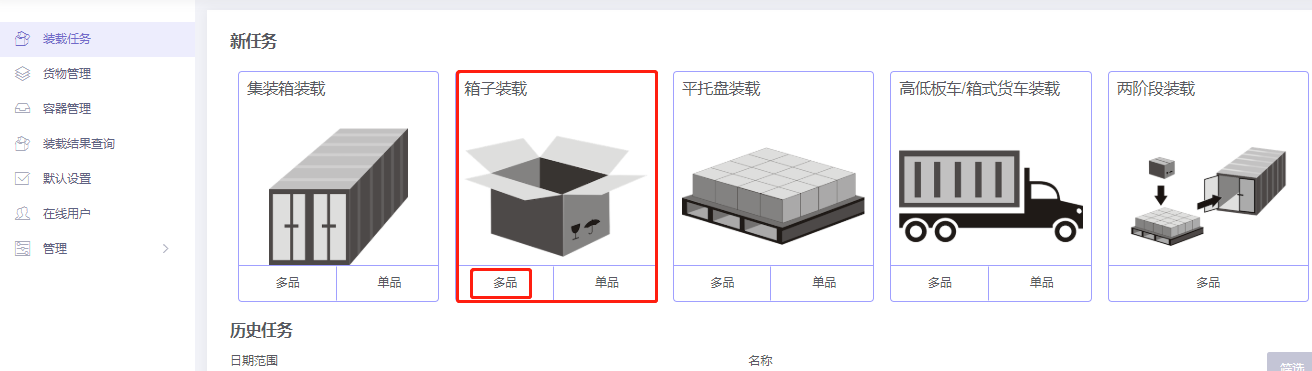
Choose Loading Box / Multi-Cargoes.
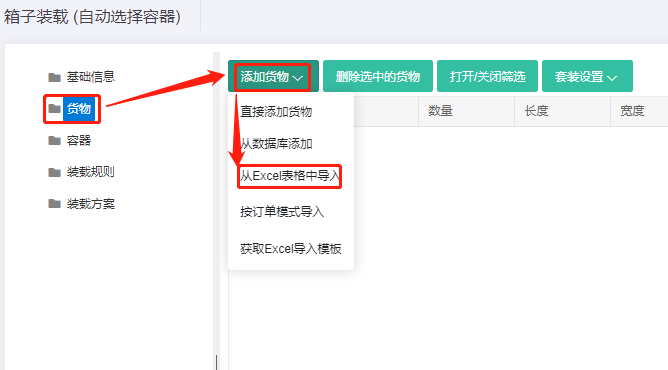
Step 1: Cargo → Excel batch import.
1) Get template.

2) Fill template:
① Name, qty, dimensions.
② Allow only Stand and Stand_Rotate.
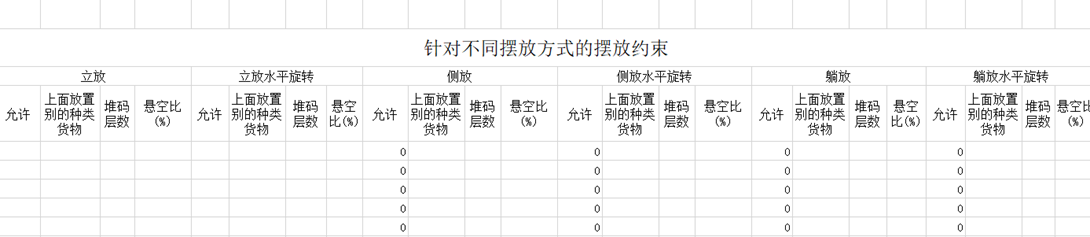
3) Import from Excel.
Step 2: Container. These boxes are not in the database, so click Add container → Carton, name e.g. "Carton 180×80×100", and enter internal length/width/height. External dimensions do not affect this plan — leave blank or set equal to internal. (If the boxes will later go inside containers, external dimensions must be set.) Repeat for the second box.
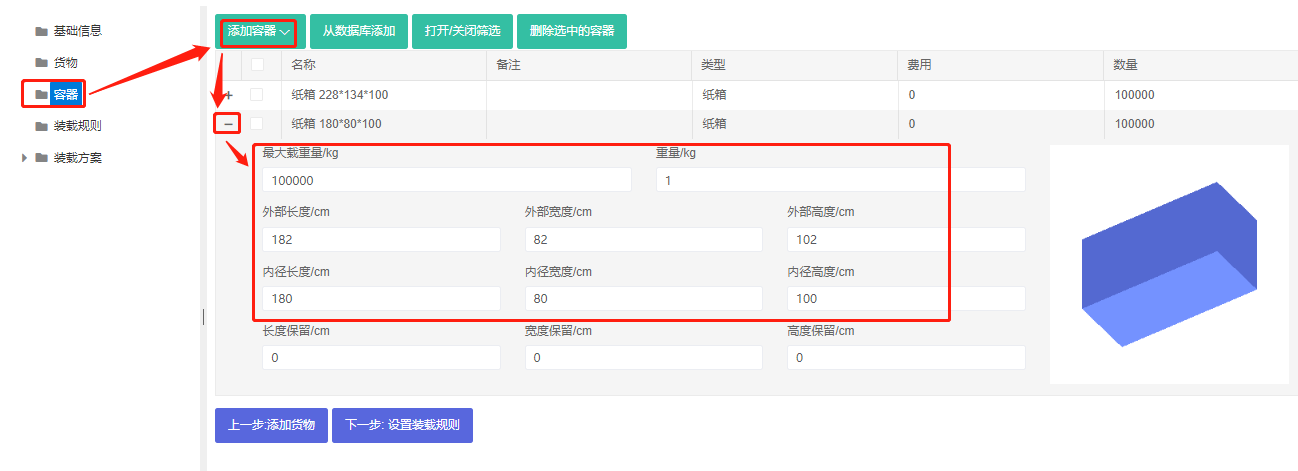
Maintain frequently used containers in the database. See Container Management.
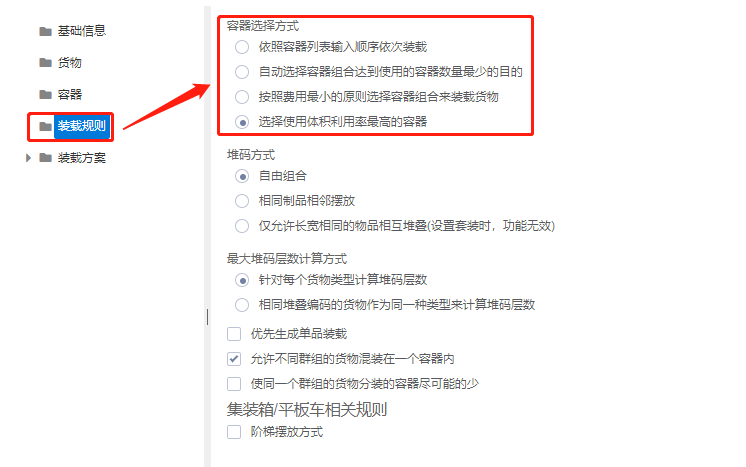
Step 3: Loading rules → set Container Selection Method to "Select containers with the highest volume usage rate".
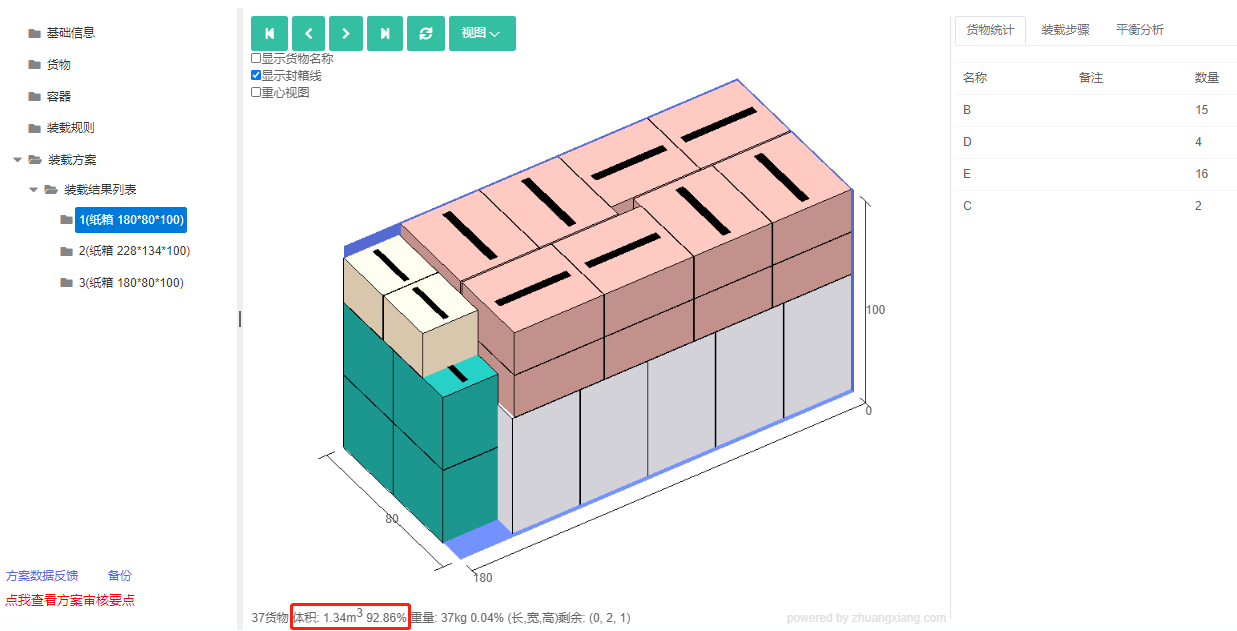
Click Loading Result. The result uses one 228×134×100 box and two 180×80×100 boxes.
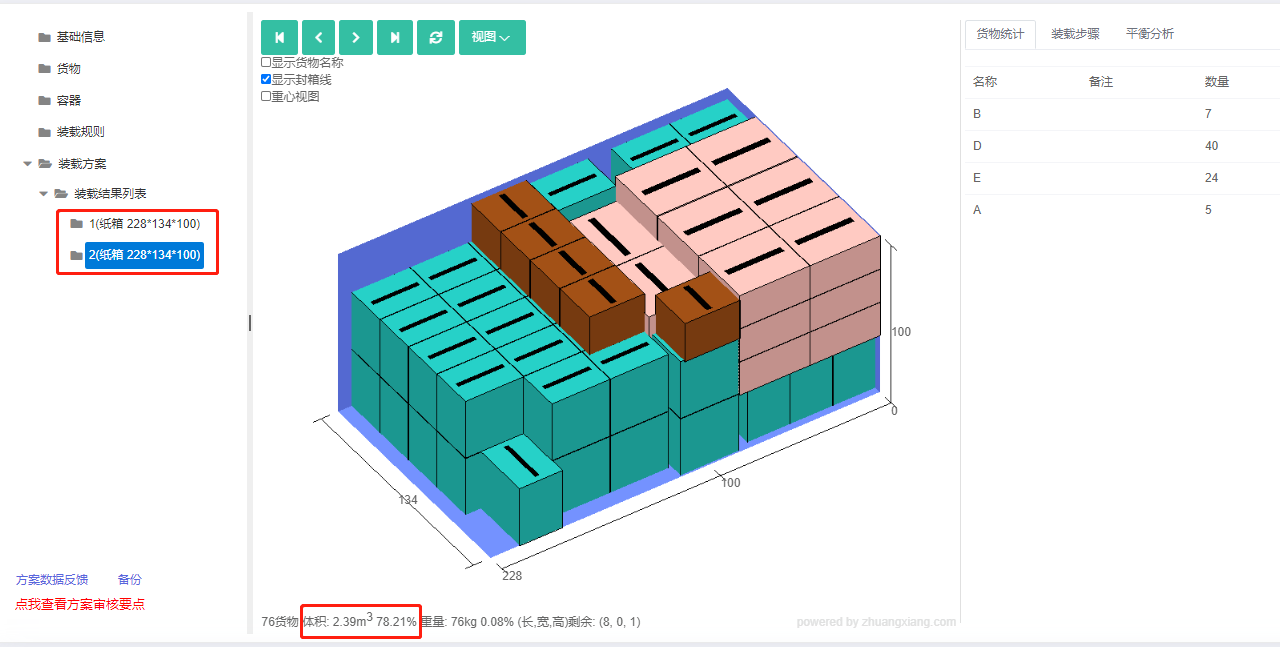
If you instead set Container Selection Method to "Automatically select containers to minimize the quantity of containers used for loading", the result uses two 228×134×100 boxes — fewer containers but lower volume utilization.
After review, share or download the report.