f. How to load cargo with mixed light/heavy items
When cargo of different load-bearing levels is mixed, lighter cargo should go on top of heavier cargo to avoid damage. How is this defined?
Example:
Loading data:
| Name | Qty | Length (cm) | Width (cm) | Height (cm) | Weight (kg) | Packaging |
|---|---|---|---|---|---|---|
| A | 10 | 235 | 44 | 144.7 | 570 | Wooden box |
| B | 6 | 210 | 75 | 122 | 480 | Wooden box |
| C | 11 | 220 | 55 | 70 | 426 | Wooden box |
| D | 32 | 88 | 66 | 35 | 80 | Carton |
| E | 3 | 126 | 114.3 | 99 | 240 | Carton |
| F | 5 | 120 | 80 | 122 | 260 | Carton |
Loading requirements:
1) Opening-side up only.
2) Cartons go on top of wooden boxes; A may only be at the bottom; nothing may be placed on top of D.
3) Select the best container and calculate how many are needed.
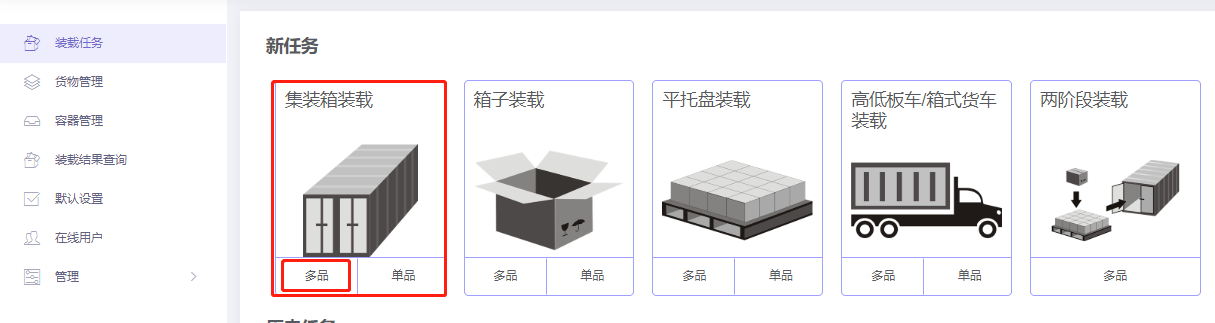
Choose Loading Container / Multi-Cargoes.
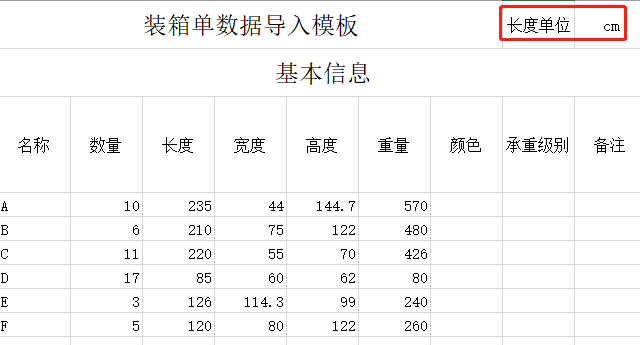
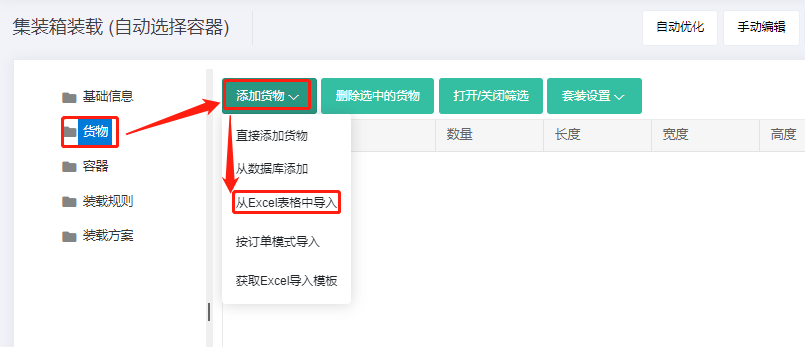
Step 1: Cargo → Excel batch import.
1) Get template.

2) Fill template:
① Name, qty, dimensions, weight (required for safe transport).
② Allow only Stand and Stand_Rotate.
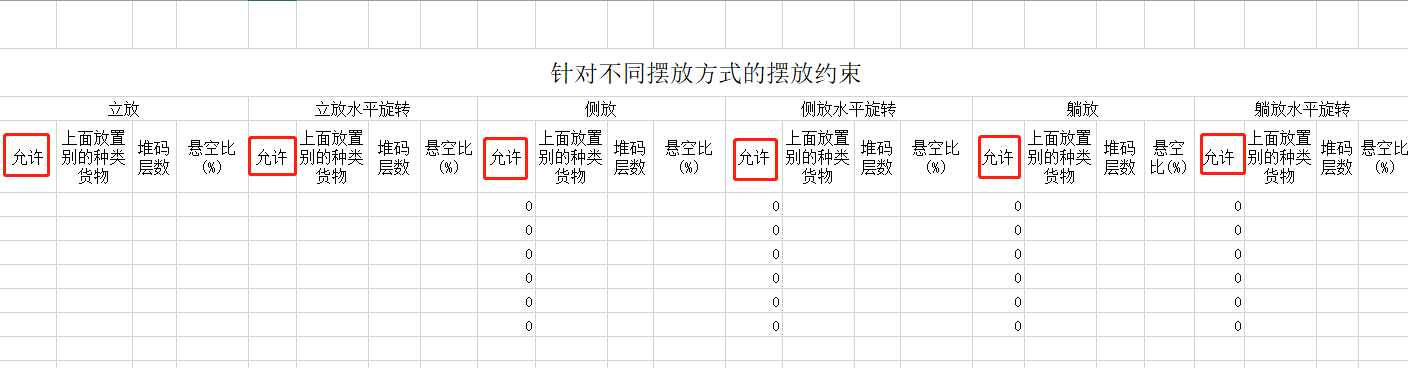
③ Loading attributes:
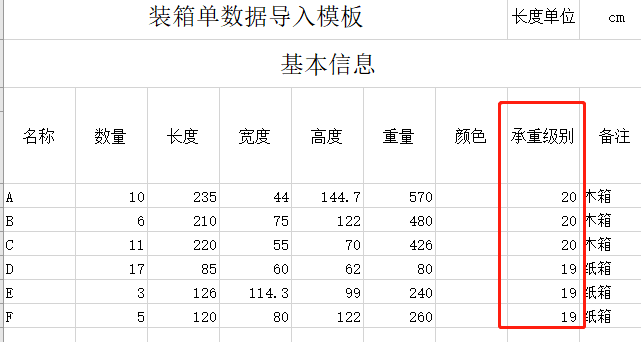
Set Stacking Orders (larger = stronger, placed lower). Default is 10; set A, B, C to 20 and D, E, F to 19.
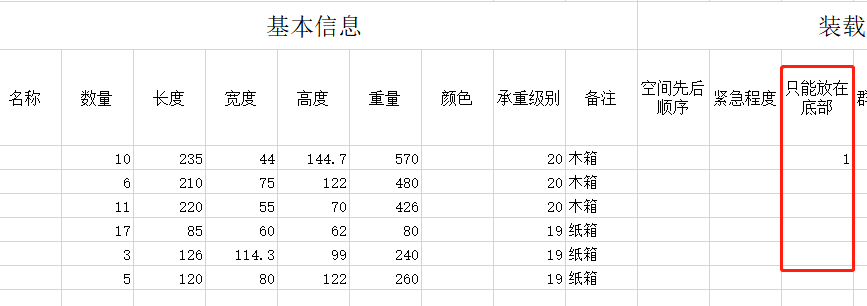
Set A's "Only at the bottom" = 1.
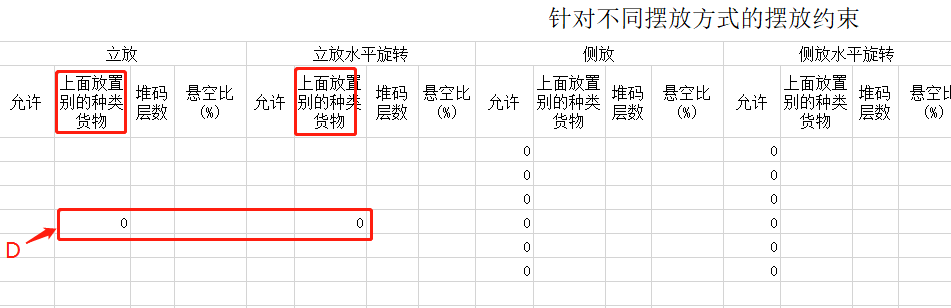
For D, under Stand and Stand_Rotate, set "Support Others" = 0 (not allowed).
3) Import from Excel.
Step 2: Container → Add from database → 20GP, 40GP, 40HC. Corner castings 10×10×10 cm and reserved sizes.
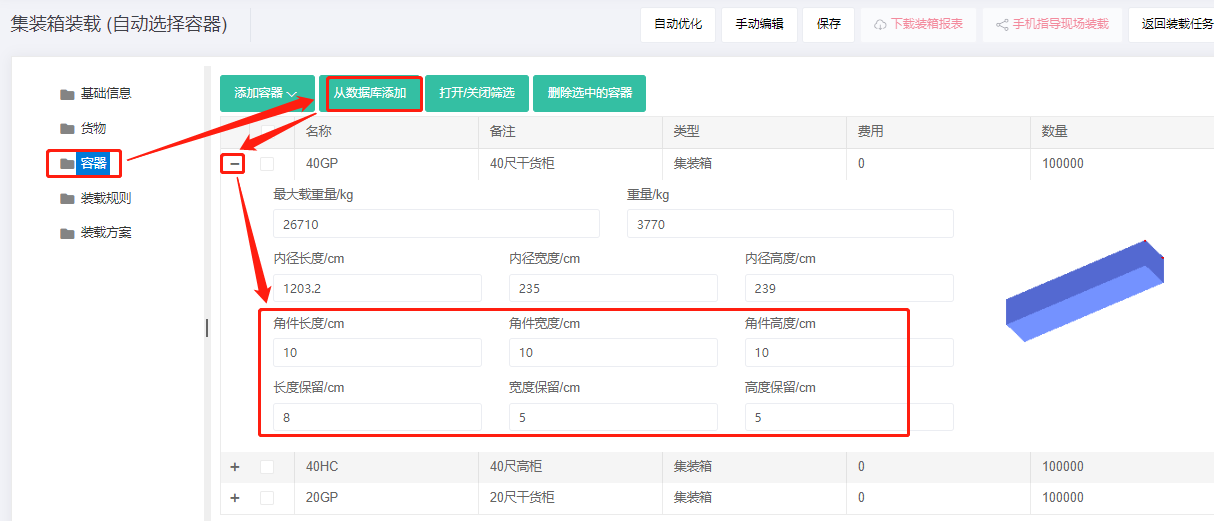
Step 3: Loading rules — keep defaults.
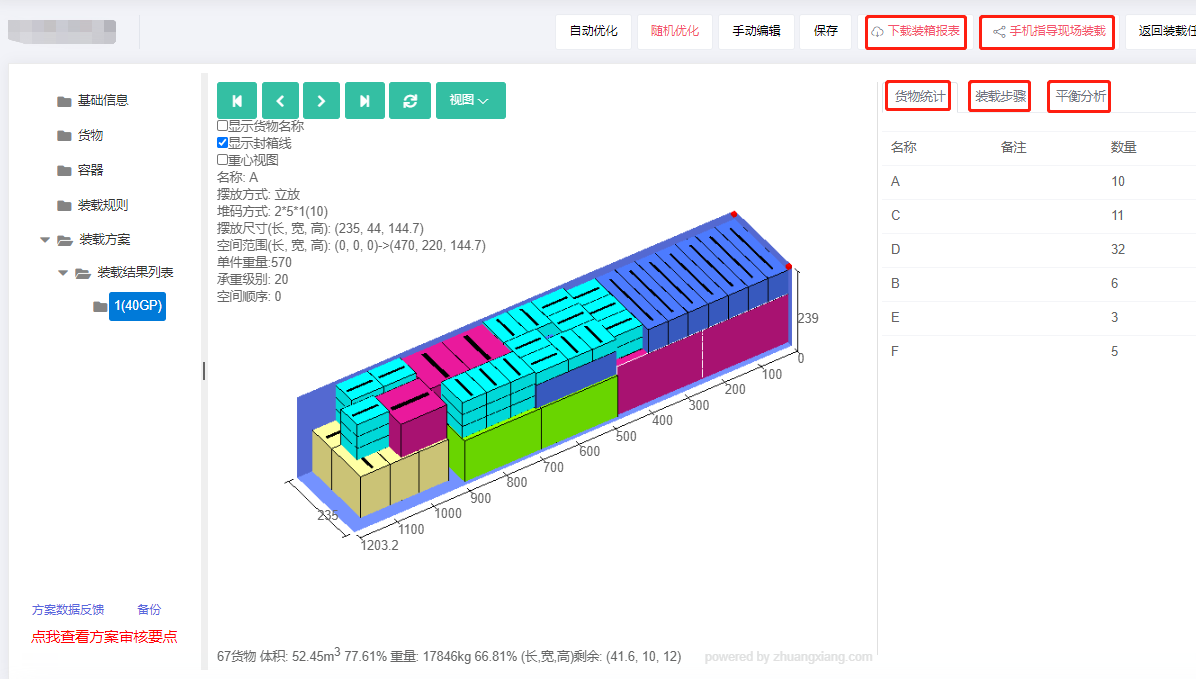
Click Loading Result. The batch fits in one 40GP. The 3D view shows cartons on top of wooden boxes, A at the bottom, nothing on top of D — fully meeting requirements.
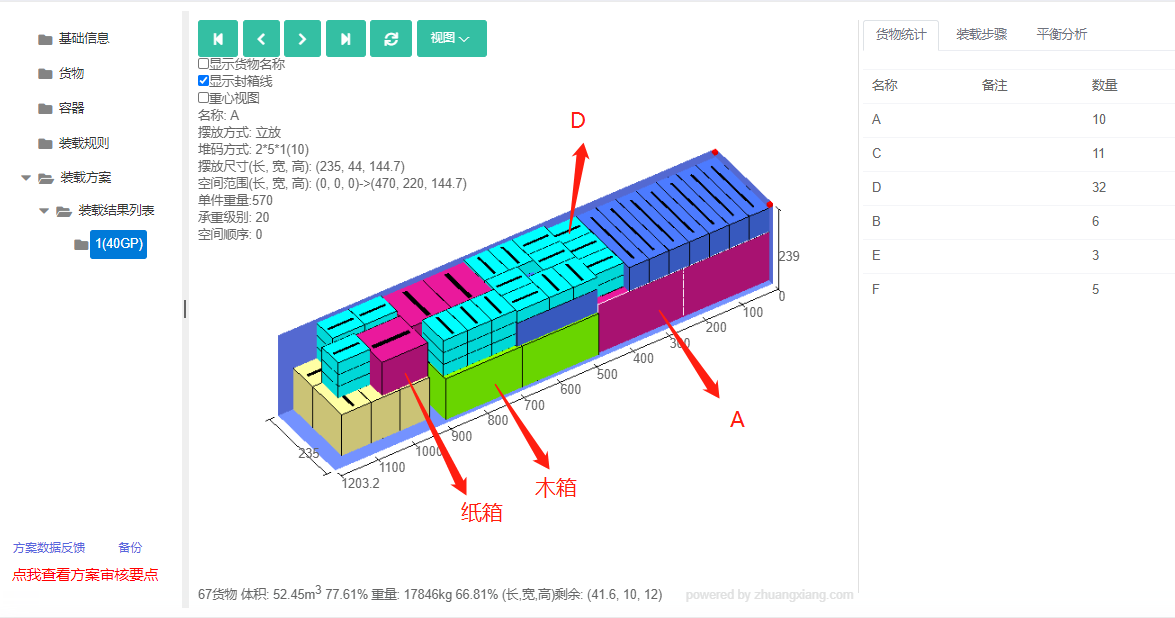
The right side shows cargo statistics, loading steps and balance analysis.
After review, share or download the report.