b. How to keep cargo from different orders from mixing on the same pallet
When palletizing multi-type cargo, only cargo of the same order may be mixed. How is this defined?
Example:
Loading data:
| Name | Cartons | Length (cm) | Width (cm) | Height (cm) |
|---|---|---|---|---|
| A | 8 | 55 | 60 | 30 |
| B | 32 | 30 | 55 | 30 |
| C | 16 | 60 | 50 | 20 |
| D | 60 | 30 | 25 | 20 |
Loading requirements:
1) Length must not be vertical to the ground.
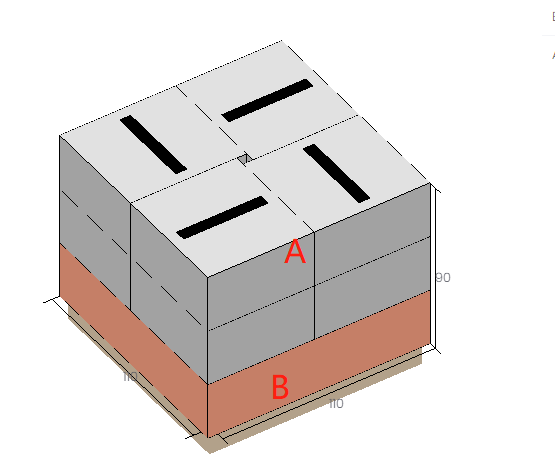
2) Only A and B may share a pallet; others cannot mix.
3) Compute palletization and choose pallet size.
4) Pallet height limited to 1.2 m (including pallet height); 5 cm overhang allowed in length/width directions.
Choose Loading Flat Pallet/ Multi-Cargoes.
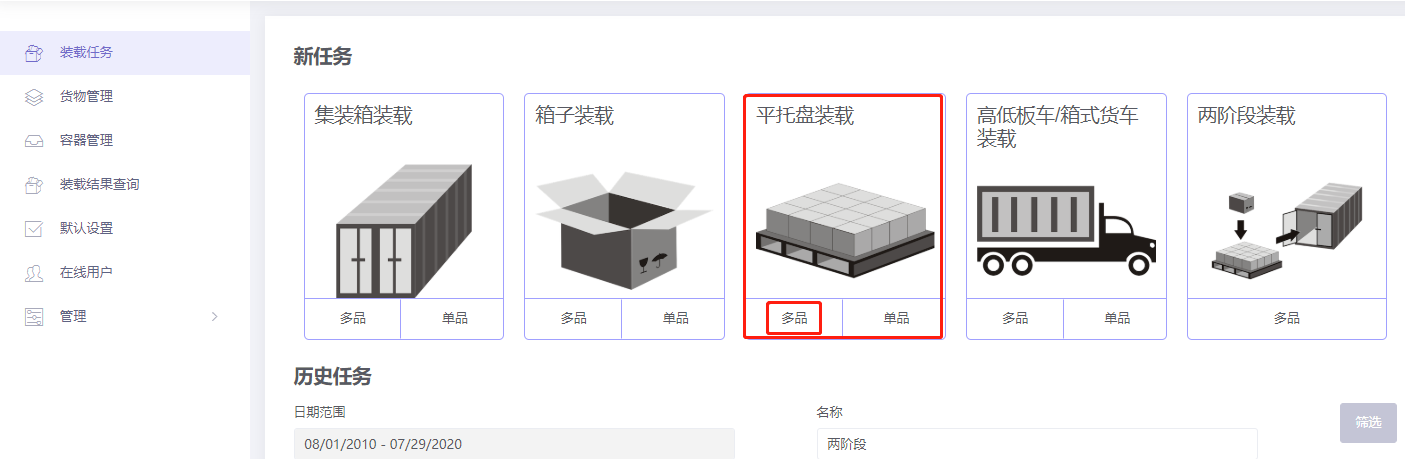
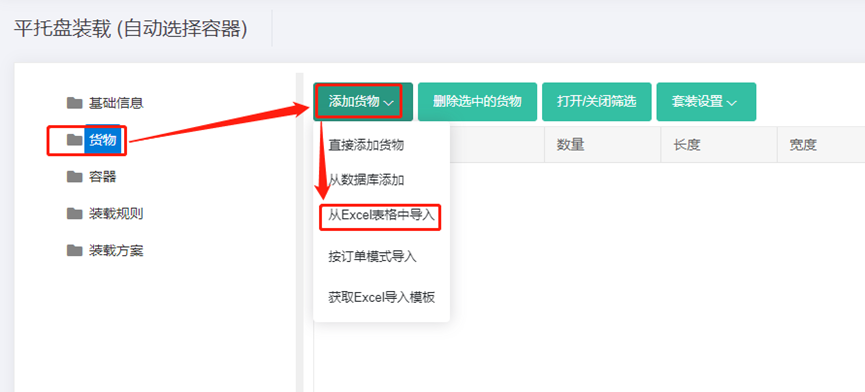
Step 1: Cargo → Excel batch import.
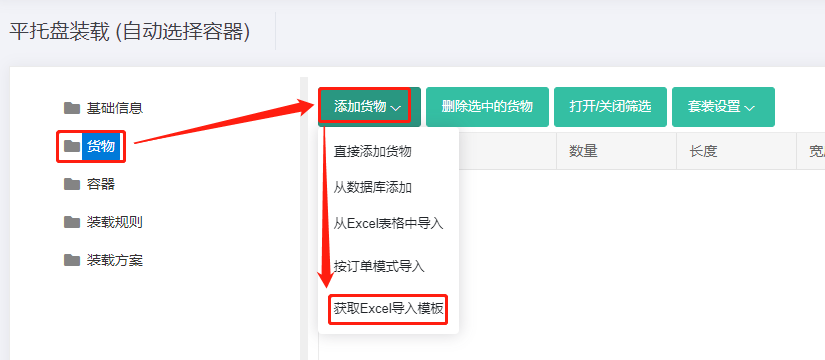
1) Get template.
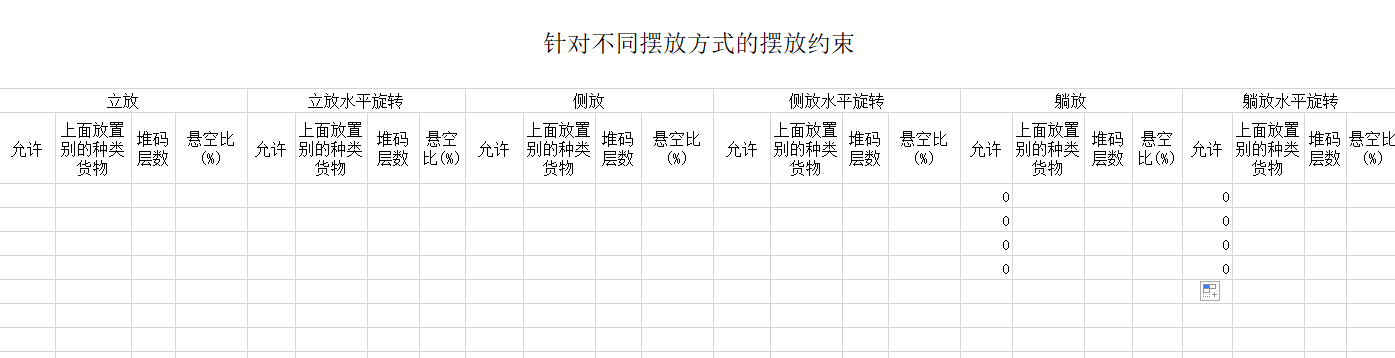
2) Fill template:
① Name, qty, dimensions. ② Disallow Lay and Lay_Rotate.
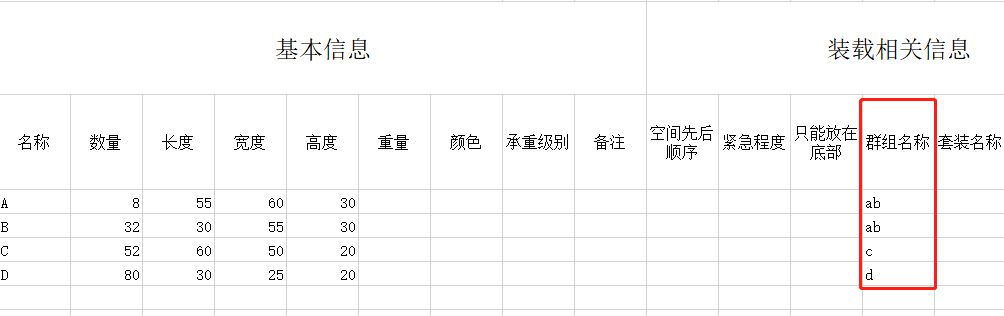
③ Set the same group for A and B; different groups for others. Group names can be numbers, characters or letters — this case uses letters.
3) Import from Excel.
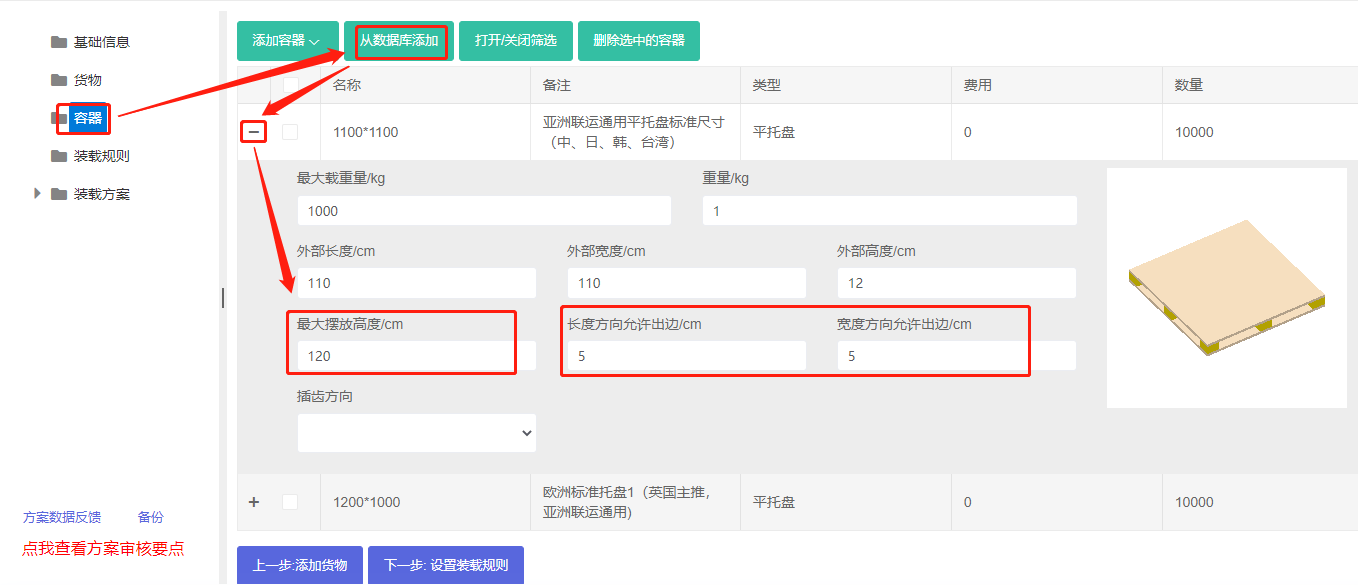
Step 2: Container → Add from database → common pallets → Add. Set max placement height 120 cm, length/width direction overhang allowed 5 cm.
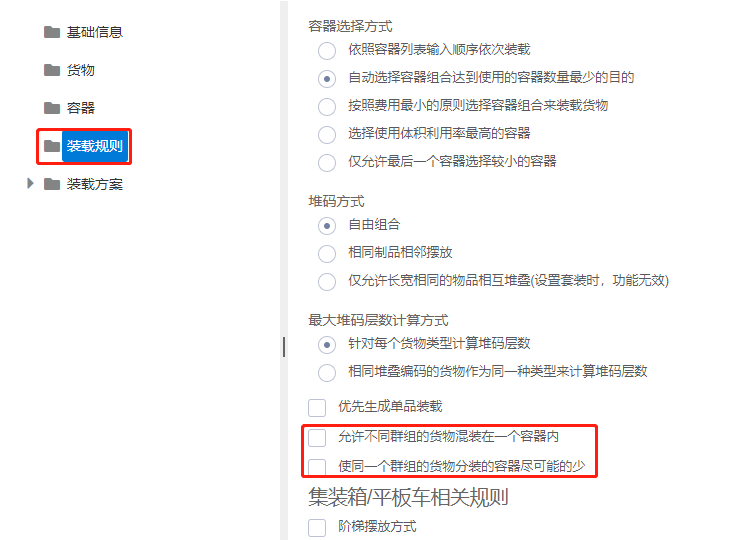
Step 3: Loading rules → uncheck "Allow different groups of cargoes to be mixed in one container".
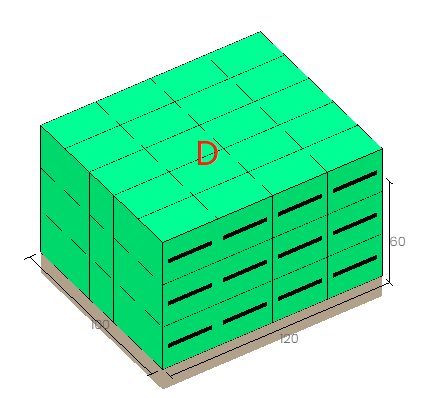
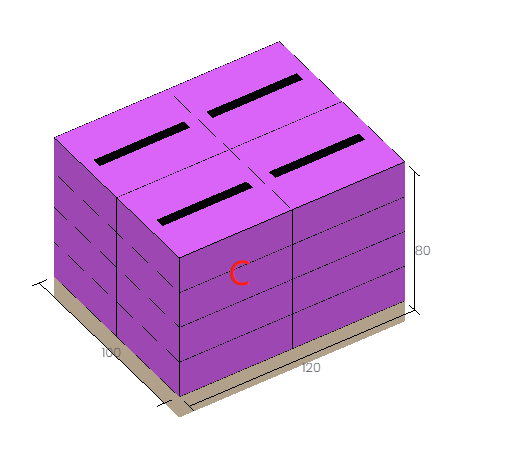
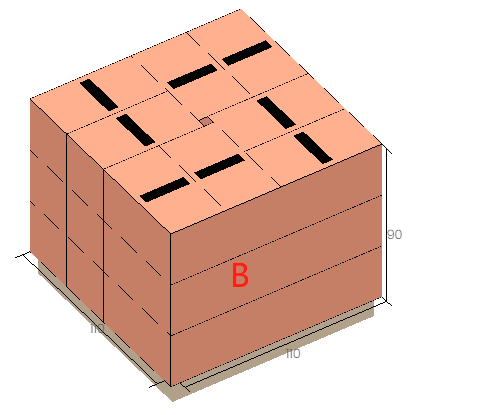
Click Loading Result. The cargo fits on two 1100×1100 pallets and two 1200×1000 pallets. The 3D view shows only A and B mixed, meeting the requirement.
After review, share or download the report.