c. How to generate single-product pallets as much as possible when palletizing first
When palletizing first then loading into containers, you may want to maximize single-product pallets and minimize mixed pallets. How is this defined?
Loading data:
| Name | Qty | Length (cm) | Width (cm) | Height (cm) |
|---|---|---|---|---|
| A | 257 | 50 | 40 | 20 |
| B | 133 | 60 | 50 | 25 |
| C | 180 | 60 | 50 | 24 |
| D | 367 | 30 | 32 | 26 |
| E | 49 | 60 | 80 | 20 |
Loading requirements:
1) Height vertical to the ground only.
2) Palletize cargo and load into a 40GP.
3) Prefer single-product pallets; mix the remainder.
4) Two pallet types: 1200×1000 mm and 1200×800 mm, own height 10 cm, height limit 1.2 m (including pallet height).
Choose 2-Steps loading.
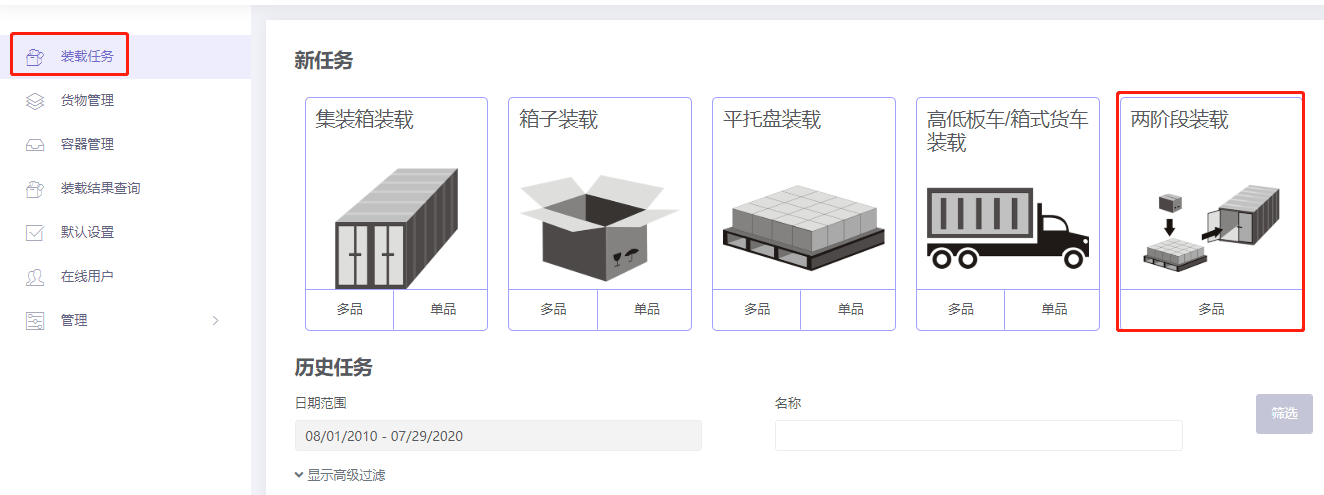
Step 1: Cargo → Excel batch import. Get template:
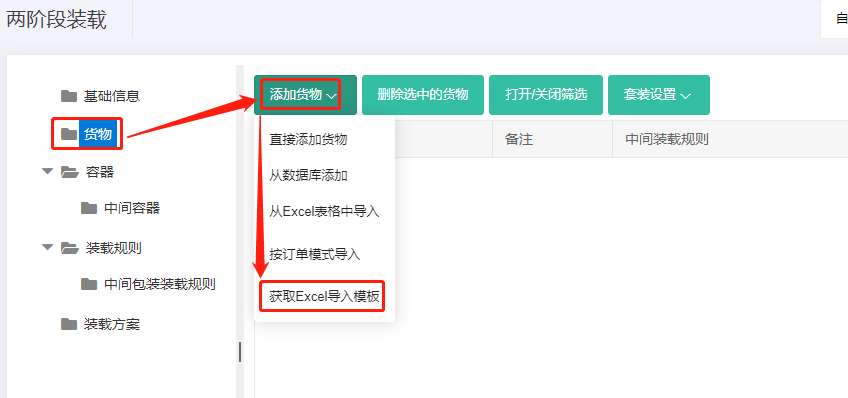
Fill template:
① Name, qty, dimensions. ② Allow only Stand and Stand_Rotate.
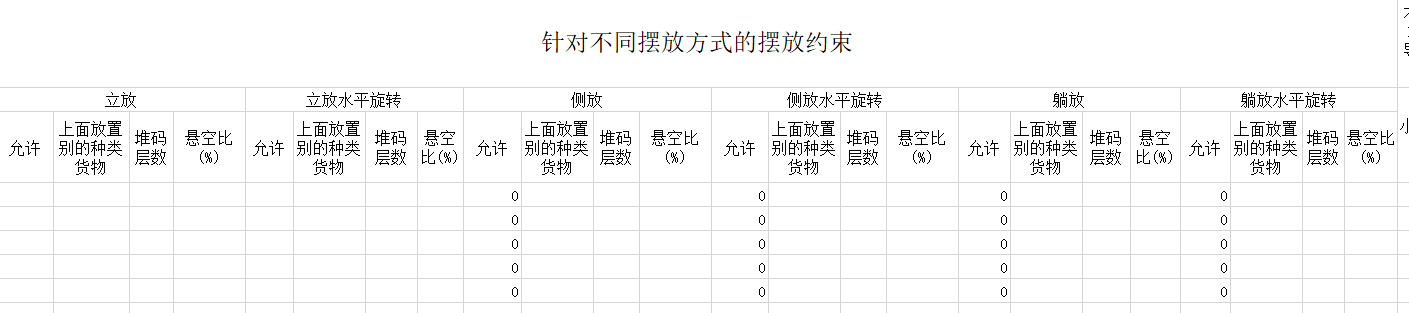
③ Intermediate Packing method = 1.
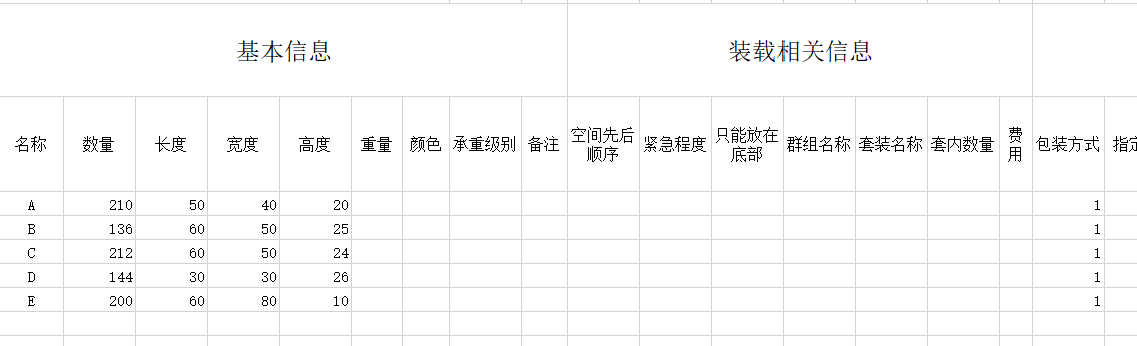
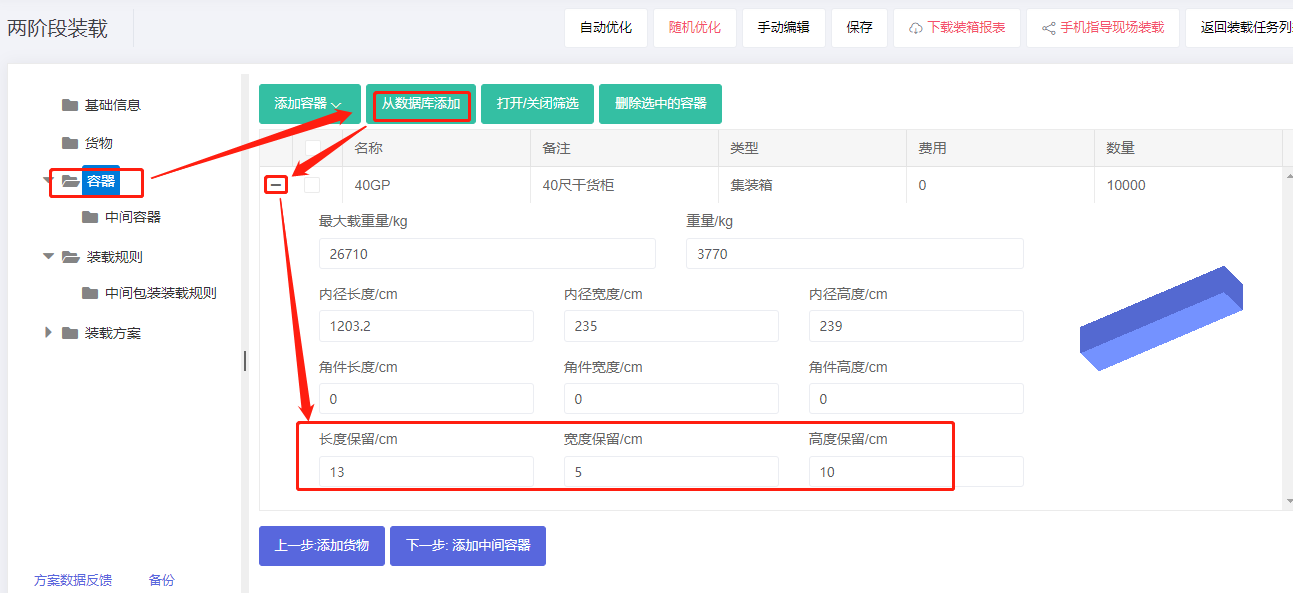
Step 2: Container → Add 40GP from database; set reserved sizes; height reserved 10 cm.
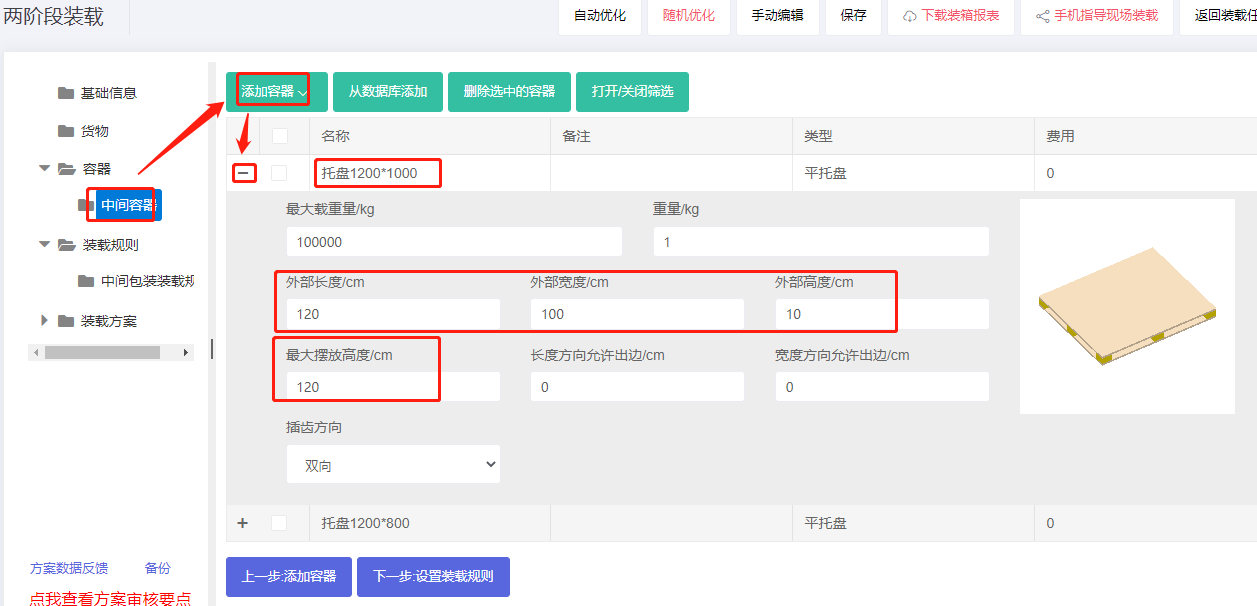
Step 3: Intermediate container. These specific pallets are not in the database, so add them one by one. Click Add container → Flat pallet and set name e.g. "Pallet 1200×1000", length×width×height = 120×100×10 cm, max placement height 120 cm. Repeat for 1200×800.
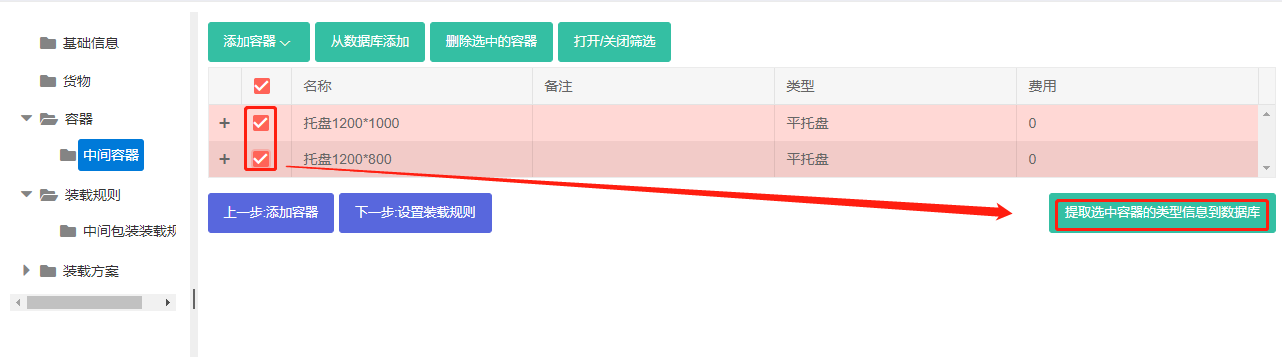
Tip: check both pallets and click "Save selected containers in database" to reuse them later.
You can also pre-maintain commonly used containers in the database. See Container Management.
Step 4: Loading rules — keep defaults.
Step 5: Medial Loading Rules — check "Prefer unit load" and set "Minimum volume usage rate required for unit load" (try default first, then adjust).
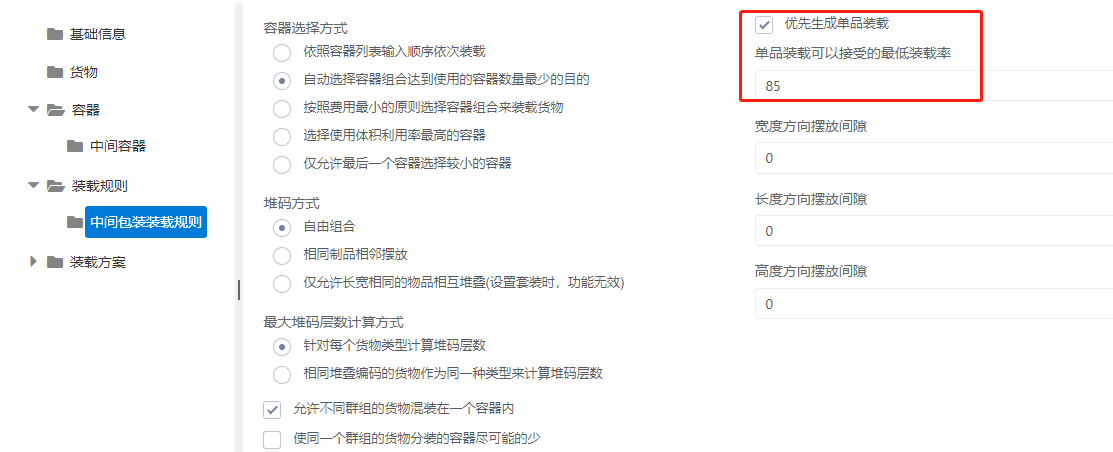
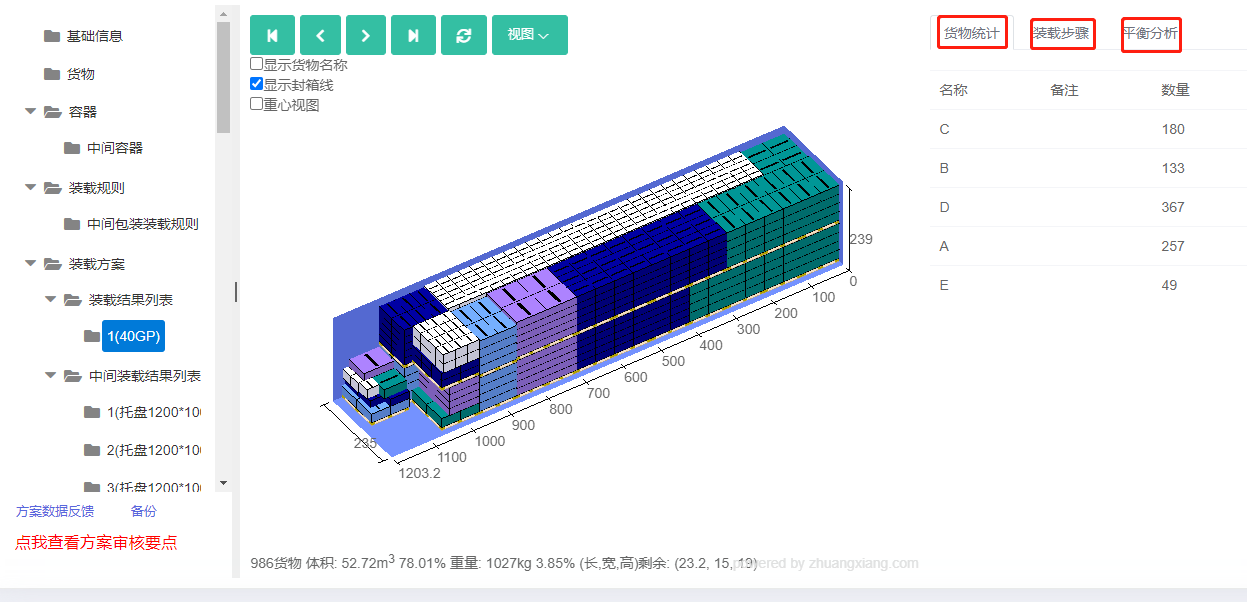
Click Loading Result . The 3D view shows mostly single-product pallets with few mixed pallets, meeting requirements. If too many mixed pallets are generated, lower the minimum acceptable load ratio.
After review, share or download the report.