j. How to fill the remaining space with cargo
After must-load cargo is loaded, you may want to fill the remaining container space with other cargo. How is this defined?
Example:
Loading data:
| Name | Qty | Length (cm) | Width (cm) | Height (cm) |
|---|---|---|---|---|
| A | 17 | 120 | 112 | 63 |
| B | 16 | 134 | 156 | 36 |
| C | 23 | 169 | 156 | 45 |
| D | Unlimited | 48 | 56 | 24 |
| E | Unlimited | 50 | 48 | 10 |
Loading requirements:
1) A, B, C: length must not be vertical to the ground; D, E: any placement.
2) D, E fill the remaining container space — quantity unlimited; fit as many as possible.
3) Select the best container and calculate how many are needed.
Choose Loading Container / Multi-Cargoes.
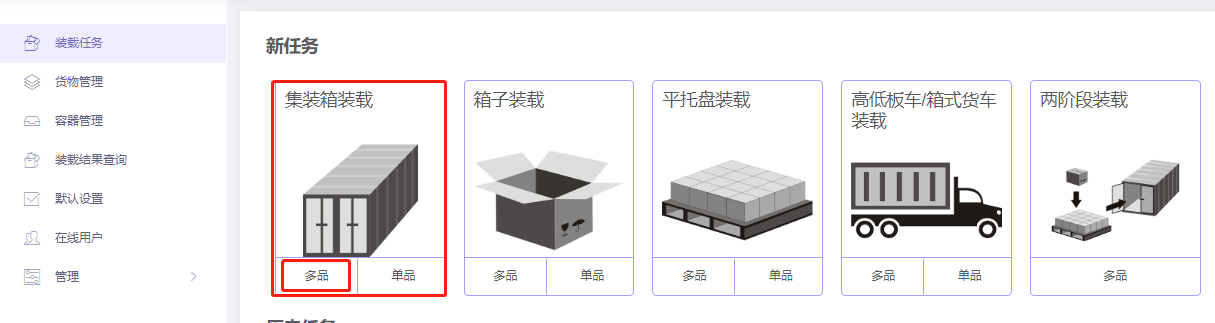
Step 1: Cargo → Excel batch import.
1) Get template.

2) Fill template:
① Name, qty, dimensions. Because D, E are filling cargo with no specific quantity, enter a large value.
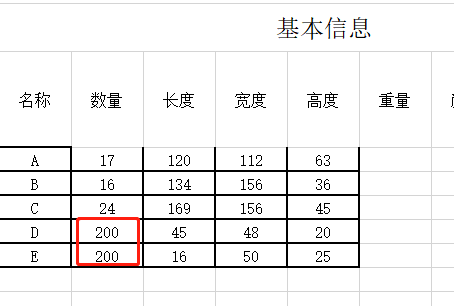
② For A, B, C disallow Lay and Lay_Rotate.

③ For filling cargo (D, E), set Urgency = 1 (1 = filling cargo; 0 or blank = not).
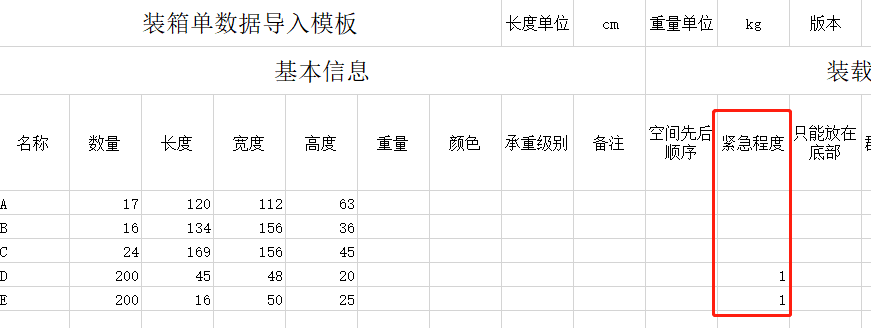
3) Import from Excel.

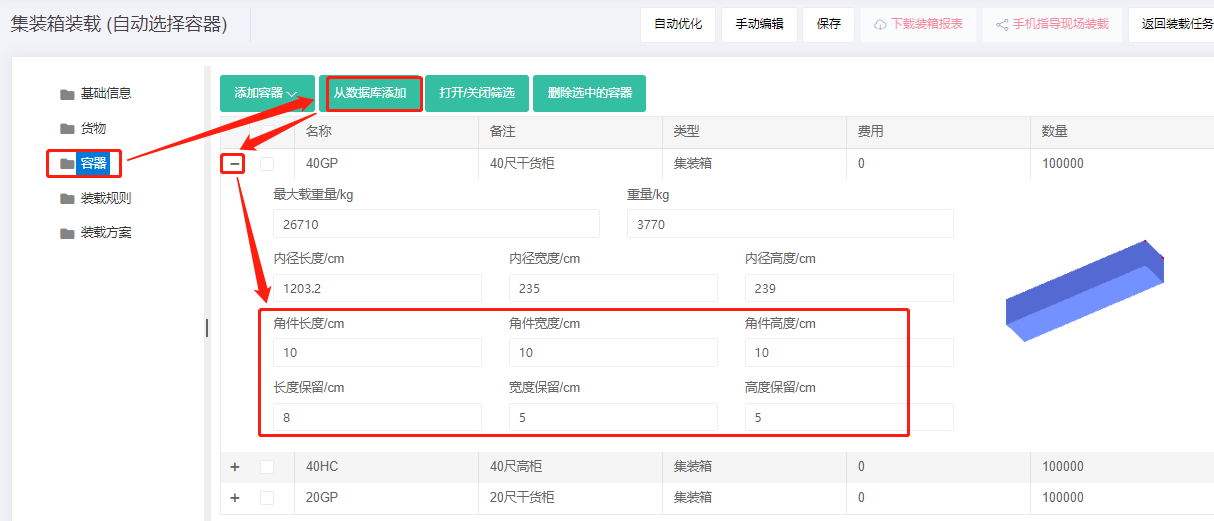
Step 2: Container → Add from database → 20GP, 40GP, 40HC. Corner castings 10×10×10 cm and reserved sizes.
Step 3: Loading rules — keep defaults.
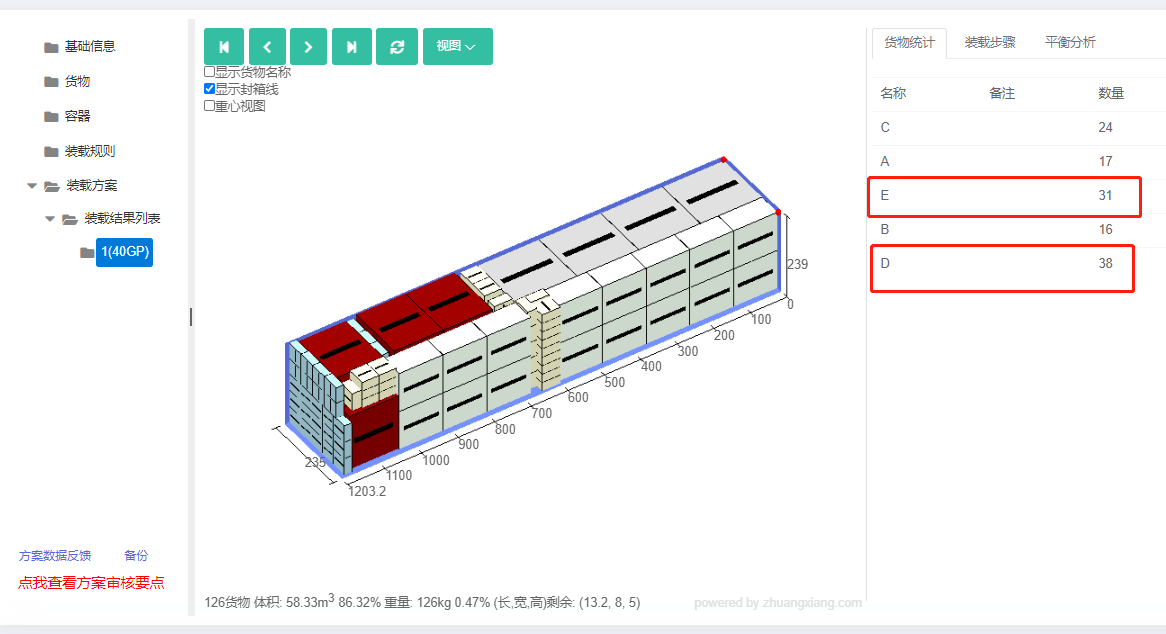
Click Loading Result. The must-load cargo fits in one 40GP. Statistics show 36 D and 157 E were filled in.
After review, share or download the report.