c. How to let the software intelligently select the best container for the cargo
With many cargo specs and many container choices, how does LoadMaster compute the best container type and how many are needed?
Example:
Loading data:
| Name | Qty | Length (mm) | Width (mm) | Height (mm) | Weight (kg) |
|---|---|---|---|---|---|
| A | 15 | 860 | 950 | 2020 | 10 |
| B | 15 | 860 | 980 | 2020 | 8 |
| C | 24 | 980 | 980 | 1120 | 7 |
| D | 42 | 680 | 600 | 640 | 5 |
| E | 40 | 610 | 600 | 600 | 3 |
| F | 20 | 820 | 710 | 790 | 8 |
| G | 25 | 590 | 520 | 560 | 2 |
| H | 40 | 670 | 550 | 610 | 5 |
| I | 54 | 870 | 855 | 270 | 17.7 |
| K | 65 | 890 | 690 | 450 | 21.5 |
| L | 60 | 1500 | 690 | 470 | 24.6 |
| M | 40 | 820 | 560 | 340 | 18.9 |
Loading requirements:
1) Cartons may only be placed opening-side up.
2) Select the best container type and calculate how many are needed.
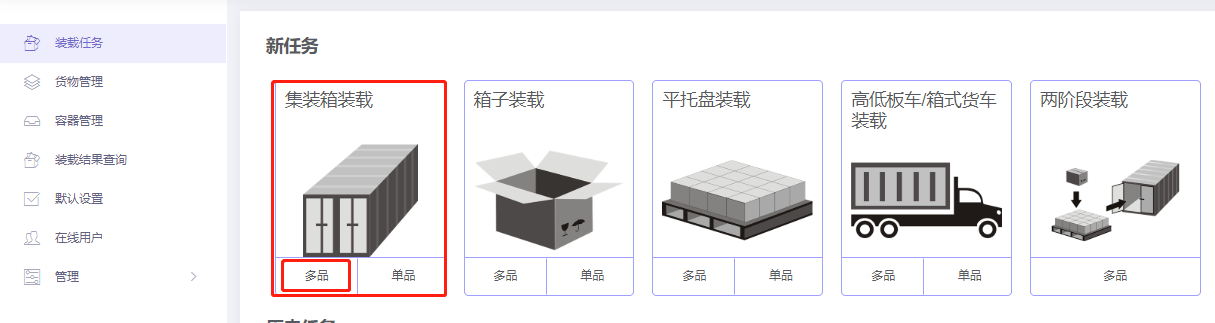
Choose Loading Container / Multi-Cargoes.
Basic Information is optional.
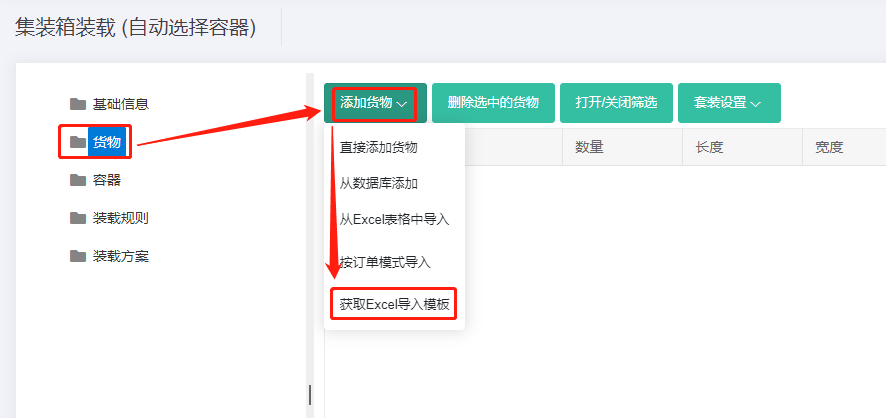
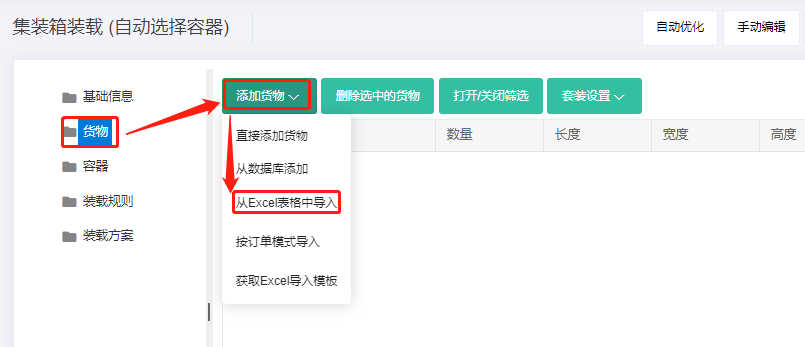
Step 1: Cargo → Excel batch import.
1) Get template.
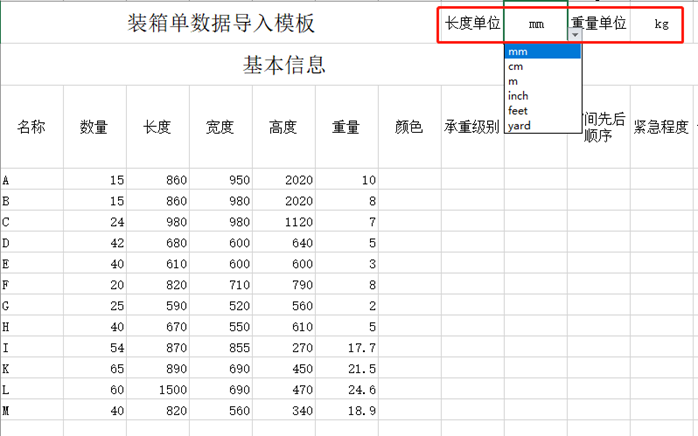
2) Fill template:
① Name, qty, dimensions. Weight may be omitted for light cargo (default 1).
② Allow only stand and Stand_Rotate.
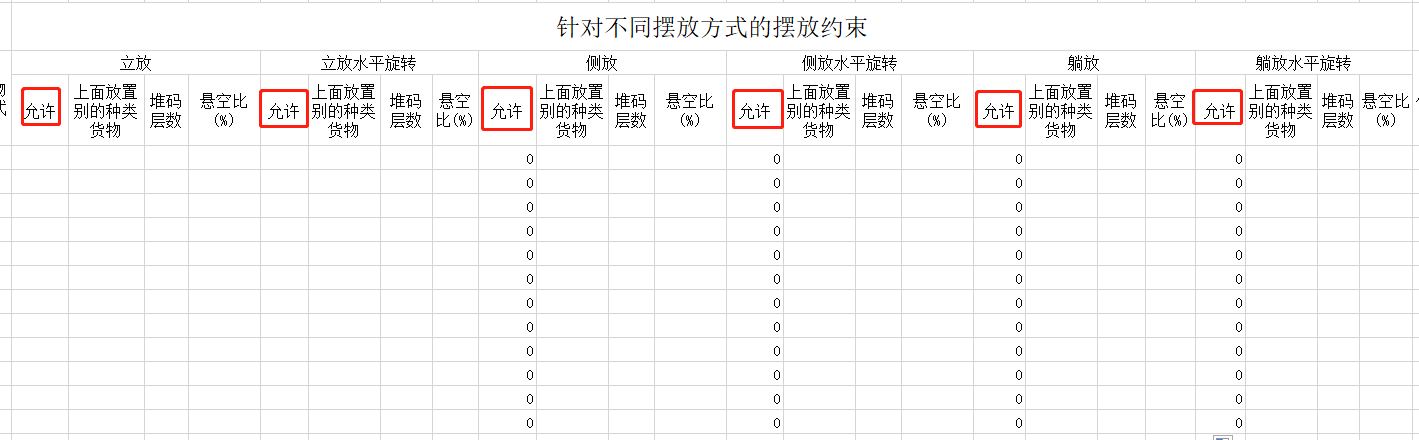
3) Import from Excel.
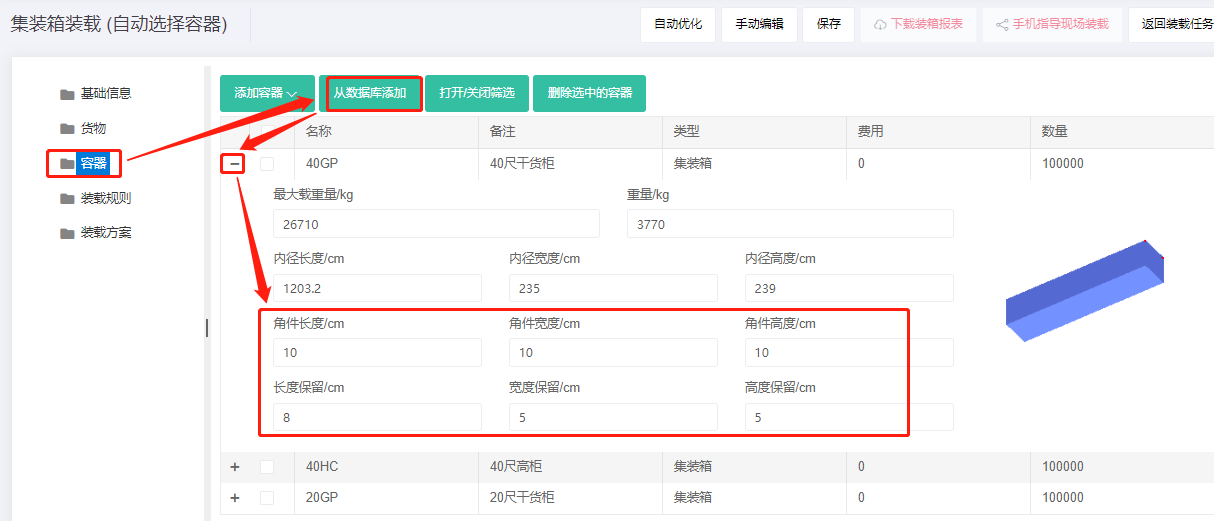
Step 2: Container → Add from database → 20GP, 40GP, 40HC → Add. Corner castings 10×10×10 cm. See How to simulate carton expansion and manual placement gaps.
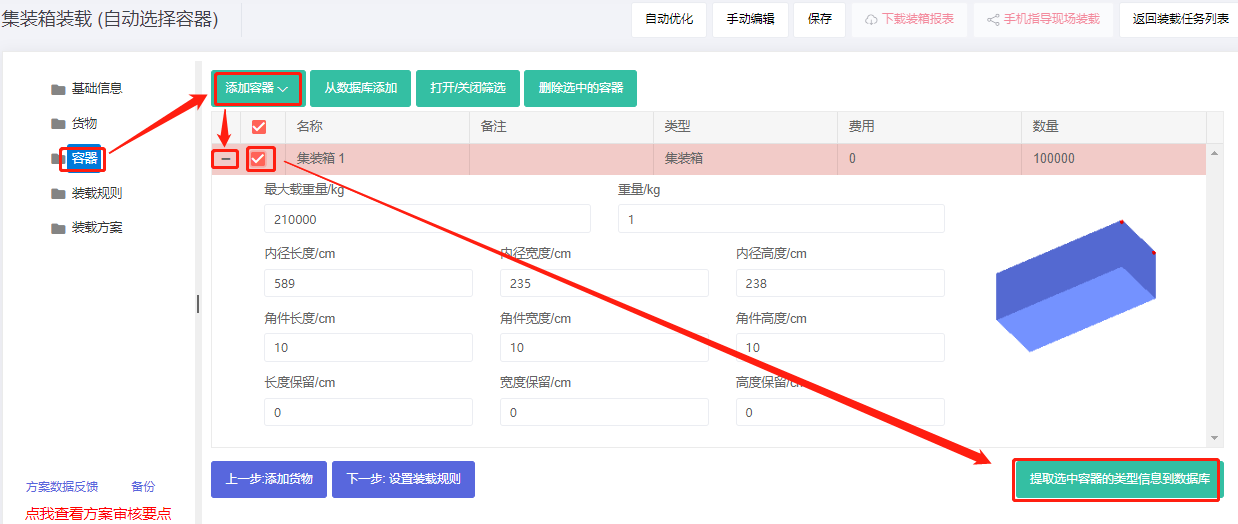
If a required container is not in the database, add it directly and save it to the database. For many container types, initialize the database first; see Container Management.
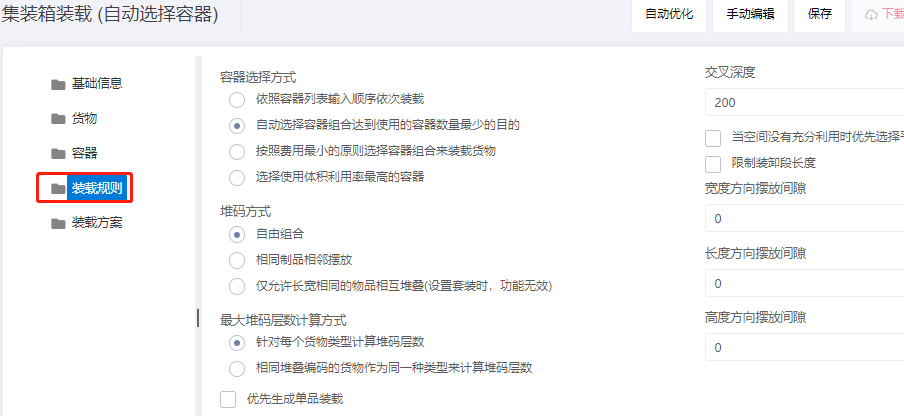
Step 3: Loading rules — keep defaults.
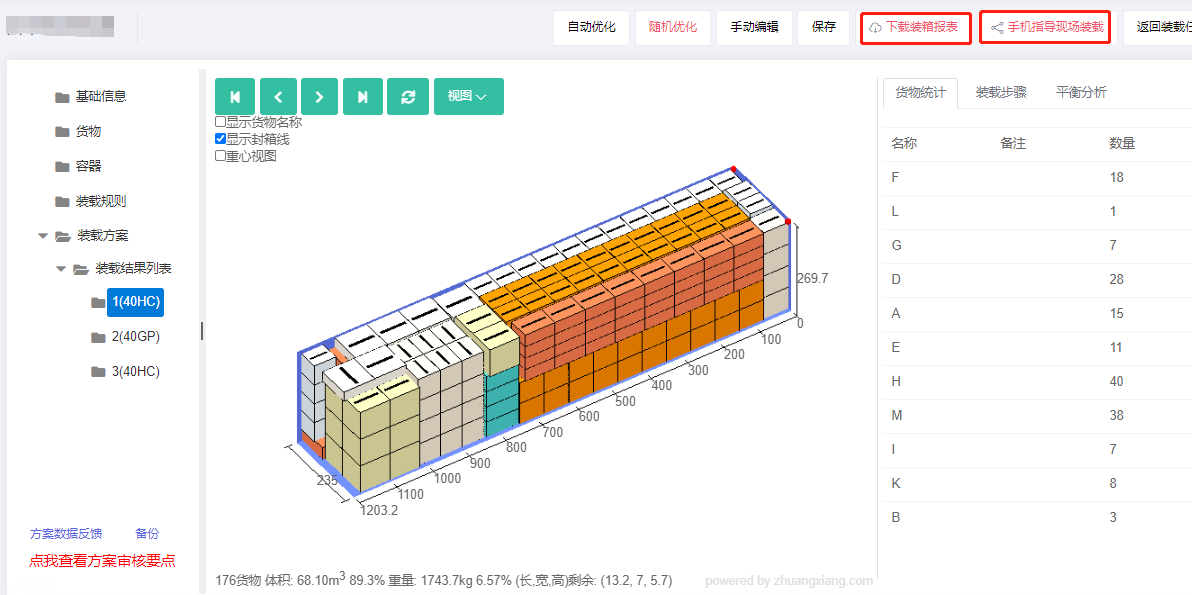
Click Loading Result. The software chose two 40HC and one 40GP. Click each container for the 3D view.
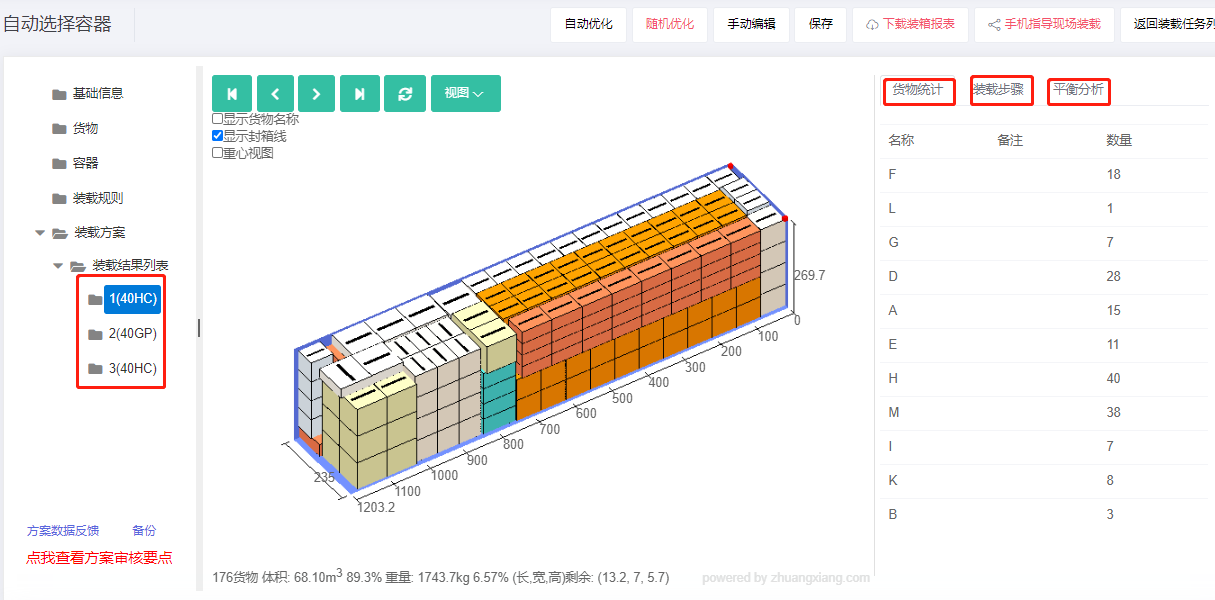
After review, share or download the report.