1. Account Registration and Free Trial Application
a. Account registration
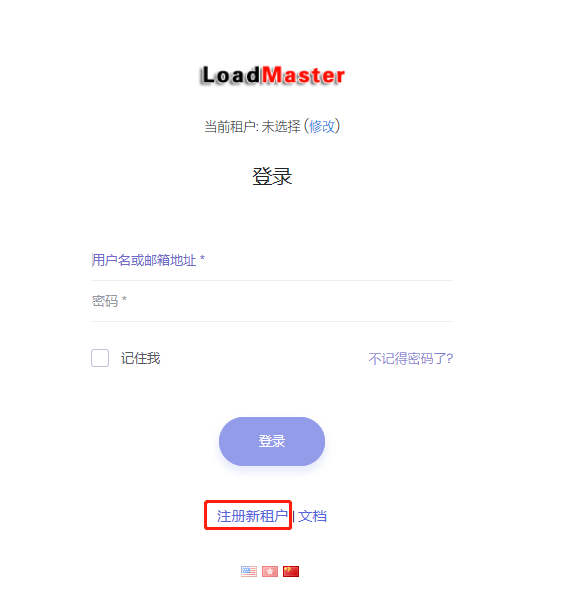
Step 1: Open the LoadMaster web home page: https://app.zhuangxiang.com, and click "New tenant" as shown below:
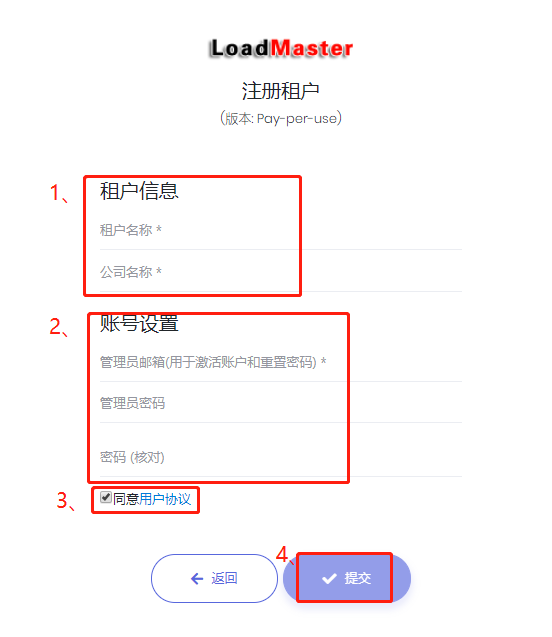
Step 2: On the registration page, fill in the registration information including Tenancy Name, Company Name, Admin email and password.
The Tenancy Name is the tenant ID; it must be entered at sign-in. It must consist of 2 or more letters, digits, hyphens or underscores, and must start with a letter.
Check "agree User Agreement" and finally click "Submit".
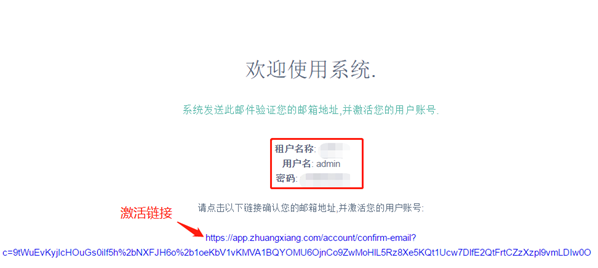
Step 3: Activate the account. After registration succeeds, the system sends an email to the address provided. The email contains Tenancy Name, User name, Password and activation link.
Click the activation link to activate the account. After activation you will be redirected to the sign-in page.
Step 4: On the sign-in page, enter the tenant name, user name (initial user name is "admin") and password to sign in. After successful sign-in you can start using the product.
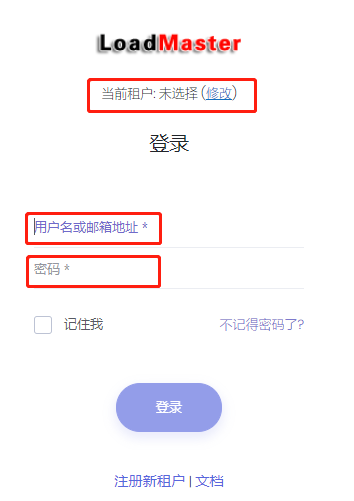
b. Apply for a free trial
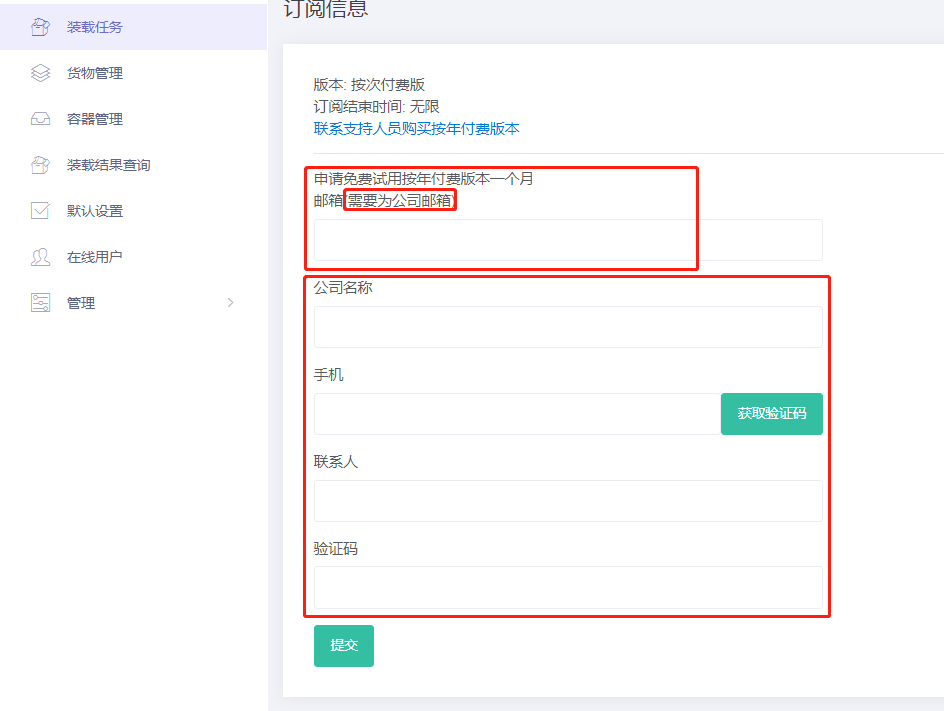
After registration and login, the software is in pay-per-use mode by default. We offer each company a one-time free trial (free for one month). The application steps are:
Step 1: Click "Apply trial for free" at the top of the software to open the application page.
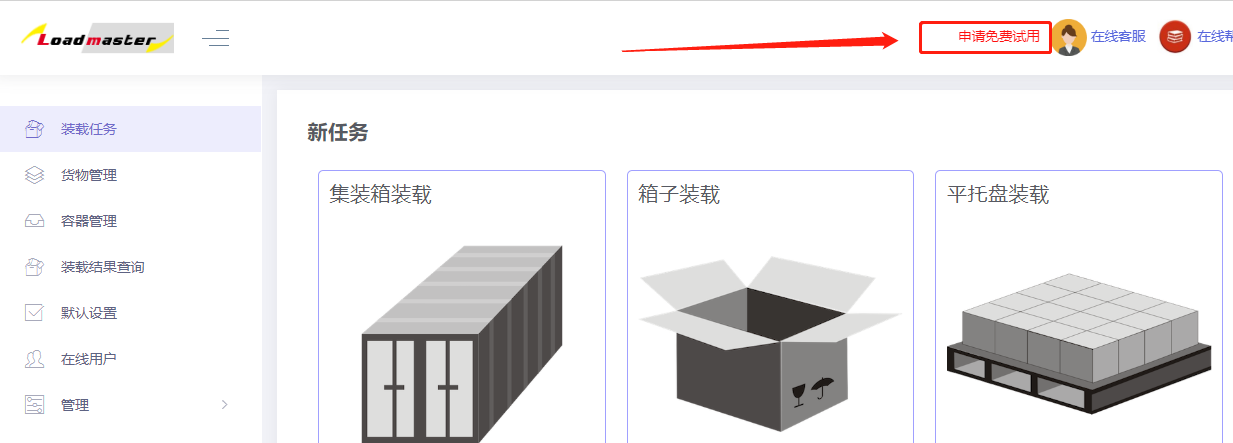
Step 2: Fill in the information including email (must be a company email; the server automatically detects this. If you do not have a company email, the form cannot be submitted — please contact customer service), company name, mobile number, contact person, and verification code. Click Submit to start the free trial. After successful submission the trial begins; one month later it automatically reverts to pay-per-use mode.