g. How to load cargo in a specified sequence
When mixed cargo must be loaded in a specified order — e.g. to be unloaded at different ports — how is this defined?
Example:
Loading data:
| Name | Cartons | Length (cm) | Width (cm) | Height (cm) |
|---|---|---|---|---|
| A | 220 | 55 | 36.0 | 36.0 |
| B | 393 | 48.0 | 36.0 | 36.0 |
| C | 222 | 52.0 | 42.0 | 36.0 |
Loading requirements:
1) Height vertical to the ground only.
2) Loading order: C first, then A, then B.
3) Compute how many containers and which type.
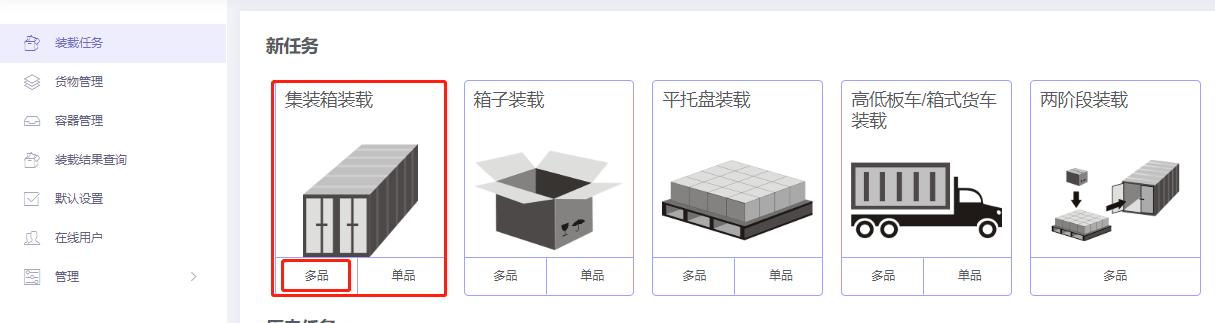
Choose Loading Container / Multi-Cargoes.
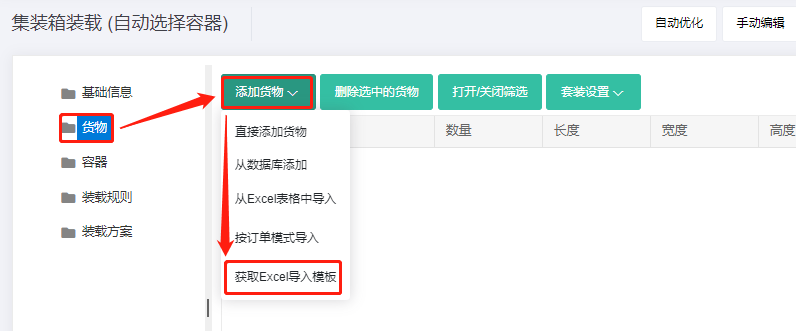
Step 1: Cargo → Excel batch import.
1) Get template.
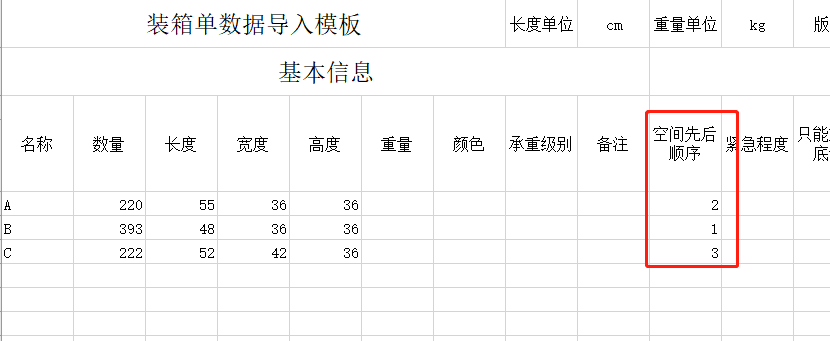
2) Fill template:
① Name, qty, dimensions.
② Allow only Stand and Stand_Rotate.

③ Because the loading order is C → A → B, set Loading Sequence — a relative value; larger value means loaded earlier. So A = 2, B = 1, C = 3.
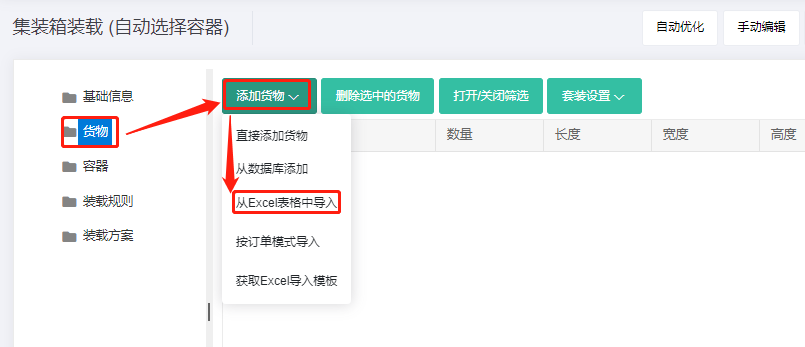
3) Import from Excel.
Step 2: Container → Add from database → 20GP, 40GP, 40HC. Corner castings 10×10×10 cm and reserved sizes.
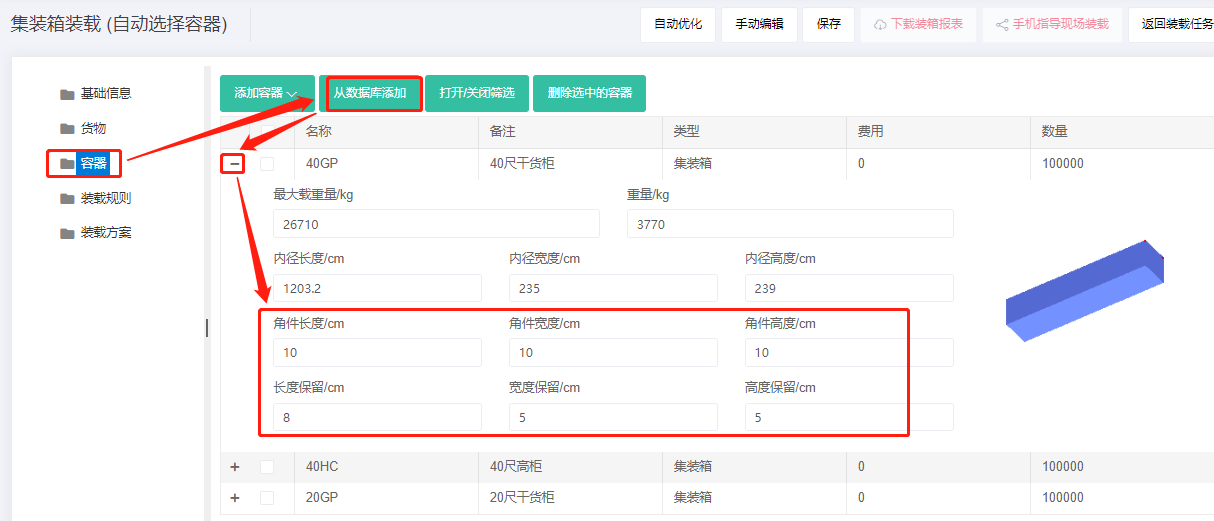
Step 3: Loading rules — when Loading sequence is set, also pay attention to Cross depth. In general, larger cross depth gives higher load ratio.
What is cross depth? See illustration:
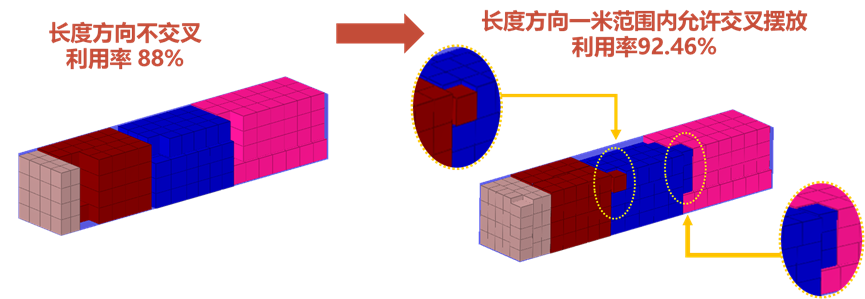
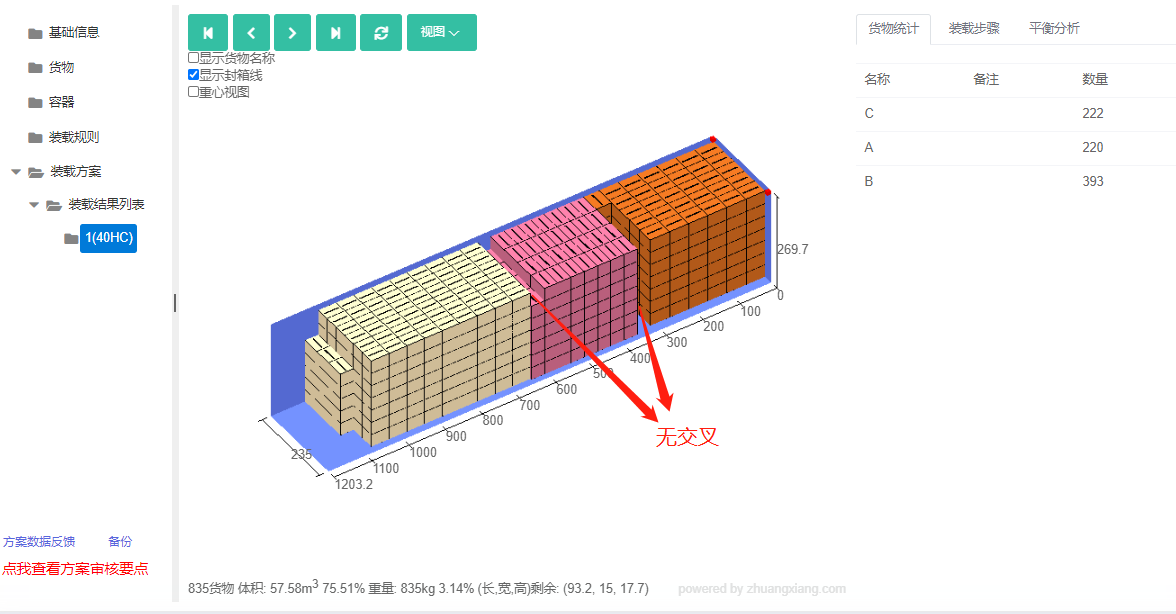
Different colors are different products. On the left, after one product is loaded, even with idle space above and to the right, the next product is not loaded. This is cross depth = 0; load ratio 88%. On the right, neighboring products have some mixing at the boundary — cross depth 1 m, load ratio 92.46%. Hence the importance of cross depth.
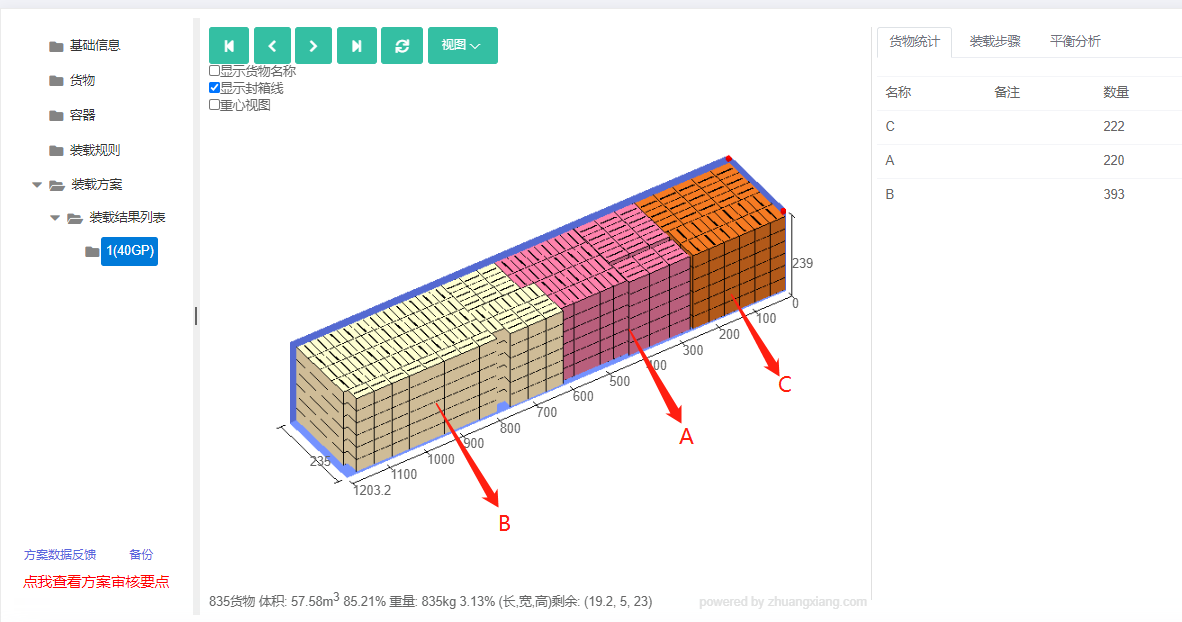
Default cross depth is 2 m. With defaults the batch fits in one 40GP at 85.21% load ratio. The 3D view shows the order C → A → B as required.
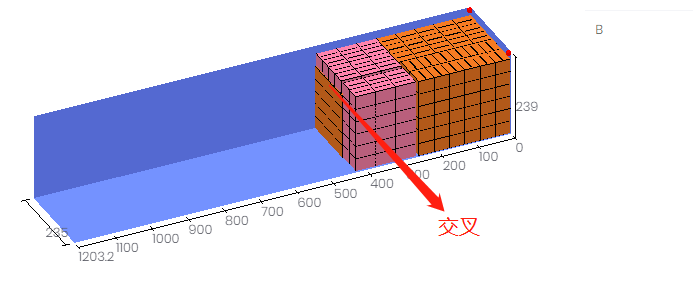
Setting cross depth to 0 means the batch requires one 40HC because boundary space is wasted. So when setting Loading Sequence, always pair with cross depth.
After review, share or download the report.