q. How to spread cargo flat when the container is not filled
When cargo does not fill a container, you may want it spread flat for safer transport. How is this defined?
Example:
Loading data:
| Name | Qty | Length (cm) | Width (cm) | Height (cm) | Weight (kg) |
|---|---|---|---|---|---|
| A | 8 | 140 | 74 | 102 | 200 |
| B | 6 | 140 | 74 | 102 | 220 |
| C | 10 | 85 | 74 | 84 | 200 |
| D | 4 | 136 | 67 | 99 | 230 |
| E | 32 | 64 | 58 | 29 | 120 |
| F | 16 | 64 | 58 | 76 | 160 |
| G | 12 | 69 | 64 | 58 | 180 |
| H | 15 | 54 | 16 | 53.5 | 120 |
| I | 15 | 62 | 62 | 62 | 180 |
Loading requirements:
1) Cartons opening-side up only.
2) Load into 40GP; if not full, spread flat for balance and safety.
Choose Loading Container / Multi-Cargoes.
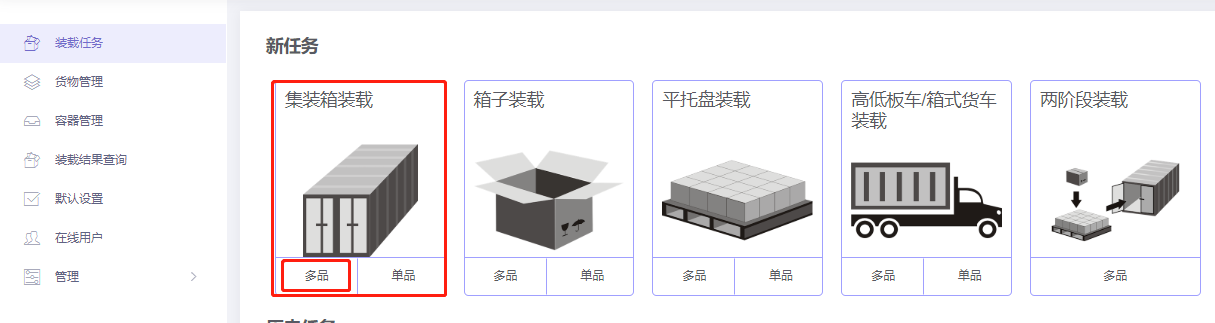
Step 1: Cargo → Excel batch import.
1) Get template.

2) Fill template:
① Name, qty, dimensions, weight.
② Allow only Stand and Stand_Rotate.
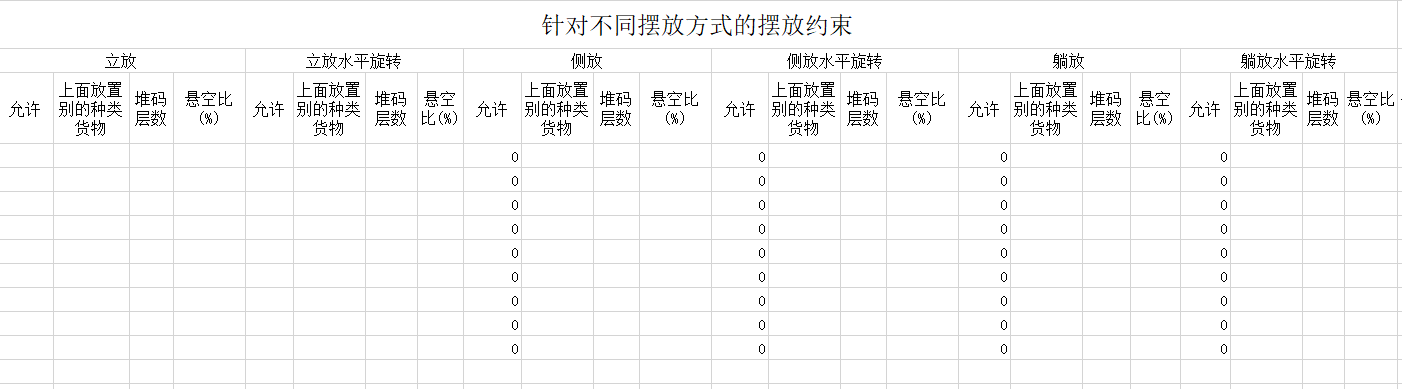
3) Import from Excel.

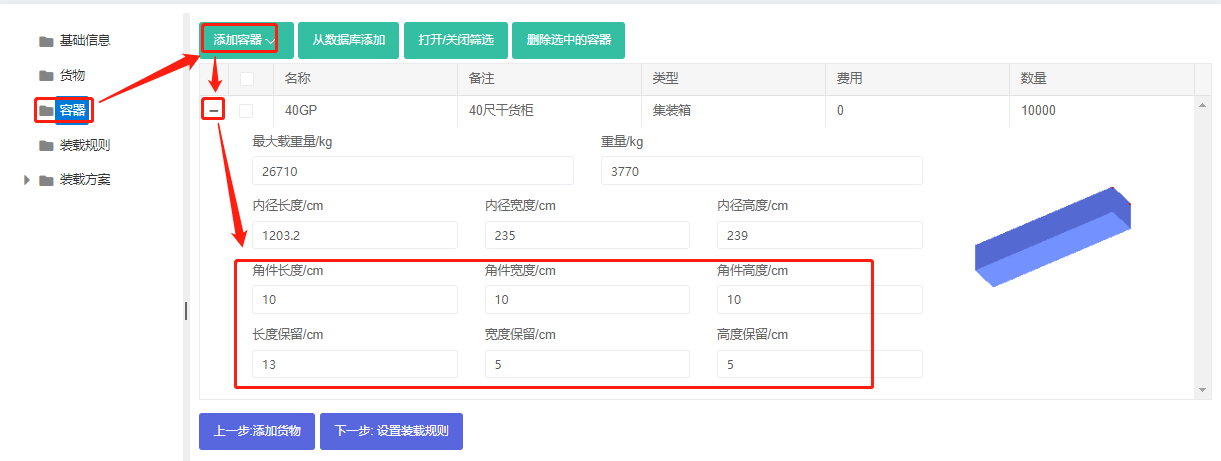
Step 2: Container → Add 40GP from database. Corner castings 10×10×10 cm and reserved sizes.
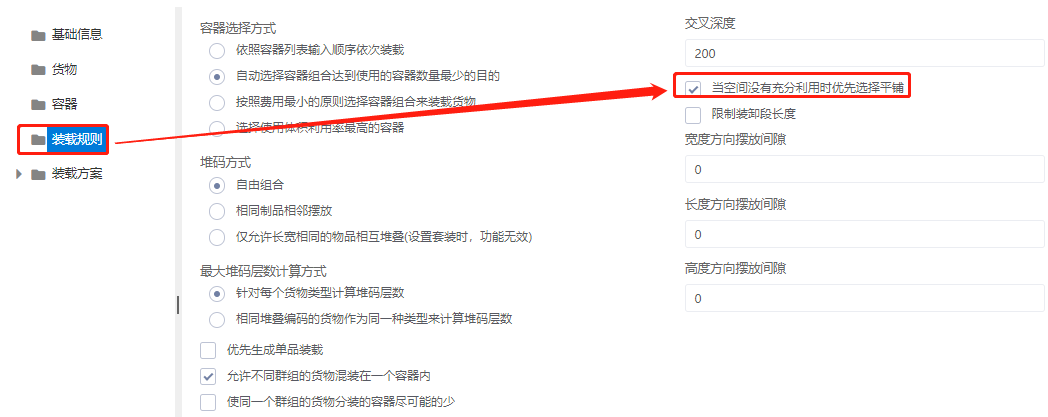
Step 3: Loading rules → check "Prefer to bottom spread cargoes when the space is not fully utilized".
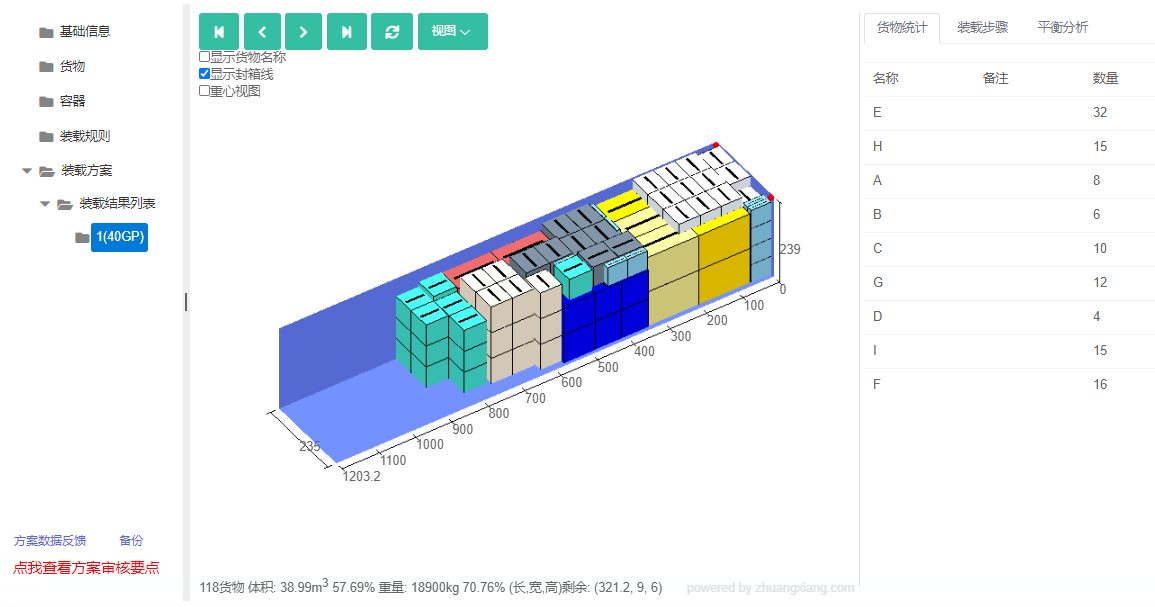
Click Loading Result. The 3D view shows cargo spread flat in one 40GP (not full), meeting requirements.
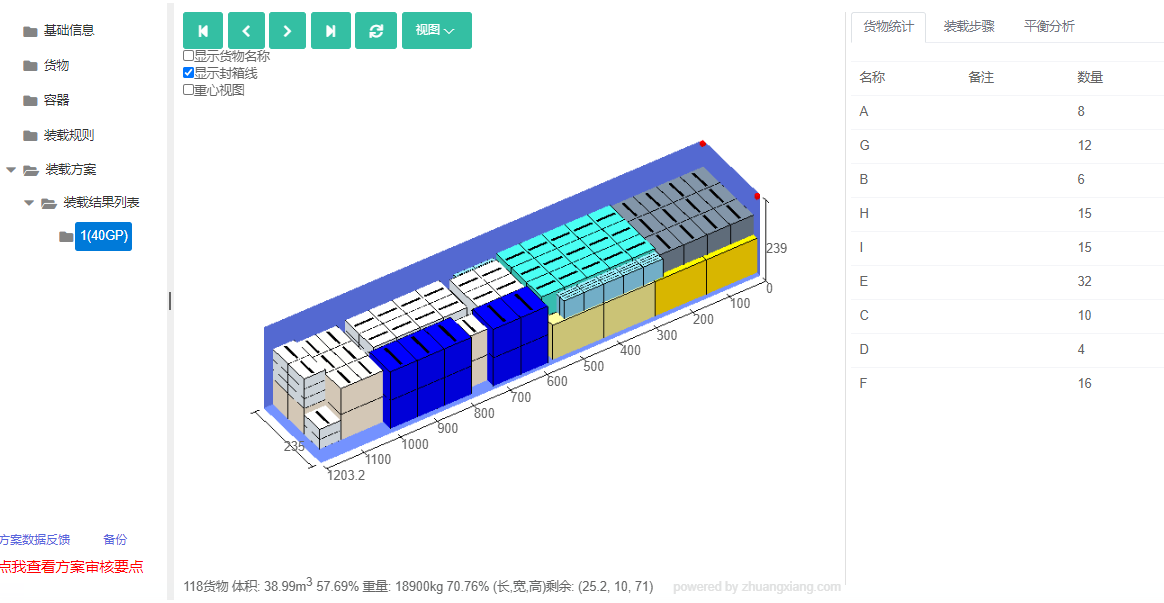
Without the flat-spread option, the container door area is empty — cargo may collapse and be damaged.
After review, share or download the report.