d. How to check whether a container (or vehicle) can fit a given quantity of cargo
Given a quantity of cargo, how to check whether it all fits in one container?
Example:
Loading data:
| Name | Qty | Length (cm) | Width (cm) | Height (cm) |
|---|---|---|---|---|
| A | 60 | 51 | 45 | 108 |
| B | 48 | 60 | 57 | 84 |
| C | 26 | 185 | 57 | 35 |
| D | 30 | 179 | 53 | 100 |
| E | 16 | 190 | 106 | 13 |
Loading requirements:
1) Cargo B, C only height vertical to the ground; others any placement is okay.
2) Compute whether one 40HC fits the batch.
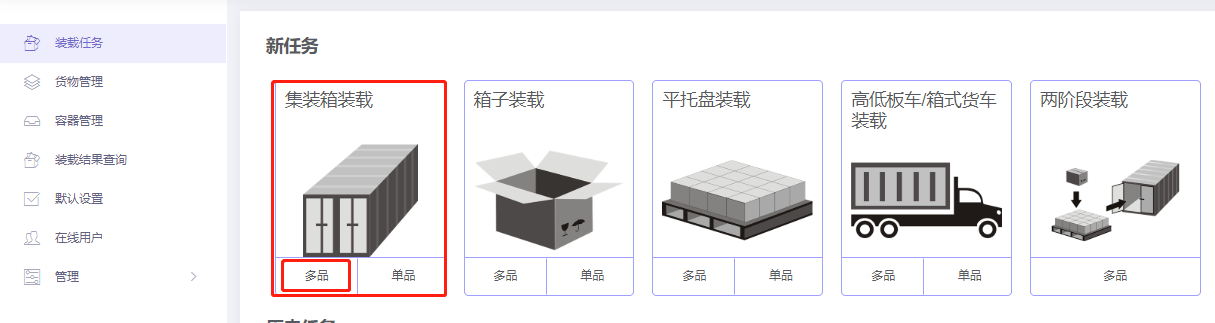
Choose Loading Container / Multi-Cargoes.
Step 1: Cargo → Excel batch import.
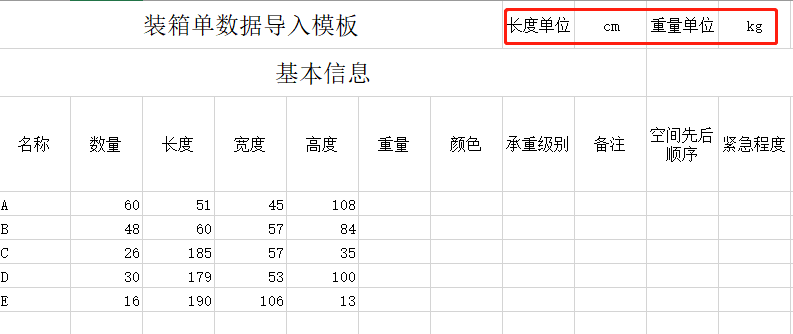
1) Get template.

2) Fill template:
① Name, qty, dimensions.
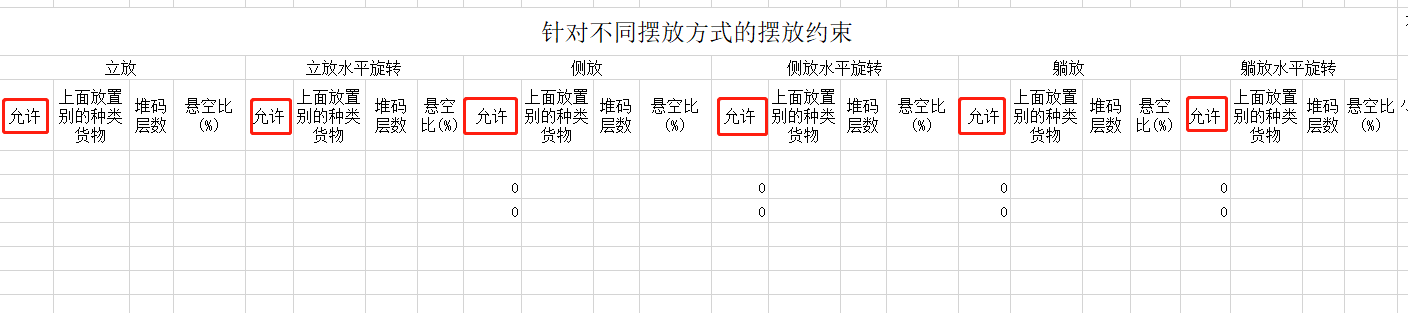
② For B, C allow only Stand and Stand_Rotate.
3) Import from Excel.

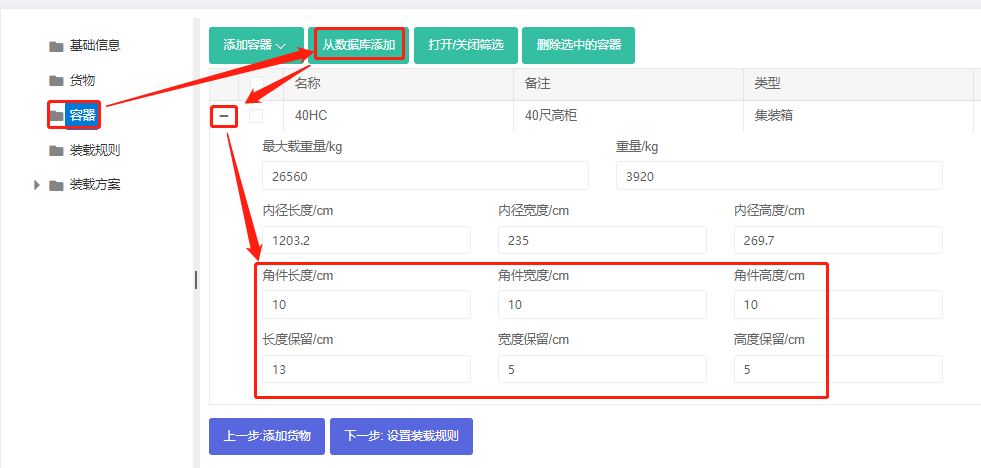
Step 2: Container → Add 40HC from database, set quantity to 1.

Set corner castings (10×10×10 cm) and reserved sizes.
Step 3: Loading rules — keep defaults.

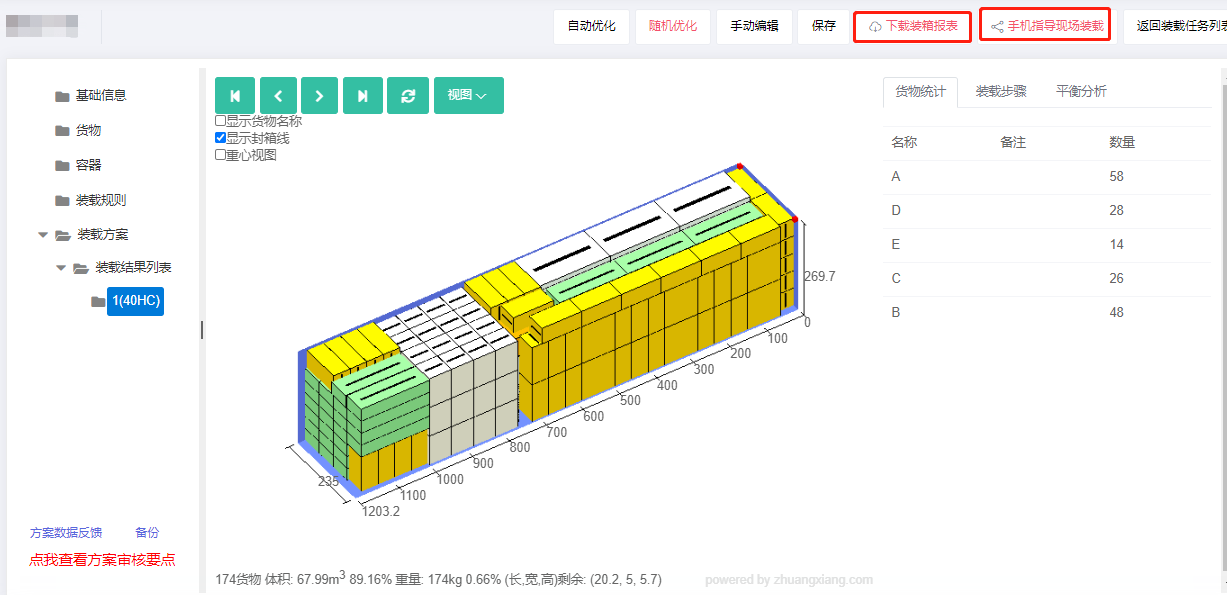
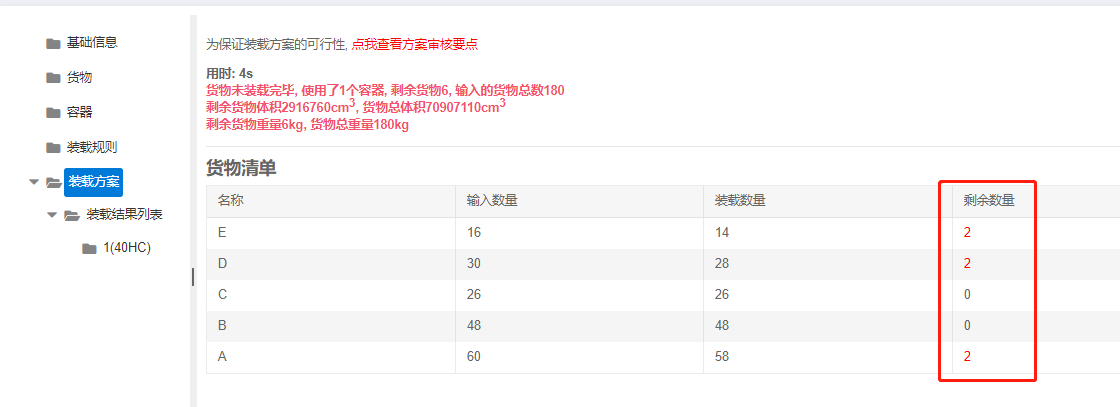
Click Loading Result. The result indicates not all cargo fits; the cargo list shows the remaining items.
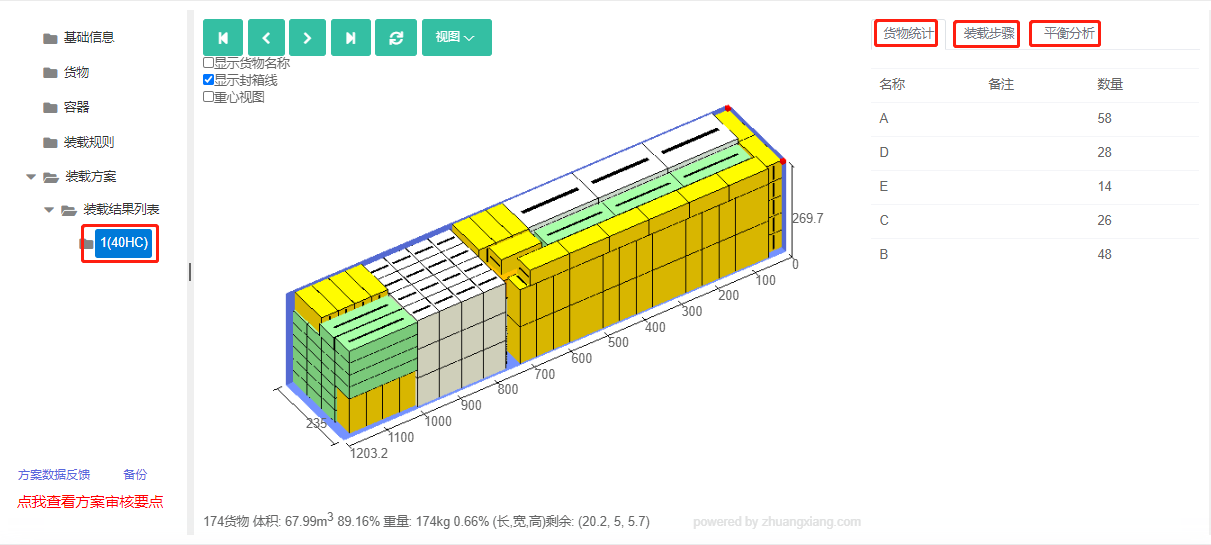
Click the container name on the left for the 3D view, statistics, loading steps and balance analysis.
After review, share or download the report.