l. How to load cargo in the specified container order and quantity
Sometimes you want to fill one container type first, then another — e.g. fill two 40GP first, then 20GP. How is this defined?
Example:
Loading data:
| Name | Cartons | Length (cm) | Width (cm) | Height (cm) |
|---|---|---|---|---|
| A | 39 | 110 | 110 | 120 |
| B | 20 | 110 | 110 | 100 |
| C | 100 | 90 | 110 | 40 |
| D | 85 | 100 | 80 | 70 |
| E | 22 | 120 | 110 | 90 |
Loading requirements:
1) Height vertical to the ground only.
2) Fill two 40GP first; load the rest into 20GP.
Choose Loading Container-Multi-Cargoes.
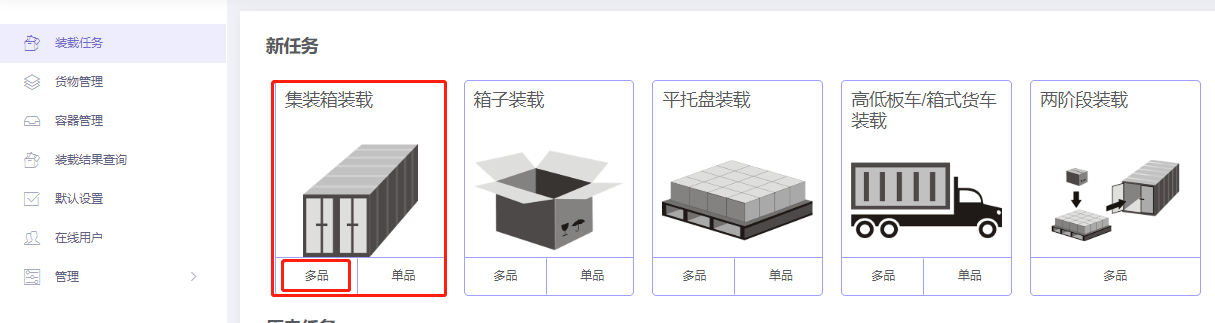
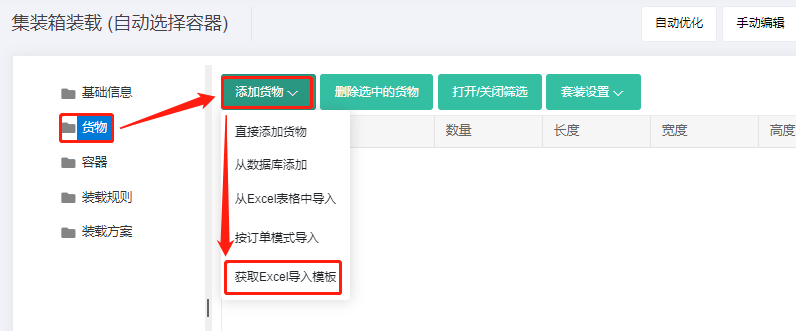
Step 1: Cargo → Excel batch import.
1) Get template.
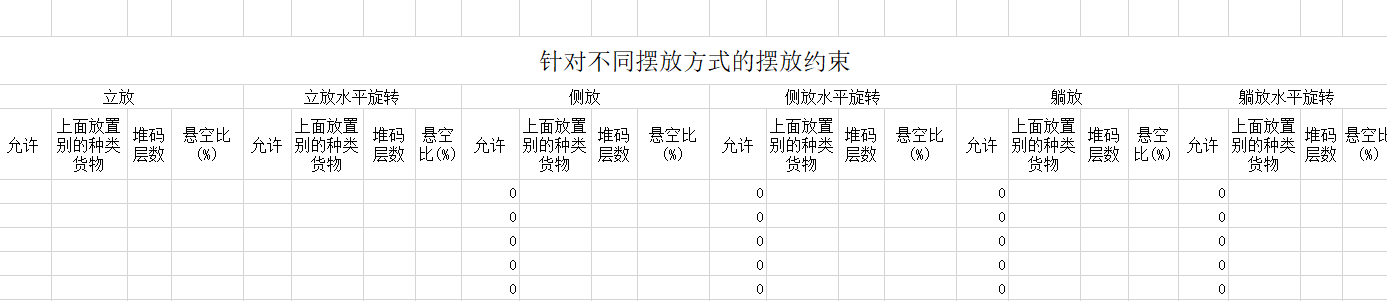
2) Fill template:
① Name, qty, dimensions.
② Allow only Stand and Stand_Rotate.
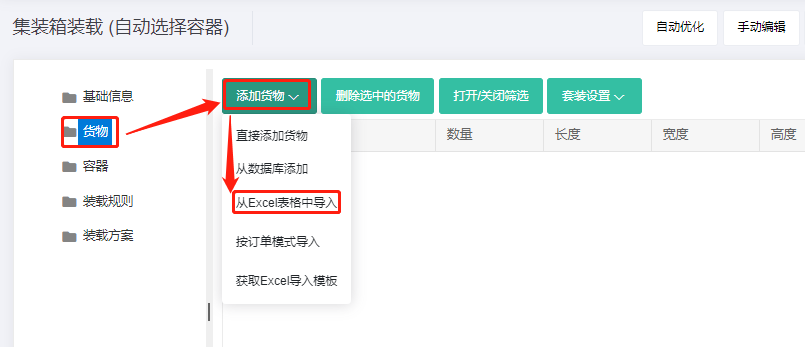
3) Import from Excel.
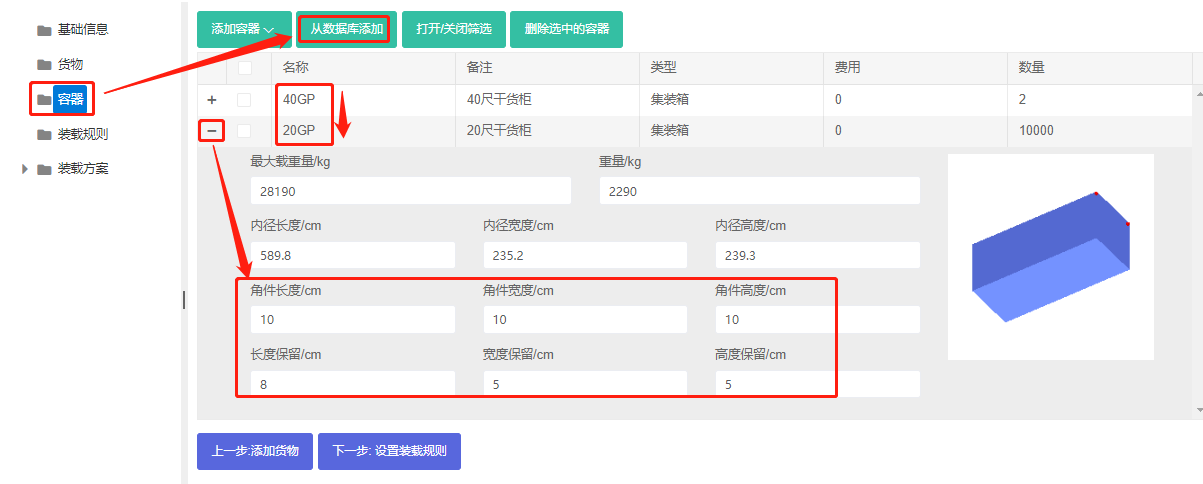
Step 2: Container → Add from database → check 40GP first, then 20GP → Add → close. Set the 40GP quantity to 2. Corner castings 10×10×10 cm and reserved sizes.
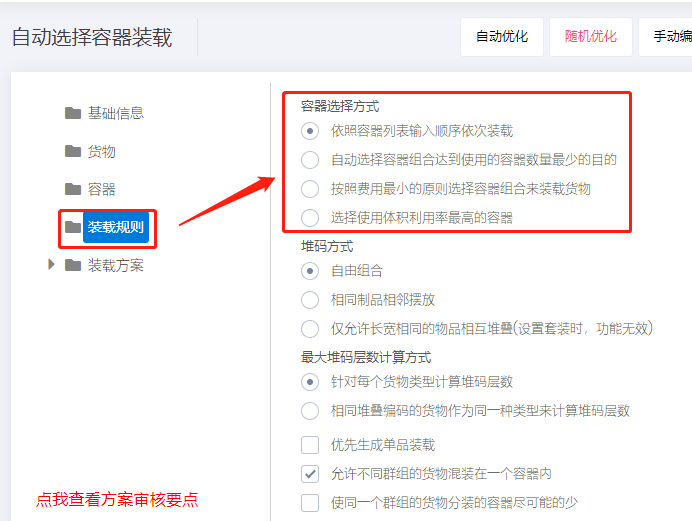
Step 3: Loading rules → set Container Selection Method to "Select containers in the same sequence as the input container list".
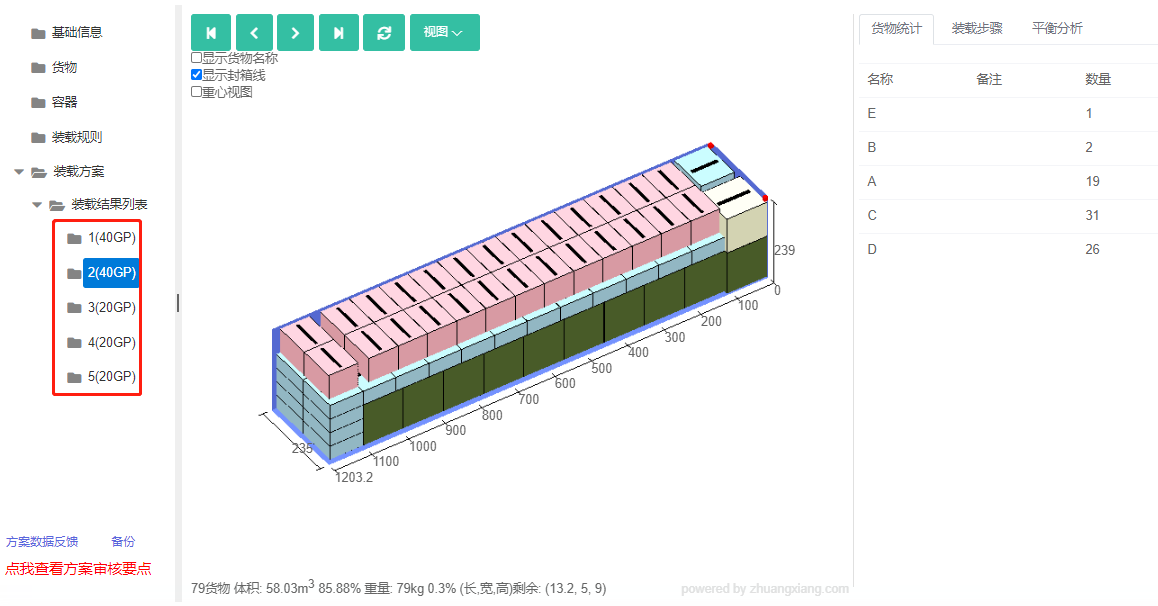
Click Loading Result. The result uses two 40GP first, then three 20GP — meeting requirements.
After review, share or download the report.