a. How to calculate cargo palletization
LoadMaster optimizes not only container loading but also palletization.
Example:
Loading data:
| Name | Qty | Length (cm) | Width (cm) | Height (cm) |
|---|---|---|---|---|
| A | 985 | 20 | 10 | 15 |
| B | 980 | 15 | 20 | 10 |
| C | 698 | 20 | 20 | 10 |
Loading requirements:
1) A, B, C: height vertical to the ground only.
2) Compute palletization; pallet height limit 2 m (including pallet height).
Choose Loading Flat Pallet / Multi-Cargoes.
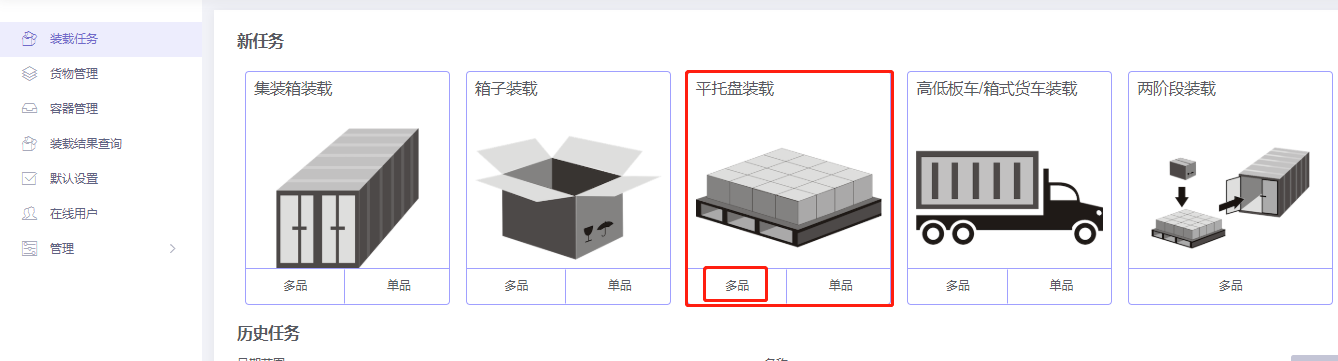
Basic Information is optional.
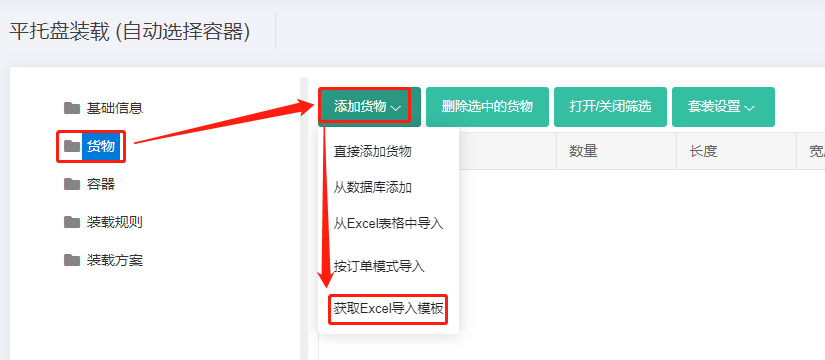
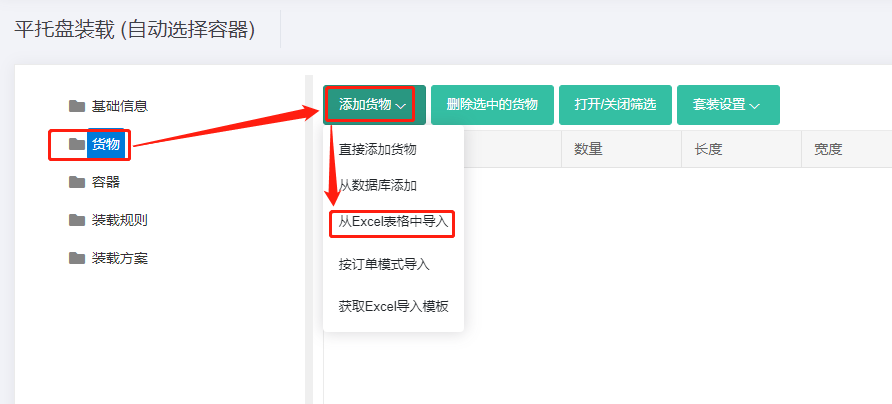
Step 1: Cargo → Excel batch import.
1) Get template.
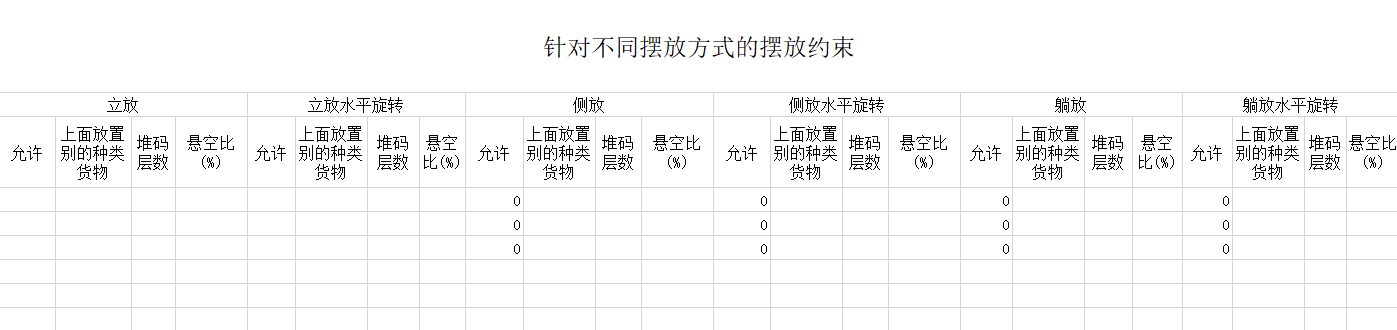
2) Fill template:
① Name, qty, dimensions. ② Allow only Stand and Stand_Rotate.
3) Import from Excel.
Step 2: Container → Add from database → common pallets → Add. Set Maximum Load Height = 200 cm.
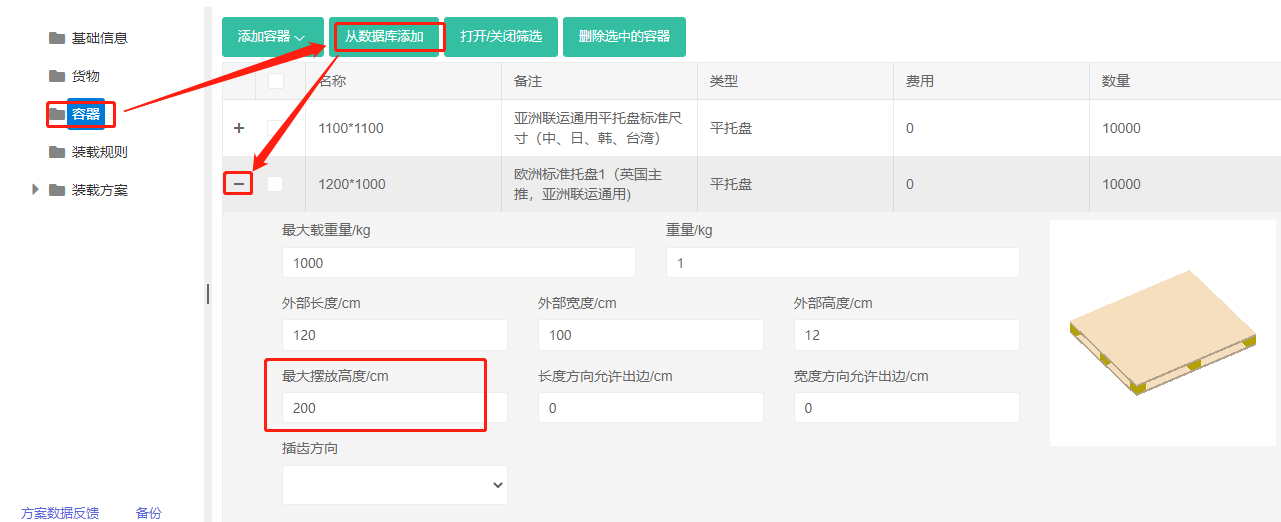
Step 3: Loading rules — keep defaults.
Click Loading Result. The list shows the cargo fits onto four 1200×1000 pallets.
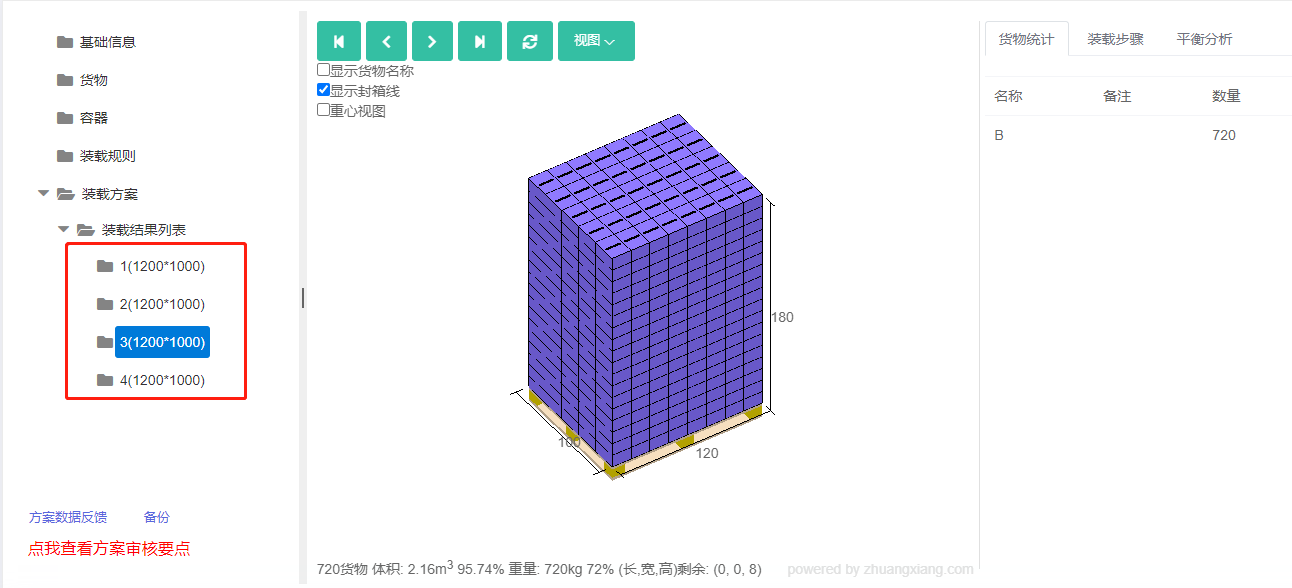
After review, share or download the report.