s. How to allow stacking only between cargo of the same length and width
Sometimes only cargo with the same length and width may stack, producing a tall-to-short layout. How is this defined?
Example:
Loading data:
| Name | Qty | Length (cm) | Width (cm) | Height (cm) | Weight (kg) |
|---|---|---|---|---|---|
| A | 16 | 116 | 77 | 54 | 160.6 |
| B | 8 | 116 | 77 | 53 | 159.3 |
| C | 10 | 92 | 75 | 74 | 127.4 |
| D | 8 | 92 | 75 | 70 | 127.4 |
| E | 6 | 92 | 75 | 72 | 127.4 |
| F | 8 | 96 | 77.5 | 74 | 124.5 |
| G | 8 | 96 | 77.5 | 74 | 124.5 |
| H | 11 | 96 | 77.5 | 74 | 124.5 |
| I | 8 | 116 | 80 | 55 | 172.8 |
| J | 6 | 116 | 80 | 50 | 172.8 |
| K | 10 | 116 | 80 | 51 | 172.8 |
Loading requirements:
1) Height vertical to the ground only.
2) Only cargo with the same length and width may stack.
3) Select the best container and calculate how many are needed.
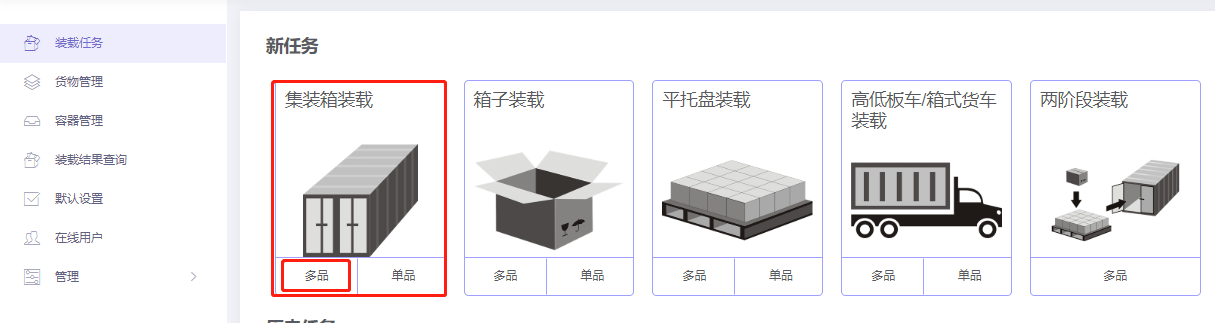
Choose Loading Container / Multi-Cargoes.
Step 1: Cargo → Excel batch import.
1) Get template.

2) Fill template:
① Name, qty, dimensions.
② Allow only Stand and Stand-Rotate.
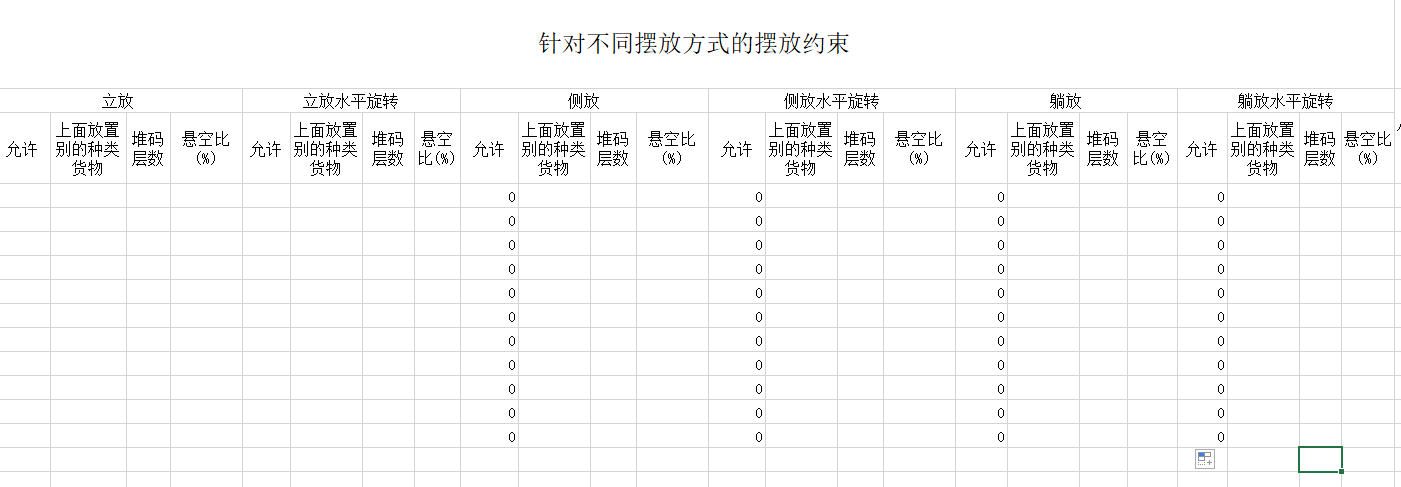
3) Import from Excel.

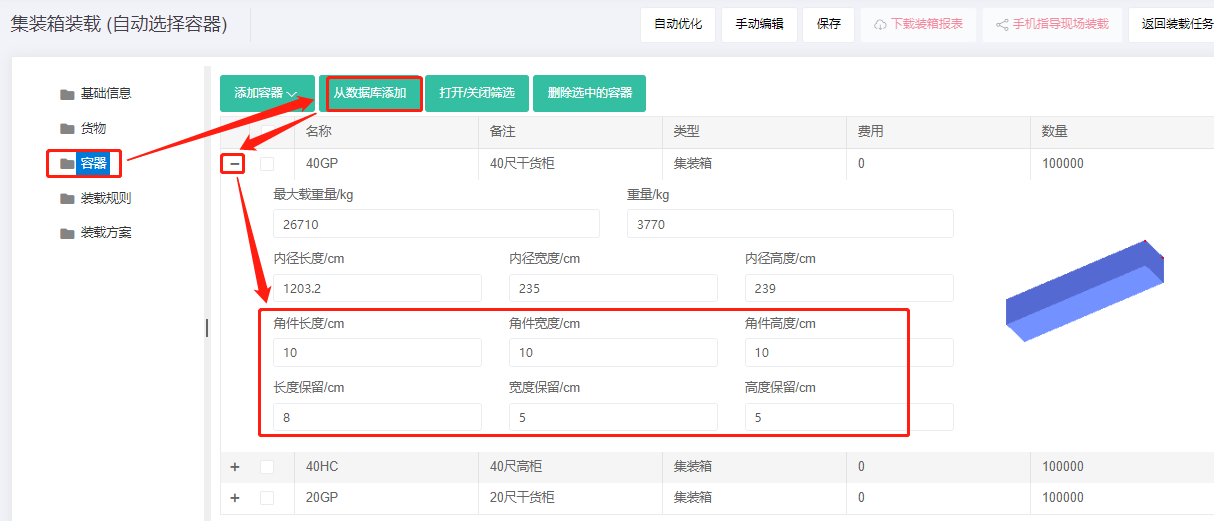
Step 2: Container → Add from database → 20GP, 40GP, 40HC. Corner castings 10×10×10 cm and reserved sizes.
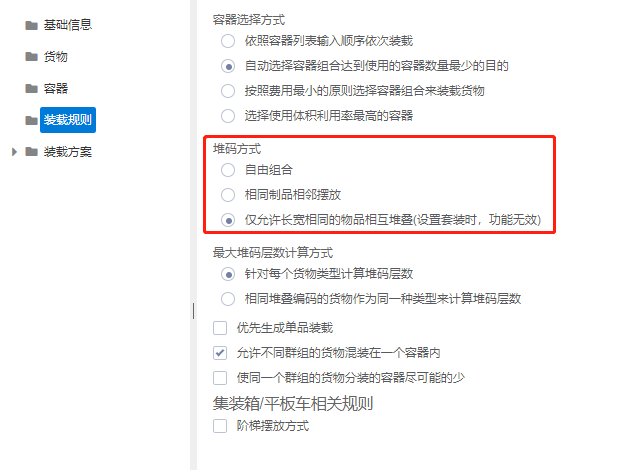
Step 3: Loading rules → set Stack method to "Only cargoes with the same length and width are allowed to stack on top of each other".
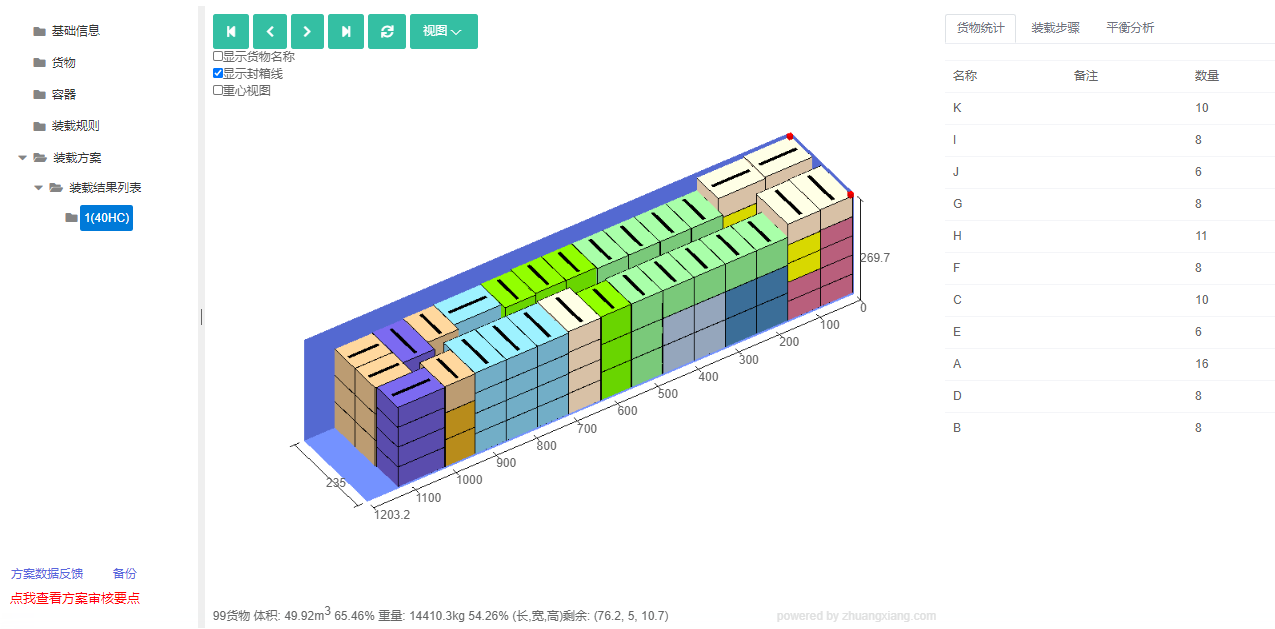
Click Loading Result. The batch fits in one 40HC; only cargo with the same length and width stack on each other.
After review, share or download the report.