k. How to limit the total stack layers when different cargo specs stack on each other
When multiple cargo types may stack on each other, the total number of stacked layers may need to be limited. How is this defined?
Example:
Loading data:
| Name | Qty | Length (cm) | Width (cm) | Height (cm) | Weight (kg) |
|---|---|---|---|---|---|
| A | 6 | 110 | 110 | 112 | 150 |
| B | 28 | 110 | 105 | 40 | 80 |
| C | 26 | 110 | 105 | 45 | 76 |
| D | 28 | 110 | 105 | 35 | 91 |
| E | 26 | 105 | 100 | 20 | 30 |
Loading requirements:
1) Height vertical to the ground only.
2) B, C, D may stack on each other but the total layers must not exceed 4.
3) A is heavy — place at the bottom. E is light — place at the top.
4) Select the best container and calculate how many are needed.
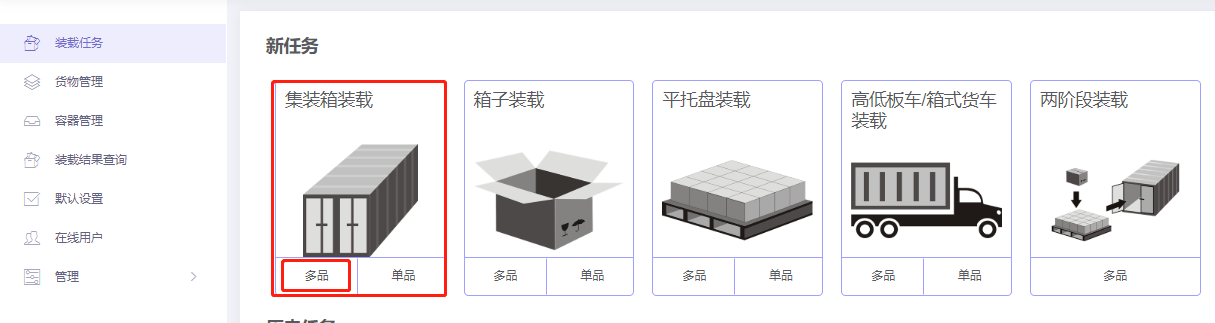
Choose Loading Container / Multi-Cargoes.
Step 1: Cargo → Excel batch import.
1) Get template.

2) Fill template:
① Name, qty, dimensions, weight.
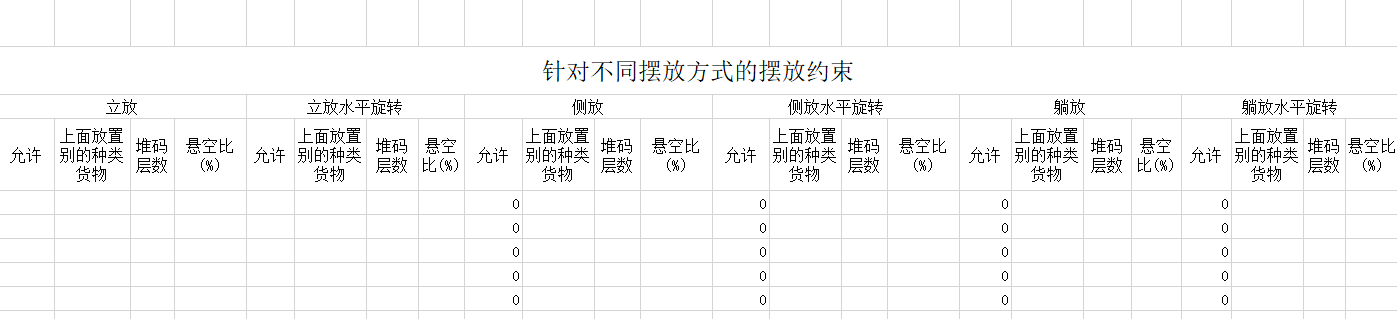
② Allow only Stand and Stand_Rotate.
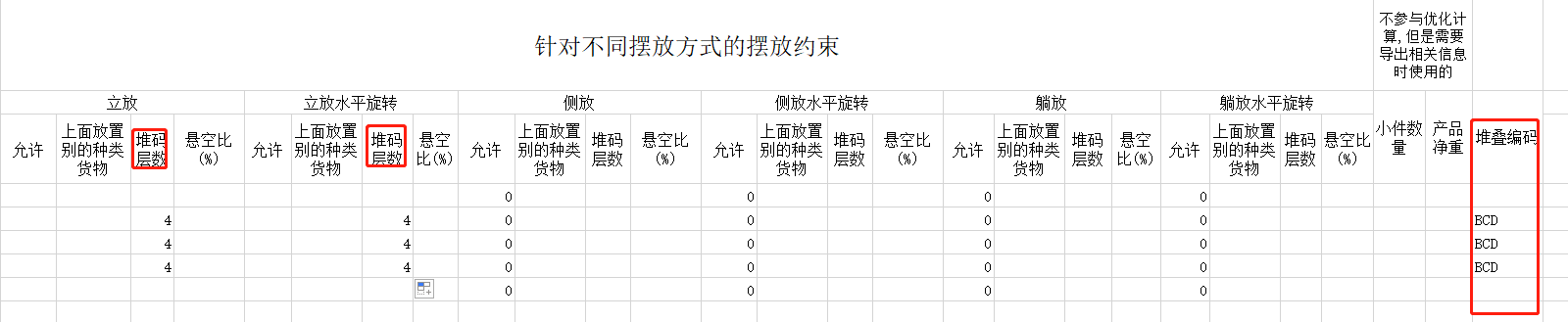
③ Set Max Stack for B, C, D under Stand/Stand_rotate to 4, and give B, C, D the same stack code. Stack codes can be numbers, letters or characters (here "BCD").
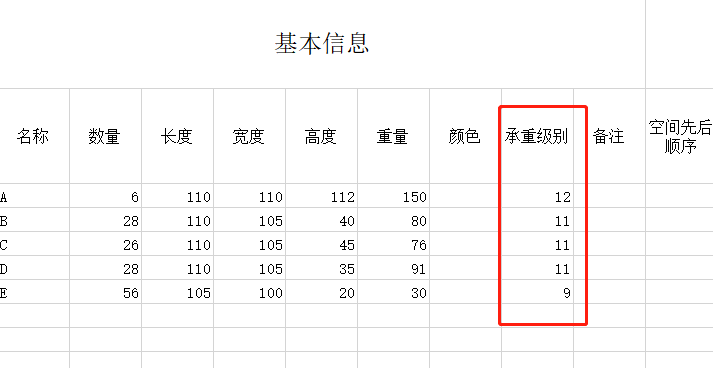
Set Stacking Orders: A = 12 (heavy at bottom), E = 9 (light on top). Defaults are 10; B, C, D may be left blank or set to 11.
3) Import from Excel.

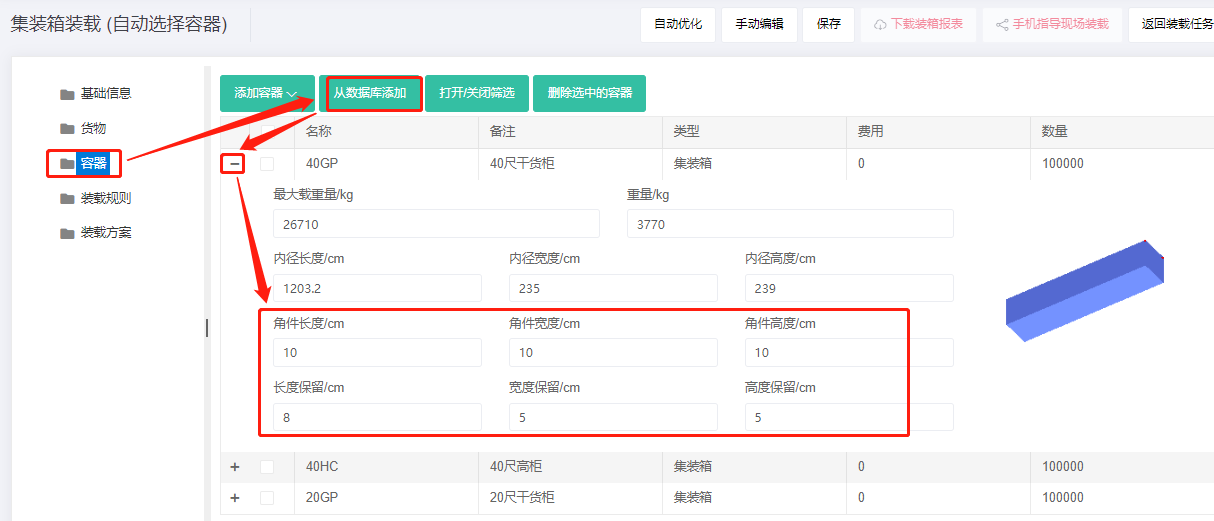
Step 2: Container → Add from database → 20GP, 40GP, 40HC. Corner castings 10×10×10 cm and reserved sizes.
Step 3: Loading rules → set Methods for Calculate Max Stack to "Same stack code treat as one type mode".

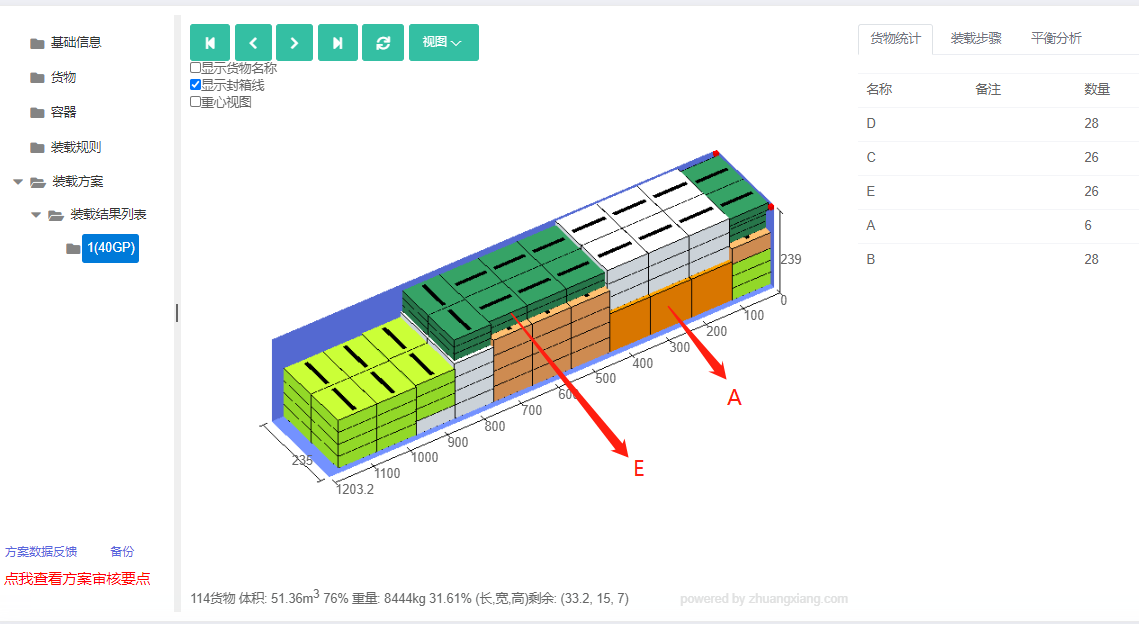
Click Loading Result. The batch fits in one 40GP. The 3D view shows A at the bottom, E on top, and B/C/D never exceed 4 layers total — meeting requirements.
After review, share or download the report.