b. How to generate high/low pallets to fully use space when all cargo is palletized first
When palletizing all cargo first and then loading into containers, you can generate high/low pallets to better use container space. How is this defined?
Example:
Loading data:
| Name | Qty | Length (cm) | Width (cm) | Height (cm) |
|---|---|---|---|---|
| A | 321 | 60 | 50 | 20 |
| B | 360 | 30 | 25 | 20 |
| C | 120 | 55 | 55 | 30 |
| D | 264 | 27 | 55 | 30 |
Loading requirements:
1) Height vertical to the ground only.
2) Compute how to palletize all cargo and load into a 40 GP, using Asian standard 1100×1100 pallets.
3) Cargo must be palletized in two layers (upper and lower); pallet height is not fixed — high/low pallets are allowed to use space fully.
Choose 2-Steps loading.
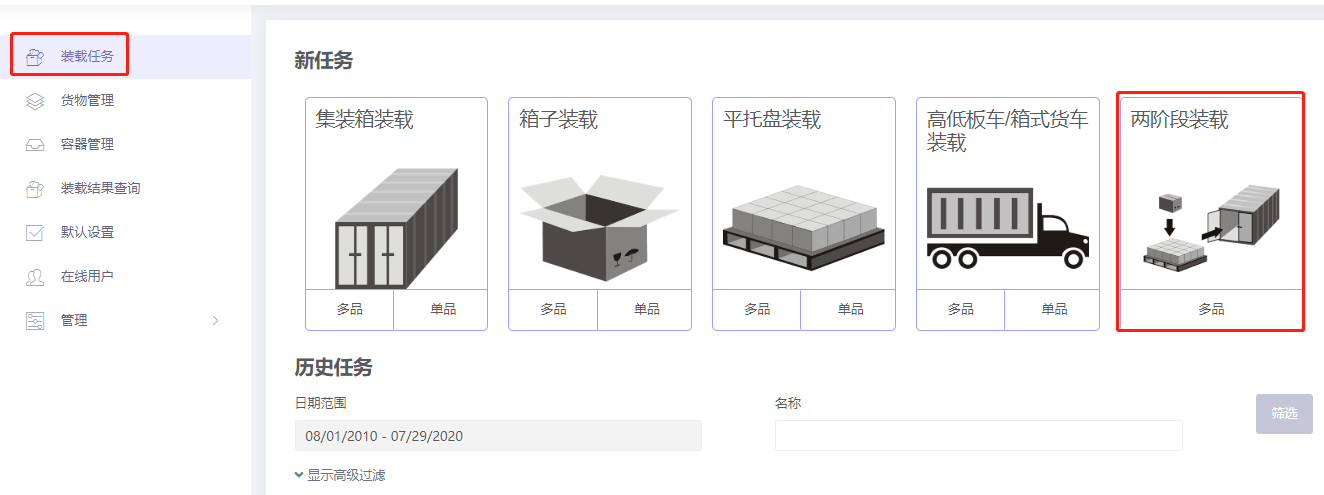
Basic Information is optional.
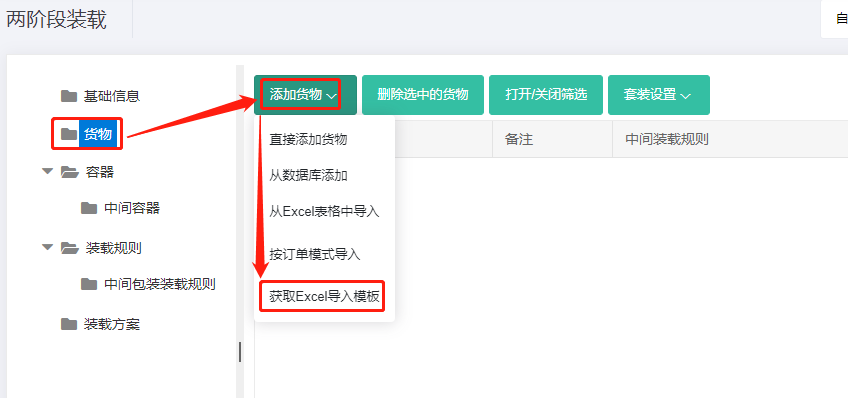
Step 1: Click Cargo. Use Excel batch import.
1) Get the template.
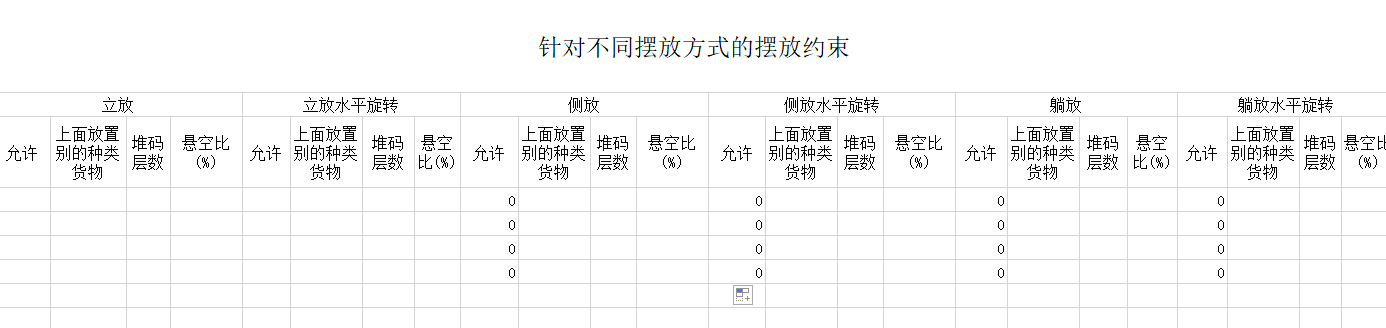
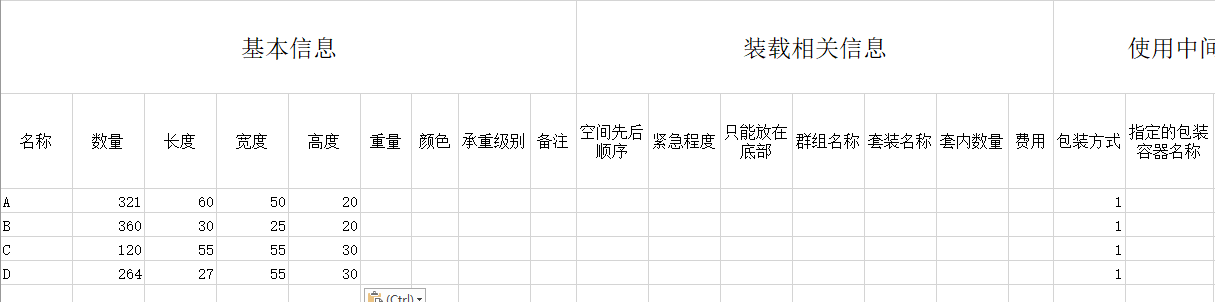
2) Fill in the template:
① Copy name, quantity, length/width/height.
② Allow only Stand and Stand_Rotate; disallow others (0).
③ Set "Intermediate Packing Method" = 1 for all.
Save and close.
3) Import from Excel.
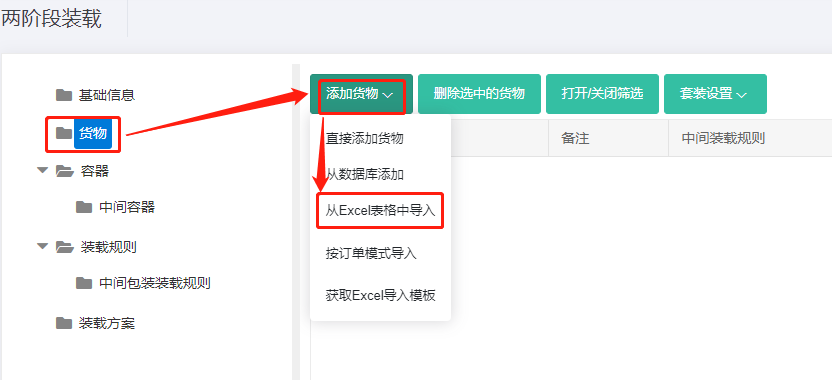
Step 2: Container → Add from database → 40GP → Add → close. Set corner castings and reserved sizes; see How to simulate carton expansion and manual placement gaps.
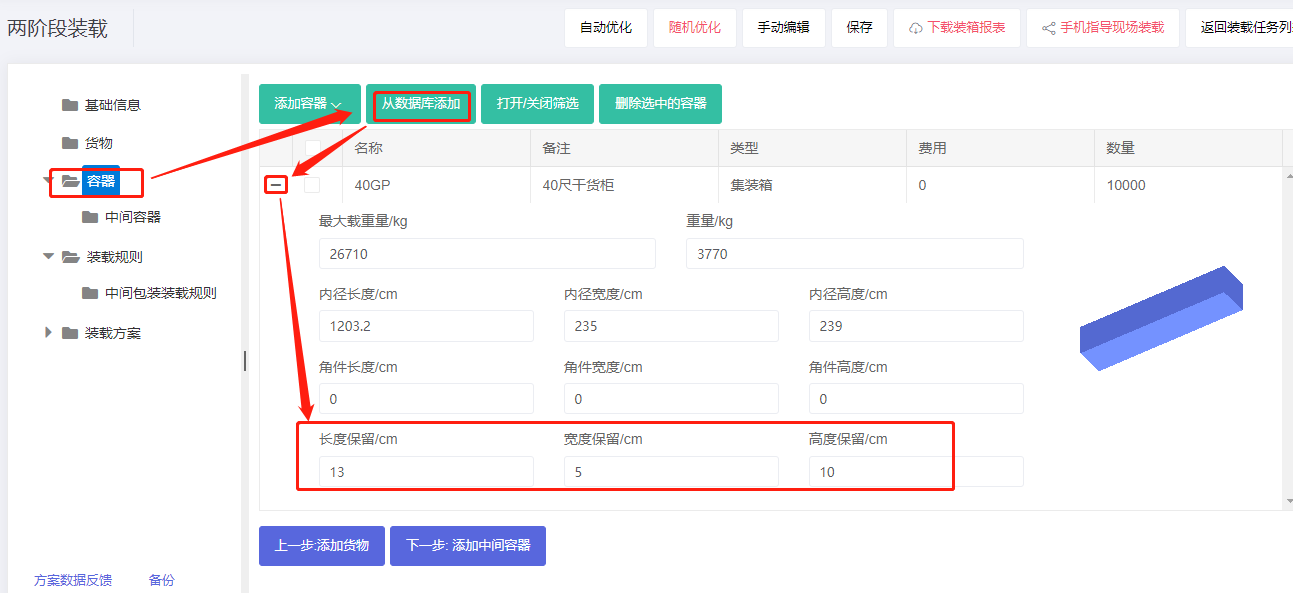
Pallet-into-container: set height reserved size to 10 cm (this absorbs the corner-casting size).
Step 3: Intermediate container. Use 1100×1100 Asian standard pallet. Add from database → check 1100×1100 → Add → close. Set the maximum placement height. Because the user wants two layers and pallet height is not fixed, set the max placement height higher than half the container height — try different values; this case uses 150 cm.
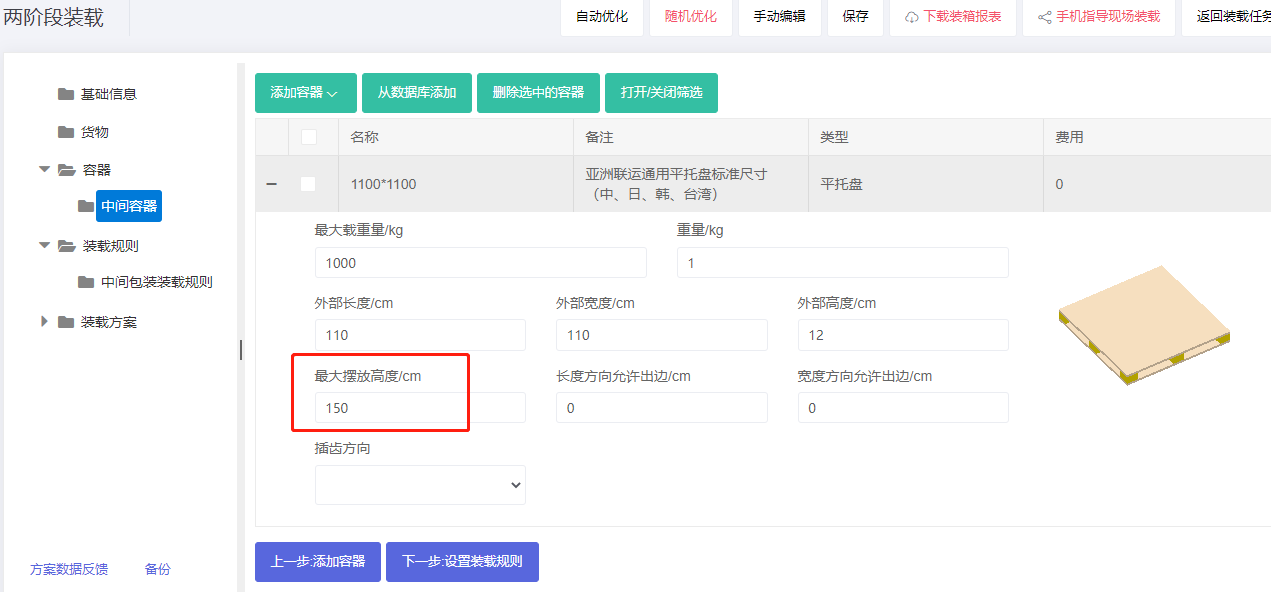
Note: if the desired pallet is not in the database, Add directly → Flat pallet and maintain it.
Step 4: Loading rules. Because high/low pallets are wanted, set Methods of generating intermediate Units to "The heights of intermediate units are dynamic computed according to container height".
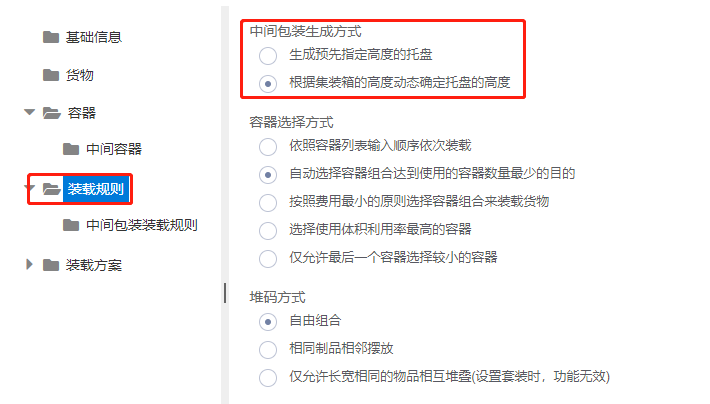
Step 5: Medial loading rules — keep defaults.
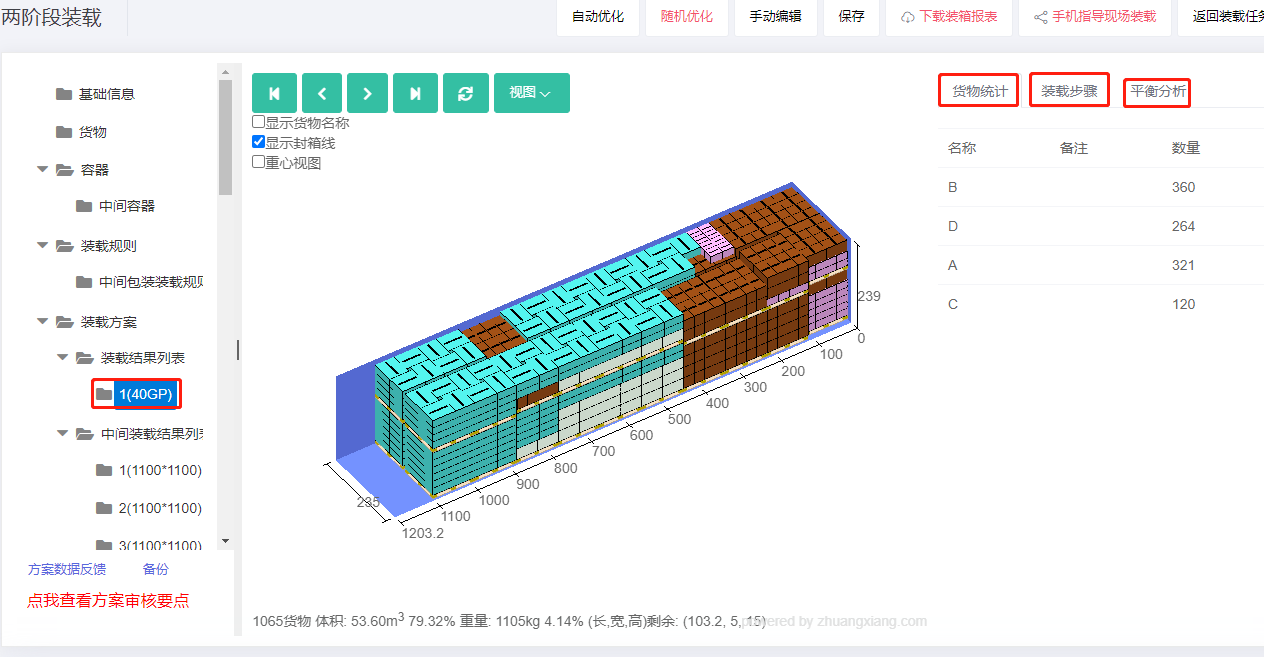
Click Loading Result. The batch uses 40 1100×1100 pallets and one 40GP. The 3D view shows high/low pallets, meeting the requirement.
After review, share or download the report.