10) Nested Group
- Application scenario:
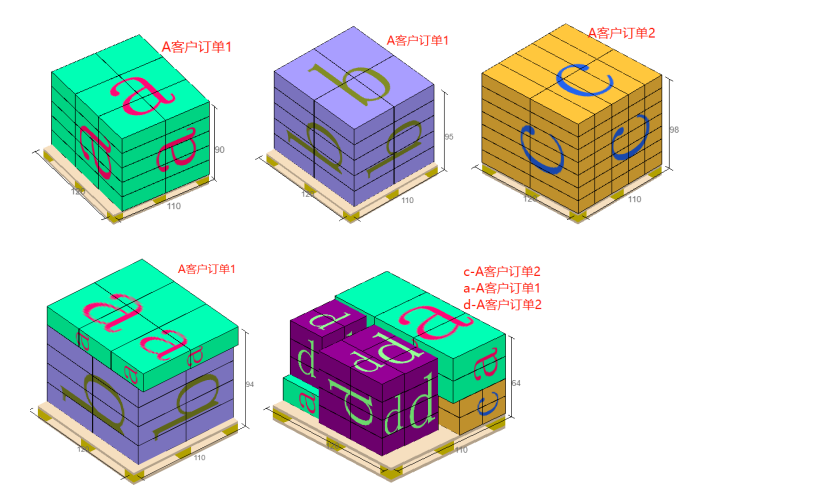
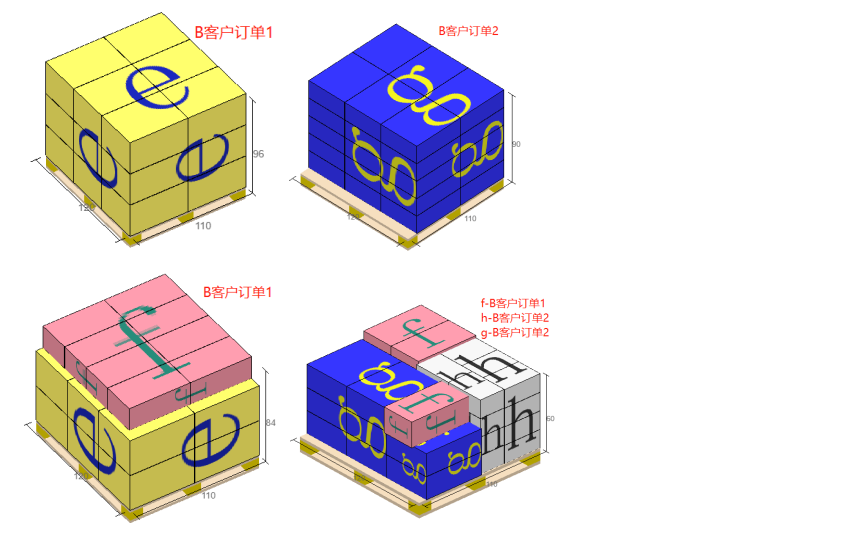
The same batch of cargo is divided across multiple customers; each customer has several orders; each order contains multiple materials. When computing how to load them into containers (palletize, pack), the requirement is that different customers must not be mixed; cargo of the same customer/same order should be split as little as possible; cargo of the same material within an order should be split as little as possible — but if there are cartons left, they should be mixed first with other materials of the same order; cargo left from the same order should be mixed first with other orders of the same customer, and so on.
As shown below:
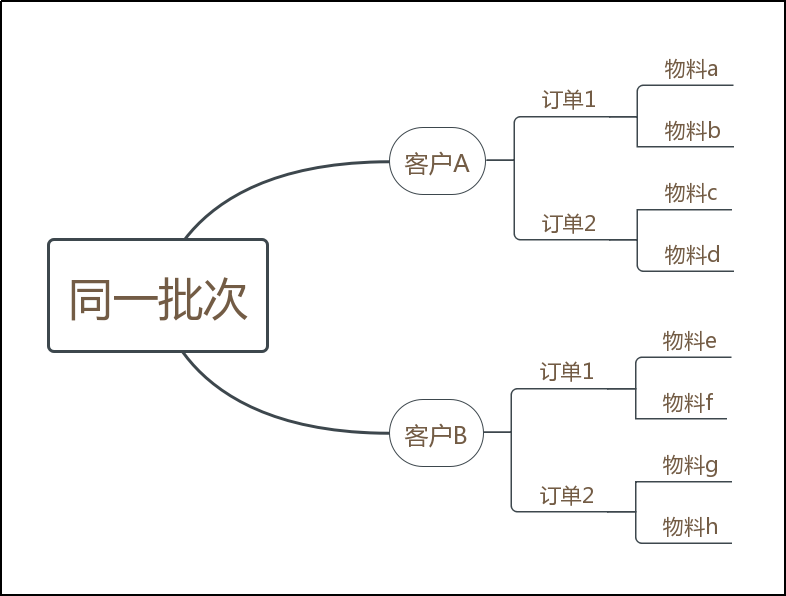
1) In the same batch, cargo from customer A and customer B cannot be mixed.
2) Cargo of the same material should be split across containers as little as possible. When there are cartons left, they may be mixed with other materials of the same order.
For example: in customer A's order 1, material a and material b each preferentially fill one or more single-product containers; when neither of the remaining quantities fills one single-product container, material a and material b within customer A's order 1 may be mixed.
3) Under the same customer, the same order should be split as little as possible. When there are cargo left, they may be mixed with other orders of the same customer.
For example: customer A's order 1 and order 2 each preferentially fill one or more single-order containers; when remaining quantities do not fill a single-order container, customer A's order 1 and order 2 may be mixed.
- Specific steps:
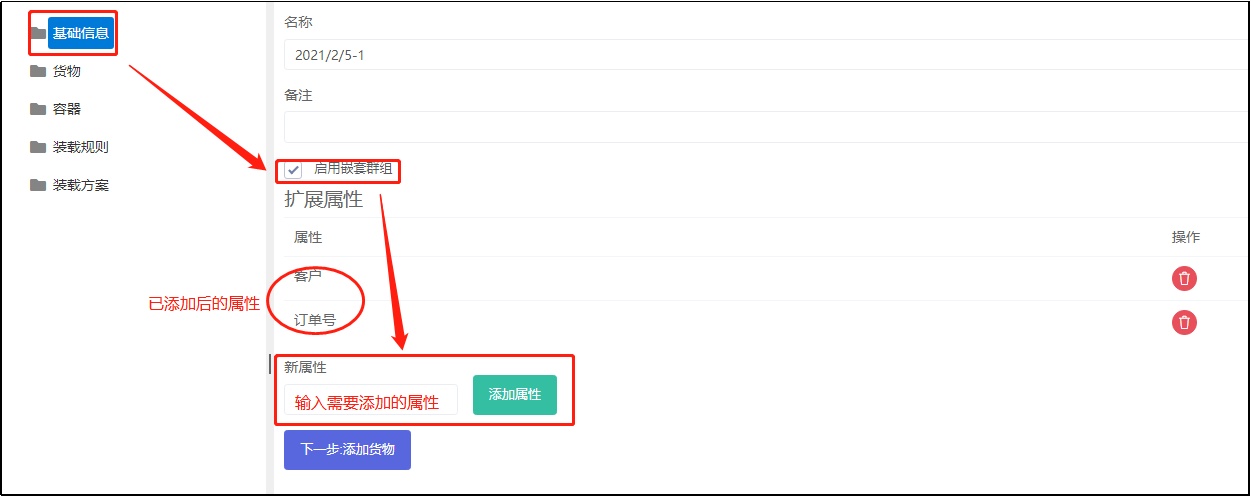
1) "Basic Information" interface
2) "Cargo" interface: choose "Add cargo", click "Get Cargol Import Template" and fill it in.
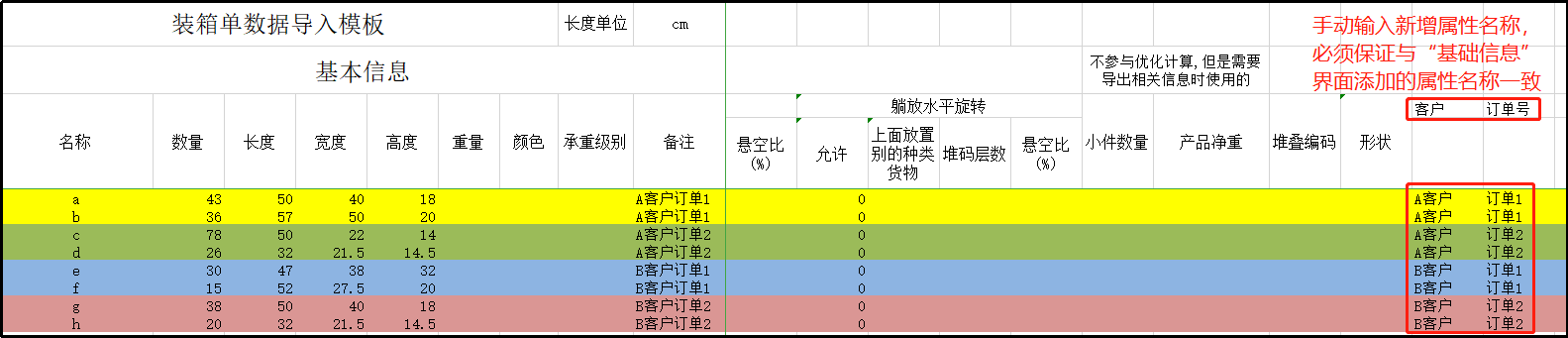
3) "Loading Rules" interface
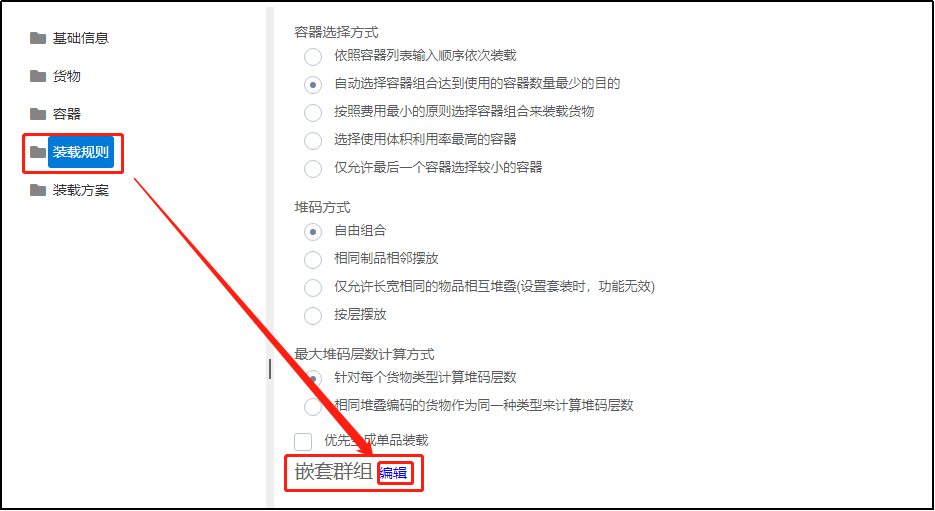
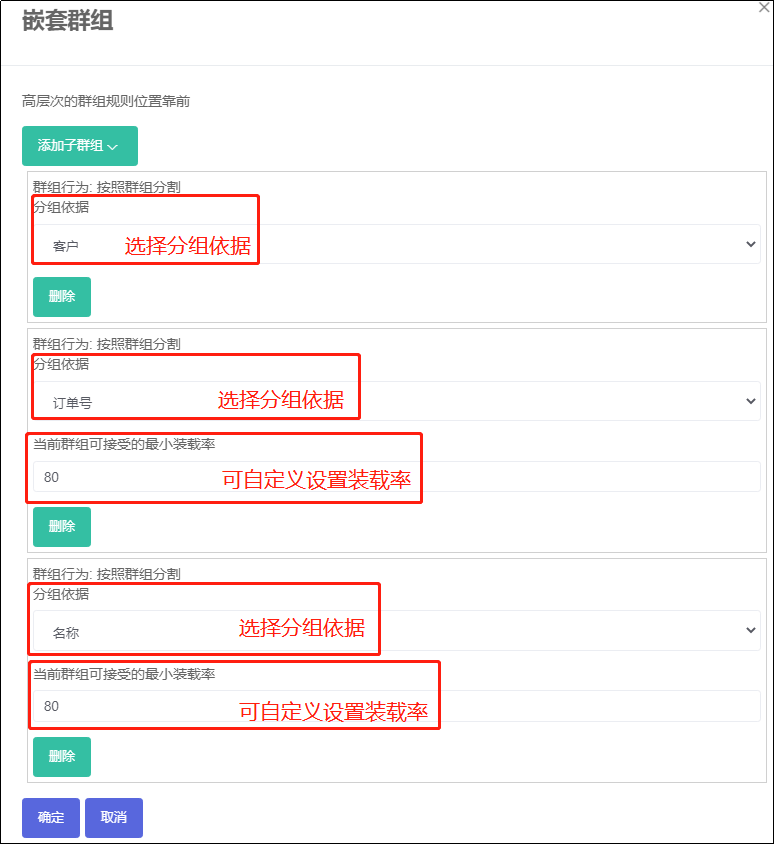
When setting Nested Group, the groups in the figure above go from top (most lenient loading conditions) to bottom (strictest). The criterion that determines mixing of cargo between one group level and the previous level is the Min Accept Rate of Mixed Loading parameter.
Example: when grouping by Name (i.e. material name) and the load ratio above is set to 80, then when material a and material b of customer A's order 1 each fill one container, a single-product container is created whenever the load ratio reaches 80% or more; if it does not reach 80%, the cartons left of material a are mixed with the cartons left of material b within customer A's order 1, i.e. grouping by the next level Order number — and so on. The outermost Customer group is not further split or mixed, so it does not need a minimum acceptable load ratio.
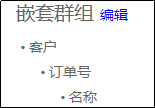
After configuration, click OK. Under Loading Rules → Nested Groups you will see the display below.
The final loading result meets the customer's requirements.