d. How to define whether remaining container space may be filled with bulk cargo
When palletizing first then loading into containers, some users want all cargo palletized; others want remaining container space filled with bulk (un-palletized) cargo. How is this defined?
Example:
Loading data:
| Name | Qty | Length (cm) | Width (cm) | Height (cm) |
|---|---|---|---|---|
| A | 280 | 60 | 50 | 20 |
| B | 248 | 30 | 25 | 20 |
| C | 85 | 55 | 55 | 30 |
| D | 246 | 55 | 55 | 30 |
Loading requirements:
1) Height vertical to the ground only.
2) Compute palletization and container loading; pallet height limit 1.2 m.
3) A small amount of remaining cargo may be loaded as bulk (not palletized) into the container.
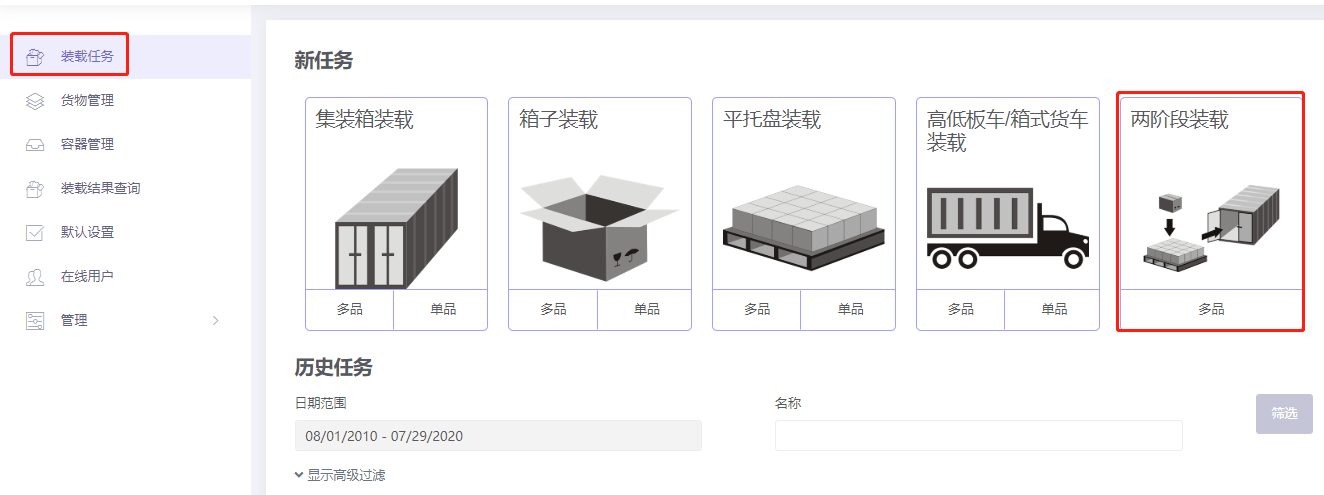
Choose 2-Steps loading.
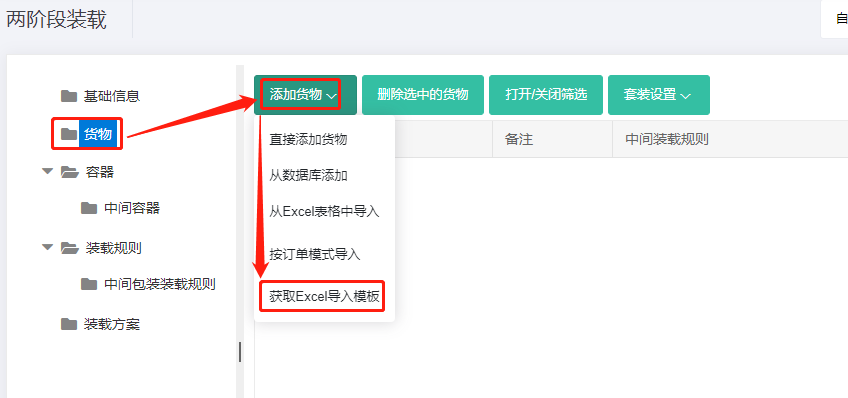
Step 1: Cargo → Excel batch import. Get template:
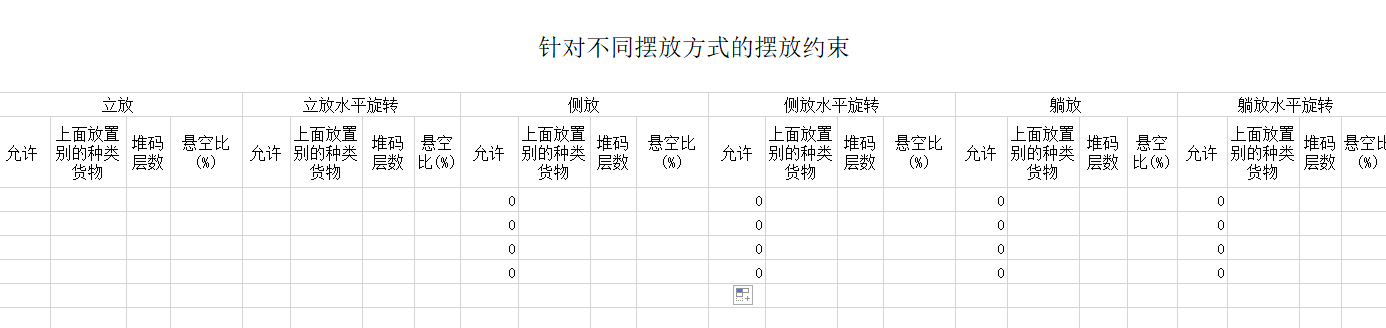
Fill template:
① Name, qty, dimensions. ② Allow only Stand and Stand_Rotate.
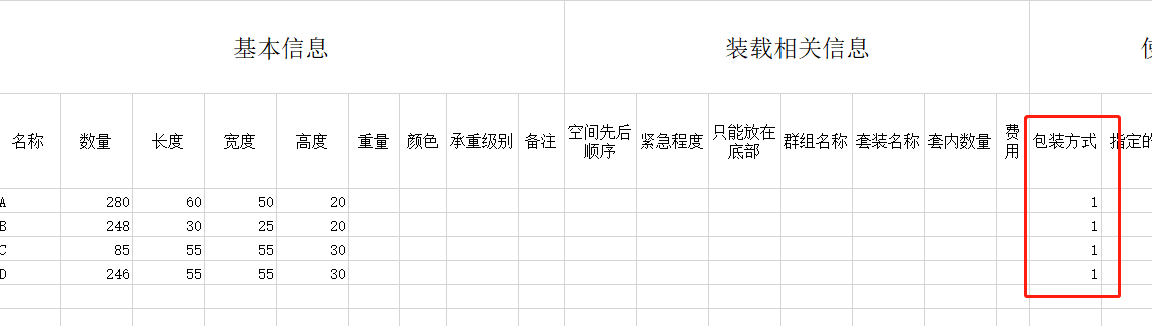
③ Intermediate Packing method = 1.
Step 2: Container → Add from database → 20GP, 40GP, 40HC → Add. Set corner castings 10×10×10 cm and reserved sizes. See How to simulate carton expansion and manual placement gaps.
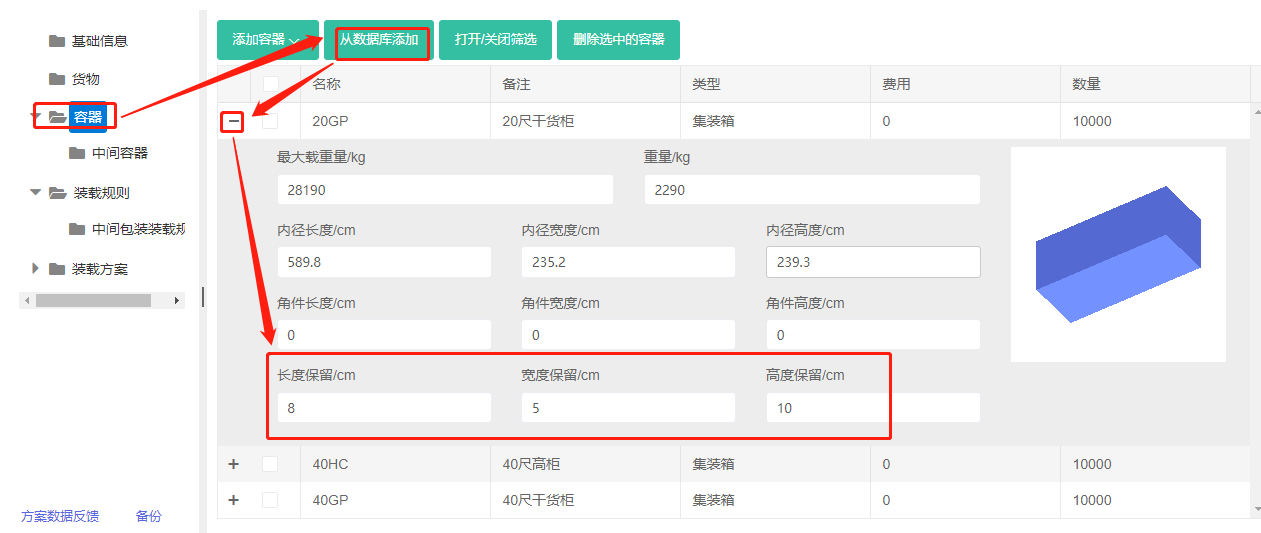
Pallet-into-container: set height reserved size to 10 cm.
Step 3: Intermediate container → Add from database → common European and Asian standard pallets → Add. Set the maximum placement height to 120 cm.
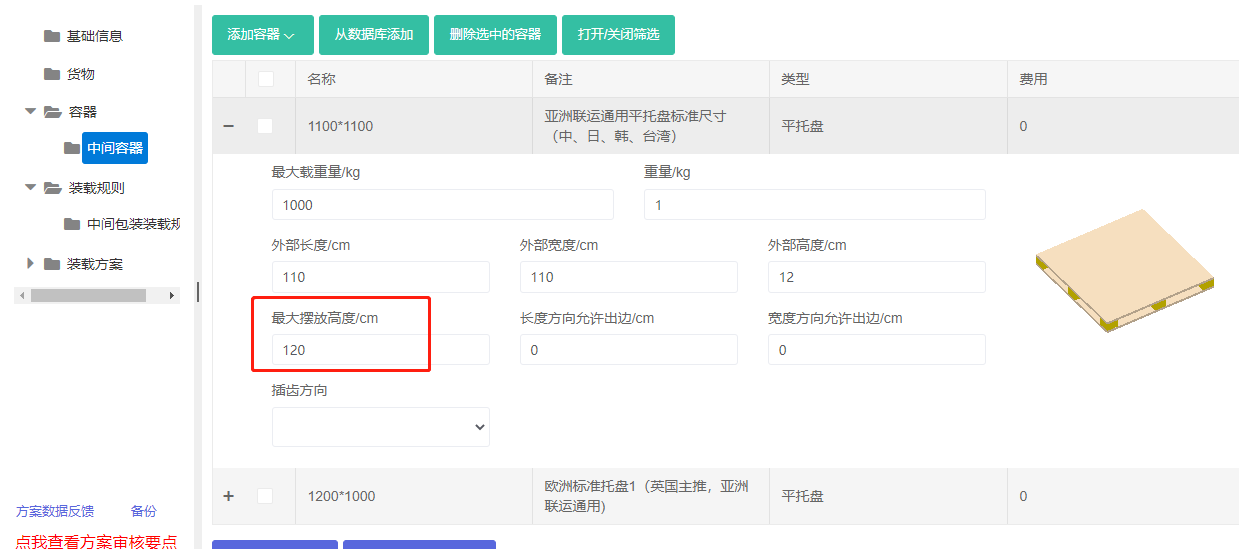
If a common pallet is not in the database, add it directly. See Container Management for maintaining the database.
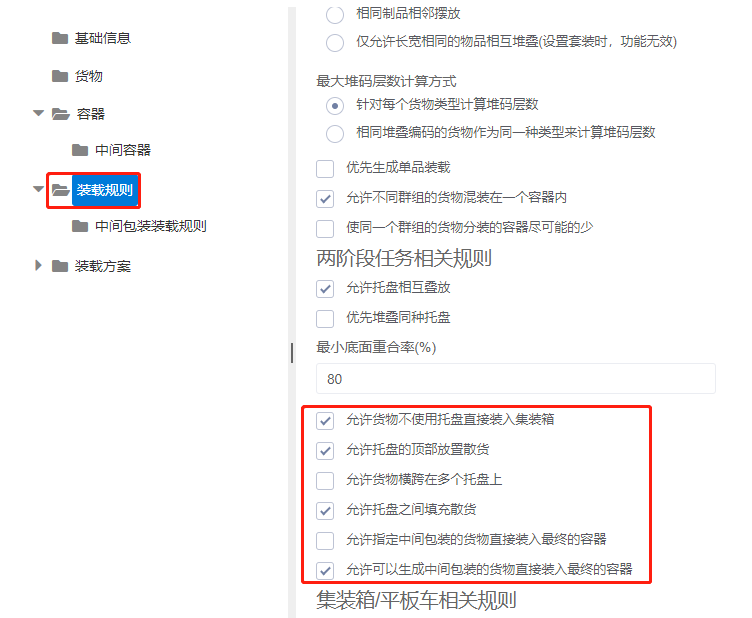
Step 4: Loading rules. Because the user wants un-palletized cargo allowed, set Methods of generating intermediate Units to "The heights of intermediate units are dynamic computed according to container height" and check "Allow cargoes which can generate unit SKUs to be loaded directly into containers".
Step 5: Medial Loading rules — keep defaults.
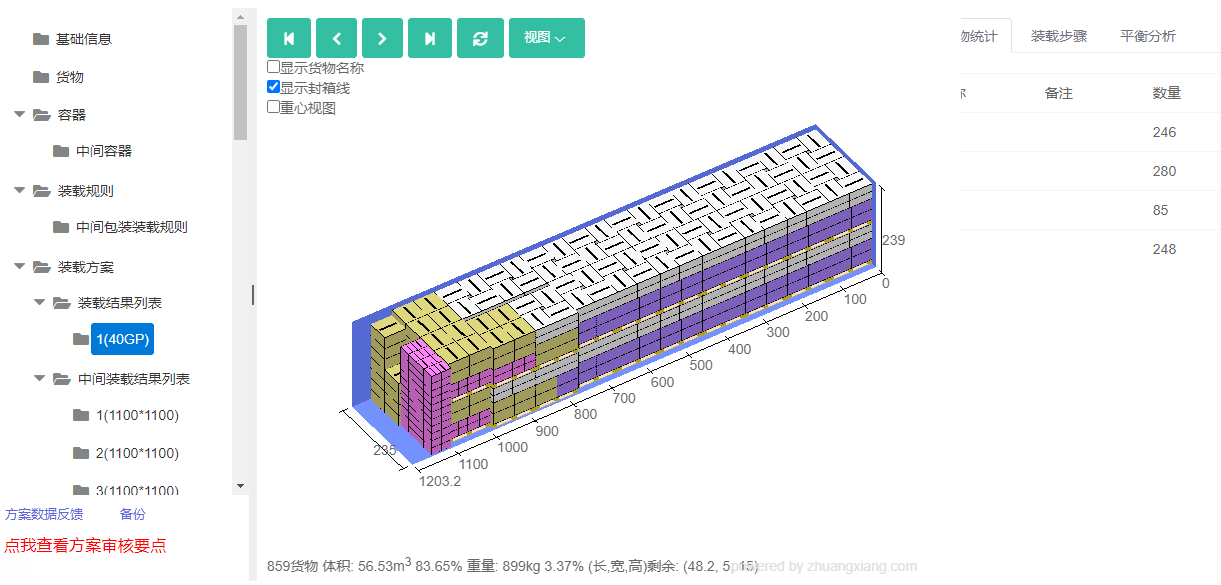
Click Loading Result. The batch uses 40 1100×1100 pallets and one 40GP. The 3D view shows a small amount of bulk cargo at the container tail — if all were palletized, one container would not be enough.
After review, share or download the report.